
ScreenshotSnap
ScreenshotSnap offers a professional website screenshot API.
| Added on: | Oct 26, 2025 |
| Monthly Visits: | -- |
| Social & Email: | -- |

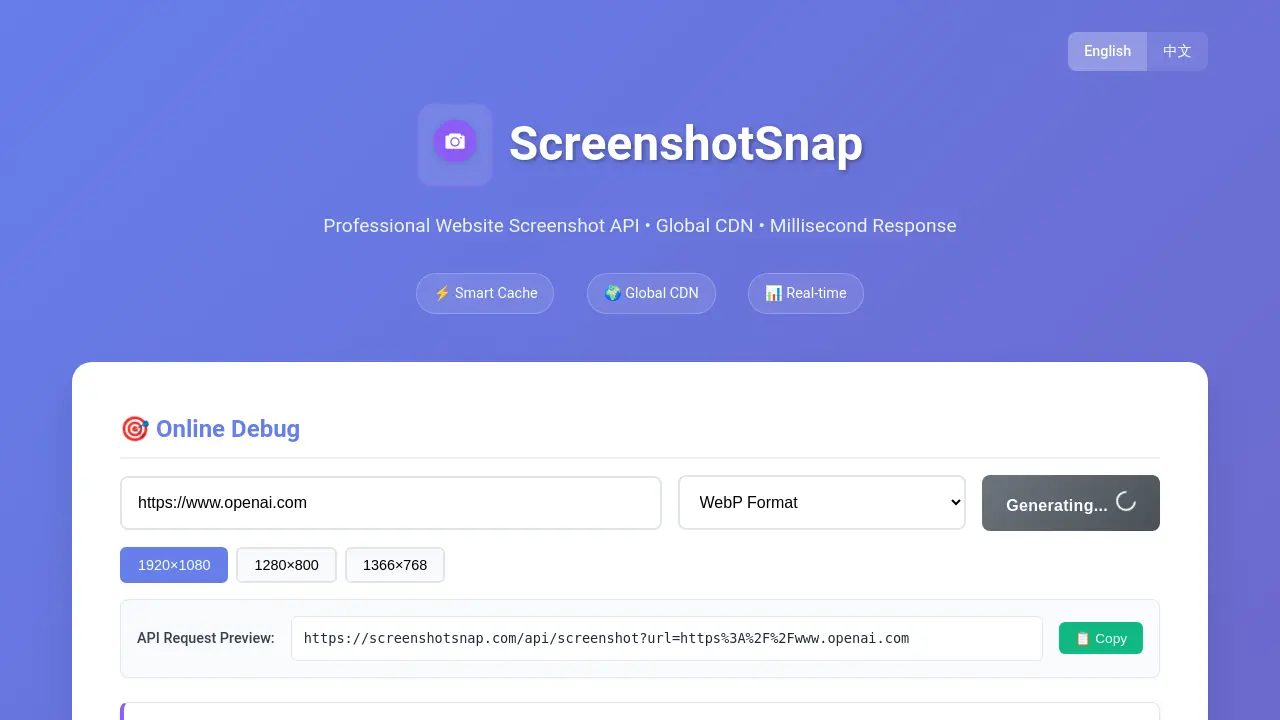
What is ScreenshotSnap
ScreenshotSnap offers a professional website screenshot API with a global CDN, designed for millisecond responses. This tool facilitates generating website screenshots in various formats like WebP and PNG, with customizable dimensions. Key features include high performance through a global edge computing architecture, a smart cache for faster access, and multi-format support. The service provides an online debug tool and API request previews, making it suitable for developers and businesses requiring efficient, reliable website snapshot capabilities.
How does ScreenshotSnap work
ScreenshotSnap operates as a professional website screenshot API, enabling users to generate website screenshots programmatically. Its core functionality involves a GET /api/screenshot endpoint, which accepts a target URL, and optional parameters for image format (WebP or PNG), viewport width, and height. This service leverages a global CDN for rapid, real-time responses and incorporates smart caching via R2 buckets for enhanced access speed and efficiency, offering up to seven days of cache support. This allows for quick screenshot snap functionality without needing direct browser interaction.
Benefits of ScreenshotSnap
ScreenshotSnap offers a professional website screenshot API featuring high performance with a global CDN and millisecond response times. Its smart cache, supported by R2 bucket technology, enhances access speed and reliability. Users can generate website screenshots in multiple formats like WebP and PNG, with customizable viewport dimensions. The API provides real-time processing and online debugging, simplifying the process of capturing a screenshot snapshot. This service is designed for efficient and versatile screenshot snap without notifying.
Pros and Cons of ScreenshotSnap
Pros
- Global CDN ensures fast response.
- Smart cache improves access speed.
- Supports multiple image formats.
- API offers customizable screenshot dimensions.
- Provides real-time screenshot generation.
Cons
- Limited to website screenshot functionality.
- No mention of advanced editing features.
- Specific pricing structure is not detailed.
- Lacks information on customer support channels.
- Browser compatibility not explicitly stated.
Core Features of ScreenshotSnap
Website Screenshot API Generation
Provides a professional API for generating website screenshots efficiently, supporting various formats and custom dimensions for diverse integration needs.
Smart Caching Mechanism
Utilizes an R2 bucket cache with 7-day support, significantly enhancing access speed and overall performance for screenshot retrieval.
Multi-format Image Output
Offers support for both WebP and PNG image formats, allowing users to choose between smaller file sizes for speed or broader compatibility.
Global CDN and High Performance
Leverages a global content delivery network and edge computing for fast response times and stable, reliable screenshot generation.
Use Cases of ScreenshotSnap
- Web Developers: Integrate ScreenshotSnap's API to capture website screenshots with custom formats and dimensions.
- Content Creators: Automate the generation of high-quality website snapshot images for articles or presentations.
- Researchers: Utilize ScreenshotSnap for automated screenshot capture of web pages for data collection and analysis.
- Digital Marketers: Create visual assets quickly by generating screenshot snap images of landing pages.
FAQs of ScreenshotSnap
What is ScreenshotSnap?
ScreenshotSnap is a professional website screenshot API service. It provides a robust solution for generating website screenshots with features like a global CDN, smart caching, and real-time processing, ensuring quick and reliable responses.
How does ScreenshotSnap ensure high performance?
ScreenshotSnap utilizes a global edge computing architecture, which contributes to its fast response times and stable, reliable performance. This distributed infrastructure minimizes latency and optimizes the screenshot generation process.
What image formats does ScreenshotSnap support?
ScreenshotSnap supports both WebP and PNG image formats. WebP is noted for its smaller file sizes, offering efficiency, while PNG provides broader compatibility across various platforms and applications, catering to diverse user needs.
What are the key features of ScreenshotSnap?
ScreenshotSnap offers several key features, including high performance via a global edge computing architecture, smart cache with R2 bucket support for 7-day caching, and multi-format support for WebP and PNG images. These features enhance speed, reliability, and versatility.
What parameters can be used when making an API request to ScreenshotSnap?
When making an API request to ScreenshotSnap, users can specify the target website URL (url), the desired image format (format - webp or png), the viewport width (width - 100-3840), and the viewport height (height - 100-2160). The url parameter is mandatory.
Does ScreenshotSnap offer smart caching?
Yes, ScreenshotSnap incorporates a smart cache mechanism. It leverages R2 bucket cache with support for 7-day retention, which significantly improves subsequent access speeds for frequently requested website screenshots, enhancing overall efficiency.
How to use ScreenshotSnap
ScreenshotSnap offers a professional API service for generating website screenshots efficiently. It utilizes a global CDN and smart caching for high performance, supporting various formats and custom resolutions.
- Specify the target website URL using the
urlparameter in your GET request to/api/screenshot. - Optionally, select the desired image format, such as
pngorwebp, using theformatparameter. - Define the screenshot viewport dimensions by adjusting the
widthandheightparameters as needed. - Execute the API request to capture the website screenshot with the specified settings.
- Receive the generated screenshot image, leveraging ScreenshotSnap's global CDN and smart cache for rapid delivery.
ScreenshotSnap Alternatives
SeedRouter puts image, video, language and audio models from OpenAI, Google and Anthropic behind one key, billing per request and never for failed calls.
Open-source AI coworker for Slack and Lark that runs Claude Code, Codex or Pi on your own machine with the plan or API key you already pay for.
Read every public comment and reply on TikTok, Instagram and YouTube posts without signing in, and export the thread to CSV or Excel when the rows are needed.
Watch public TikTok stories, videos, comments and profile pictures by username with no login or app. One-at-a-time downloads are free; credits cover batches.
AtAt runs Claude Code, Codex, or local models in the text field you are typing in, no app-switching. It adds TabTab autocomplete, screenshots, and clipboard history.
Play HT is a free AI voice generator that turns text into speech with 200+ public voices, streams previews in the browser, and exports MP3 files.

Jev is TypeSafe AI's System One model that returns typed decisions with calibrated confidence for automation. Fast, cheap, zero hallucinations.
Use GPT, Claude, Gemini and Grok through one OpenAI-compatible API. Compare model rates, create a key, and make your first request in minutes.
Git-native task management for AI coding agents: track intent, status, blockers, dependencies, history, and commit evidence in Git.
SJolt is an AI model API platform aggregating top image, video, and audio generation models behind one unified request flow for developers and teams.
Tokenhot is a unified LLM API gateway delivering OpenAI, Claude, Gemini and DeepSeek models through a single endpoint, cutting API costs by up to 90%.
DSH Hub catalogs verified DeepSeek Harness plugins and clients. Browse open-source repositories with source inspection before installation.