
PleaseRSVP FAQs
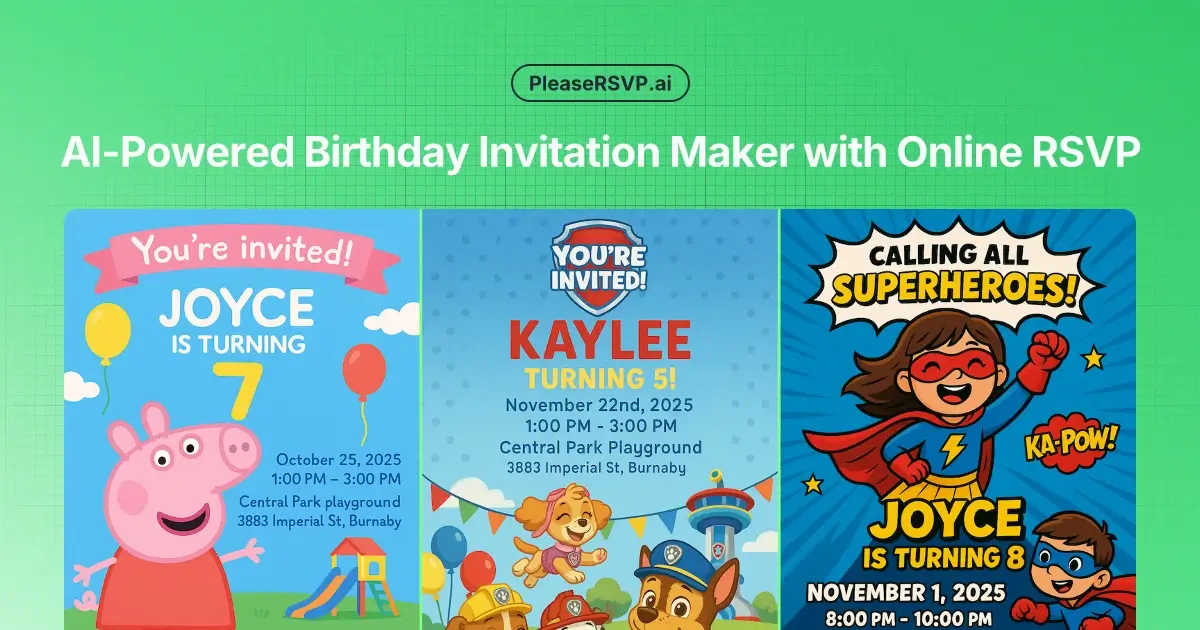
This AI tool creates personalized birthday party invitations with no design skills, offering online RSVP tracking and guest management for parents.

FAQs of PleaseRSVP
What is PleaseRSVP?
PleaseRSVP is an AI-powered platform designed for creating personalized birthday party invitations with integrated online RSVP tracking. It aims to simplify party planning by generating unique invitations rapidly and managing guest responses efficiently. This service caters to individuals seeking professional-looking invitations without requiring design expertise, streamlining the process of sending a "please RSVP" request.
What features does PleaseRSVP offer?
PleaseRSVP offers AI-powered invitation design, allowing users to generate unique invitations in minutes by simply providing party details. It includes a smart RSVP tracking system with a unique QR code for guests to confirm attendance easily, real-time response monitoring, detailed guest analytics, and automatic party reminders. The platform also provides a rich theme library and supports creating custom themes, facilitating a clear "please RSVP by date" for hosts.
Can I cancel my PleaseRSVP subscription anytime? Will it affect my ongoing parties?
The platform indicates that subscriptions can be canceled, but details regarding the impact on ongoing parties are not explicitly provided in the context. Users should consult the terms of service or contact support for specifics on how cancellation affects existing events or RSVP tracking. This allows flexibility for users when they "please RSVP to confirm your attendance."
How much time will PleaseRSVP save me?
PleaseRSVP aims to save users significant time by creating stunning party invitations in under a minute, eliminating the need for design skills or hiring expensive designers. The integrated RSVP tracking and management also reduce the time spent manually consolidating responses and sending reminders, ensuring efficient party planning. This addresses the common need for a quick "please RSVP" solution.
What if parents don't respond to the RSVP?
PleaseRSVP addresses non-responses through its automatic party reminders feature. Guests receive friendly email reminders as the party date approaches, prompting them to confirm their attendance. This helps to reduce last-minute no-shows and ensures a more accurate headcount, fulfilling the intention behind a "please RSVP" request.
How much does PleaseRSVP cost? Are there any discounts available?
PleaseRSVP offers a tiered pricing structure: a Free plan with limited credits and RSVP tracking, a Pro plan at $5/month for more invitations and RSVP tracking, and a Lifetime plan for a one-time payment of $99, offering unlimited RSVP tracking and a larger allocation of AI-generated invitations. A 50% discount is available for annual Pro plan subscriptions.
Can I print the invitations at home?
The platform generates digital invitations, and while it doesn't explicitly state printing capabilities, digital invitations are typically suitable for home printing. Users can likely download the generated invitation designs and print them as desired, offering flexibility beyond just digital sharing. This allows for both digital and physical "please RSVP" distribution.
Do guests need to create an account to RSVP?
No, guests do not need to create an account to RSVP. Each invitation includes a unique QR code that guests can scan to confirm attendance instantly without requiring registration or login, streamlining the "please RSVP to confirm your attendance" process. This enhances convenience for invitees.
What are the benefits of logging in before submitting an RSVP?
The context does not specify benefits for guests logging in before submitting an RSVP, as it explicitly states that guests can RSVP without creating an account. The primary benefit of the platform is ease of use for guests, removing barriers to entry for confirming attendance.
How do I update my RSVP after submitting?
The context does not explicitly detail the process for updating an RSVP after submission. Users who need to change their RSVP status would likely need to contact the party host or revisit the unique RSVP link provided in the invitation to modify their response.
Can I control whether guests need to provide their email or phone number when submitting an RSVP?
The context mentions that hosts have "Flexible RSVP Requirements," implying some control over the information guests provide. However, it does not explicitly state whether hosts can mandate or make optional the provision of email or phone numbers for RSVP submissions. This allows for customized "please RSVP wording."
How to use PleaseRSVP
PleaseRSVP is an AI-powered platform for generating personalized birthday party invitations and managing RSVPs. It streamlines party planning by offering unique designs and real-time guest tracking, eliminating the need for design expertise.
- Navigate to the "Get Started" section on the PleaseRSVP website to begin creating your birthday invitation.
- Provide your child's name, age, party date, time, and location, along with any specific theme preferences.
- Utilize the AI to generate a unique invitation design based on your input, choosing from existing themes or creating a custom one.
- Review the generated invitation and make any necessary adjustments to ensure all details are accurate.
- Share the invitation, which includes a unique QR code, with your guests via your preferred communication method.
- Monitor guest responses through the integrated online RSVP tracking system, which provides real-time updates on attendance.
- Access detailed analytics, including adult/children counts and attendance status, to efficiently manage your guest list and plan party logistics.
- Leverage automatic party reminders sent to guests to minimize no-shows and ensure accurate headcounts for food and favors.
- Interpret the RSVP data to finalize your party preparations, ensuring a perfect headcount for catering and activities.
