
PDFToQuiz - Turn PDFs into quizzes for exam success
| Added on: | Jul 8, 2024 |
| Monthly Visits: | 39.74K |
| Social & Email: | -- |

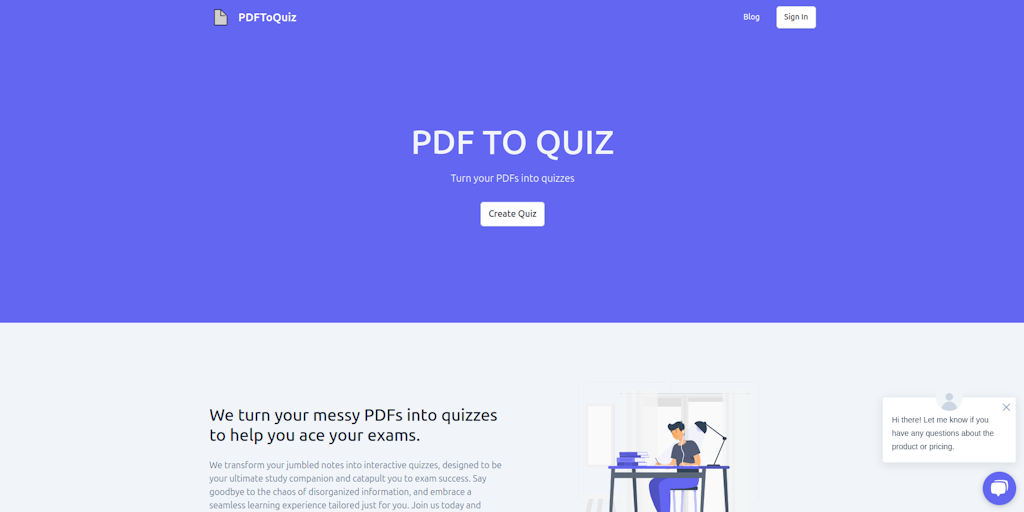
What is PDFToQuiz
PDFToQuiz is an AI-powered tool that transforms PDFs into interactive quizzes. It's designed for educators, trainers, and anyone seeking to enhance their learning materials. The tool simplifies the process of creating engaging quizzes by leveraging AI to automatically extract questions and answers from PDF documents. It also allows users to customize the appearance and functionality of their quizzes to align with their learning objectives. With PDFToQuiz, educators can easily create interactive assessments that keep learners engaged and motivated.
How does PDFToQuiz work
PDFToQuiz is an AI-powered platform that transforms PDF documents into interactive quizzes. Users upload a PDF, and the system employs AI to generate questions; offering multiple choice, fill-in-the-blank, and true/false formats. The platform provides instant feedback, enabling users to identify areas for improvement. PDFToQuiz offers both free and paid plans, with features like study mode, progress tracking, and quiz sharing. The service aims to convert a PDF to quiz format quickly, assisting users in exam preparation through its PDF quiz maker and PDF quiz generator capabilities.
Benefits of PDFToQuiz
PDFToQuiz is an AI-powered pdf quiz generator designed to transform your study materials. This pdf to quiz converter automatically converts PDF documents into engaging, interactive quizzes, saving valuable time and effort. Upload your PDFs and the AI will generate multiple choice, fill-in-the-blank, or true/false questions. Get instant feedback to identify areas for improvement. The pdf quiz maker offers both free and pro plans, with features like study mode and progress tracking. It is an efficient tool to create pdf quizzes that helps improve exam scores.
Pros and Cons of PDFToQuiz
Pros
- AI converts PDFs to interactive quizzes.
- Offers multiple quiz question styles.
- Provides instant feedback and results.
- Free plan available to try the system.
Cons
- Free plan has PDF upload size limit.
- Free plan has page limit per upload.
- Email support is limited to Pro plan.
Core Features of PDFToQuiz
Turn PDFs into Quizzes
PDFToQuiz is a web-based tool that allows users to easily convert PDF documents into interactive quizzes. This feature is useful for educators, trainers, and anyone else looking to create engaging learning materials.
Multiple Choice Questions
The tool supports multiple choice questions, making it easy to assess learner understanding.
Answer Key
PDFToQuiz allows users to create an answer key for each quiz, making it easier to grade and provide feedback to learners.
Shareable Quizzes
Users can share their quizzes with others through a unique URL, making it easy for learners to access and complete the quizzes.
Use Cases of PDFToQuiz
- Students: Convert lecture notes PDFs to interactive quizzes using the PDF quiz generator for efficient exam preparation.
- Teachers: Utilize the PDF to quiz maker to transform learning materials into engaging PDF quizzes for students.
- Educators: Create comprehensive assessments using the PDF quiz creator to generate PDF quiz questions and answers quickly.
- Corporate Trainers: Employ the PDF to quiz AI converter for employee training, assessing knowledge retention efficiently.
- Online Educators: Design custom PDF quizzes for online courses, using the PDF quiz maker app to enhance student engagement.
FAQs of PDFToQuiz
What is PDFToQuiz?
PDFToQuiz is an online tool that converts PDFs into interactive quizzes. It's designed to be easy to use and offers a variety of features to make your quizzes engaging and effective.
How do I use PDFToQuiz?
- Upload your PDF to PDFToQuiz.
- Select the type of quiz you want to create (e.g., multiple choice, true/false, fill-in-the-blank).
- Add questions and answers to your quiz.
- Customize your quiz with images, videos, and other media.
- Share your quiz with others through a link or embed it on your website.
What types of quizzes can I create with PDFToQuiz?
You can create a variety of quiz types, including multiple-choice, true/false, fill-in-the-blank, and more.
Can I add images or videos to my quizzes?
Yes, PDFToQuiz allows you to add images and videos to your quizzes.
How do I share my quizzes with others?
You can share your quizzes with others by generating a unique link or embedding the quiz on your website.
How to use PDFToQuiz
- Visit PDFToQuiz.com, an AI-powered PDF quiz maker, to begin converting your documents. This tool efficiently transforms PDFs into interactive quizzes for effective learning.
- Upload your PDF document by dragging and dropping it into the designated area, or by clicking to select a file. The PDF quiz generator supports easy uploading.
- The AI will scan your PDF and generate quiz questions. Expect multiple choice, fill-in-the-blank, or true/false questions from this PDF to quiz AI.
- Answer the generated quiz questions directly within the platform. This allows for immediate feedback and assessment of your understanding using the PDF quiz app.
- Review your results to identify areas for improvement. PDFToQuiz provides instant feedback after quiz completion, promoting effective learning for better exam results.
- Consider upgrading to the Pro plan for features like unlimited PDF uploads and quiz downloads. The free PDF to quiz converter option has limitations on usage.
- Share your created quizzes with classmates for collaborative learning. The PDF quiz maker app lets you share and study together, which enhances retention.
PDFToQuiz Website Traffic Analysis
Latest traffic information
- Monthly Visits39.74K
- Bounce Rate67.27%
- Pages Per Visit1.18
- Visit Duration00:00:03
- Global Rank1.09M
- Country/Region Ranking189.24K
Top Keywords
| Keyword | Traffic | Volume | Cost Per Click |
|---|---|---|---|
| pdf to quiz | 610 | 1.31K | $0.82 |
| find me a website that turns a pdf textbook into a multiple choice exam | 130 | 180 | -- |
| shareable quiz from pdf | 110 | 110 | -- |
| test knowledge pdf upload | 90 | 100 | -- |
| quiz fromany pdf | 60 | 100 | -- |
Top Regions
| Region | Percentage |
|---|---|
| United States | 45.75% |
| India | 23.44% |
| Australia | 14.66% |
| Philippines | 6.75% |
| Pakistan | 6.62% |
PDFToQuiz Alternatives
Free invoice maker for freelancers and small businesses on Web, iOS and Android. Create unlimited PDF invoices, manage clients and companies, and bill from AI assistants via MCP.

ScanPDF AI is a free online PDF scanner that turns photos and scans into clean PDFs, OCR searchable text, and receipt-to-Excel data in your browser.
Fuu AI is an AI presentation maker that turns text, PDFs, and documents into professional PPT slides in minutes, powered by Claude Opus 4.7.
AI-powered PDF to Markdown converter with OCR for scanned pages. Get clean, structured Markdown from any PDF in seconds online.
Learn FDE engineering through scenario-based exams, AI mentoring, and verifiable certification records for Japanese AI deployment contexts.
AI FDE provides training, scenario-based exams, and verifiable certification for Forward Deployed Engineers working with frontier AI models.
PDF Translate is an AI PDF translator for professionals and students, providing free, fast multilingual translation of PDFs while keeping fonts, tables and images intact.
PDF2Word is an online PDF to Word converter that creates editable DOCX files, preserves layout, supports scanned PDFs, and processes files securely with size limits for free and paid users.
Psychiatry Exams provides MRCPsych revision for trainees with AI-powered explanations and expert questions on Papers A, B & CASC, helping pass exams through active learning.
LessonPlanGenerator generates standards-aligned lesson plans in 60 seconds for teachers, with AI differentiation and export to Google Docs and PDF.
DeepSeek OCR employs a 3B parameter AI vision model to convert PDFs, scans, and images to Markdown with 97% accuracy, supporting 100+ languages and preserving layouts for professionals.
Rate My Professor provides a student-powered platform for honest professor ratings and course reviews, allowing students to compare teaching styles and select professors that fit their learning needs.