
MagicTryOn FAQs
MagicTryOn utilizes AI for virtual clothing try-ons. This app allows users to instantly see how outfits look, enhancing the online shopping experience.

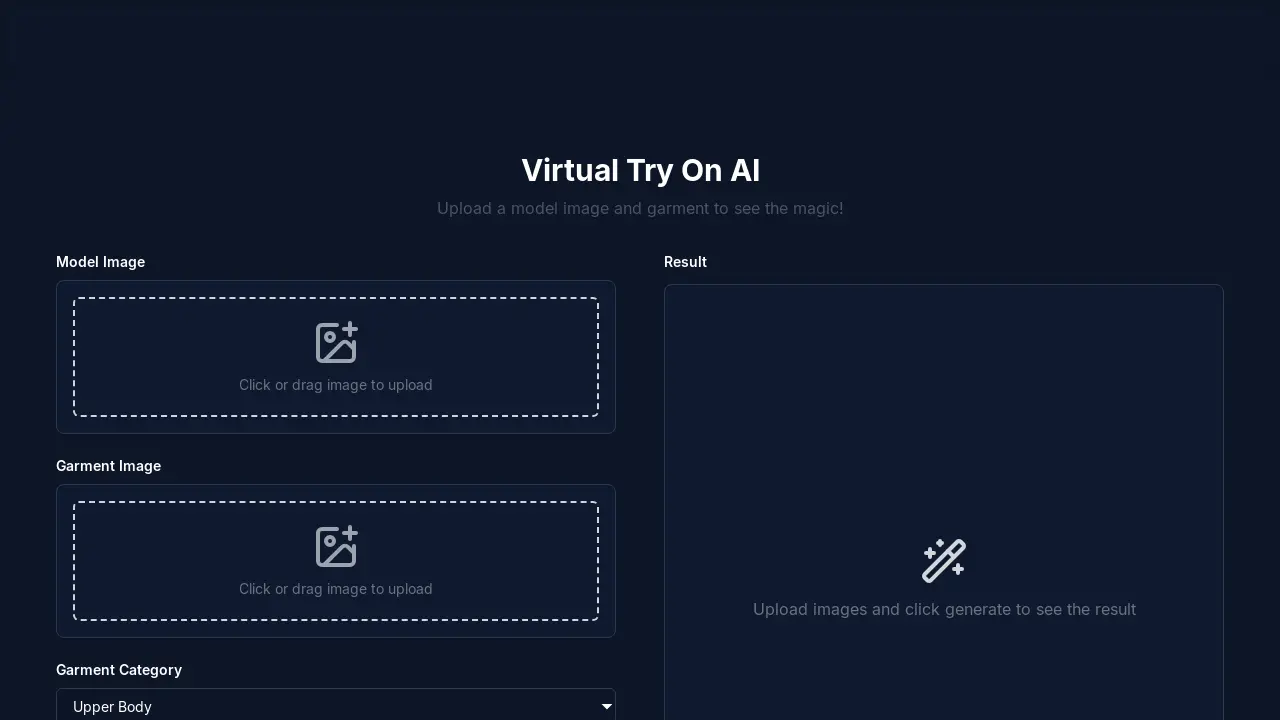
FAQs of MagicTryOn
How does MagicTryOn's virtual try on technology work?
MagicTryOn uses advanced AI algorithms to analyze your body shape from an uploaded image. It then realistically superimposes the selected clothing item onto your image. This virtual try on system allows you to see how clothes look on you instantly.
How accurate is the virtual try on experience with MagicTryOn?
MagicTryOn's virtual try on platform strives to provide highly accurate results by analyzing body measurements, clothing dimensions, and fabric properties. The goal is to provide realistic fitting visualization.
What clothing types are supported by MagicTryOn's virtual try on system?
The MagicTryOn system supports a wide array of clothing including shirts, dresses, pants, jackets, and accessories. The virtual try on catalog is continuously expanding to include more fashion categories.
Can MagicTryOn be used on mobile devices?
Yes, the MagicTryOn platform is fully optimized for mobile devices. Users can enjoy the complete virtual try on experience on smartphones and tablets with the same quality as on a desktop computer.
How does MagicTryOn handle photo data privacy?
MagicTryOn prioritizes user privacy. All photos used for virtual try on are automatically deleted after processing. The platform does not store personal images or share virtual try on data with third parties.
What are the pricing options for the MagicTryOn service?
MagicTryOn offers flexible virtual try on pricing plans. A free plan allows users to experience basic virtual try on features. Premium plans are available for more virtual try on sessions and advanced features.
What kind of model image should I upload for the best virtual try on result?
For the best virtual try on results, it is recommended to upload a clear, front-facing photo of yourself with good lighting. This will allow the AI to accurately analyze your body shape and superimpose clothing items.
What garment categories does MagicTryOn support?
MagicTryOn supports virtual try on for garments in the upper body, lower body, and dresses categories, allowing for a variety of virtual try on options.
How to use MagicTryOn
MagicTryOn is an AI-powered virtual try-on tool designed to simulate how clothing looks on a user by superimposing garment images onto a user-uploaded model image.
- Upload a clear, front-facing model image to the platform. Good lighting is important for accurate virtual try on results.
- Upload an image of the garment you wish to virtually try on using MagicTryOn's upload feature.
- Specify the garment category (Upper Body, Lower Body, or Dresses) to optimize the AI virtual try on processing.
- Add a brief description of the garment; this helps the AI better understand the item for realistic virtual fitting.
- Click "Generate" to initiate the AI-powered virtual try on process. The system will create a result showing the garment on the model.
- Review the generated image to assess the fit and style; MagicTryOn aims to provide a realistic virtual try on experience.
- Consider upgrading your MagicTryOn plan for more credits, enhanced image quality, and priority processing if needed.
- Consult the FAQ for common questions regarding accuracy, supported clothing types, mobile use, and data privacy relating to virtual try on.
