
Meta AI Studio
Meta AI Studio - Create and chat with AIs in Instagram, Messenger, & WhatsApp
| Added on: | Aug 5, 2024 |
| Monthly Visits: | 3.67M |
| Social & Email: | -- |

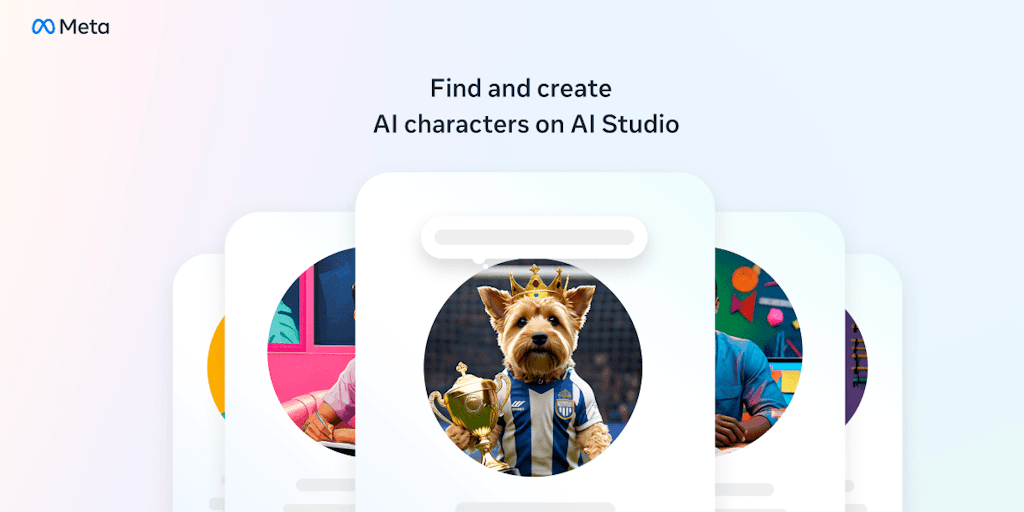
What is Meta AI Studio
Meta AI Studio is a platform where developers can build and deploy AI models. It's designed for people who want to create AI tools that can be used by others, but need a little help getting started. One of the key features of Meta AI Studio is its ability to help you train your AI models using a variety of data sources. This can be helpful if you don't have a lot of data to work with or if you want to ensure that your model is trained on a diverse dataset. Meta AI Studio also offers a number of tools that can help you to deploy your AI models once they're ready. For example, you can use Meta AI Studio to create a web API that allows other applications to interact with your model.
How does Meta AI Studio work
Meta AI Studio enables users to create and interact with AI characters and Creator AIs. Users can build AI characters based on their interests, utilizing prompt templates or custom designs, and deploy them across Messenger, Instagram, and WhatsApp. Creator AIs function as an extension of the user's online presence, automating audience engagement on platforms like Instagram. The platform offers tools for customization, allowing for control over the AI's responses and data usage, addressing concerns surrounding Meta AI Studio policies. This Meta AI Studio facilitates creative expression and enhanced user interaction via generative AI technology.
Benefits of Meta AI Studio
Meta AI Studio empowers users to create and interact with AI characters and Creator AIs on platforms like Messenger, Instagram, and WhatsApp. Build AI personalities reflecting your interests or extend your online presence with a personalized Creator AI. The intuitive interface simplifies creation, even without technical expertise, using templates or building from scratch. Share your AI privately or publicly via direct links and Instagram profiles. Meta AI Studio offers a fun, easy way to explore generative AI capabilities and engage with audiences in novel ways.
Pros and Cons of Meta AI Studio
Pros
- Easy AI character creation.
- Integrates with Meta apps.
- Offers creator AI option.
- Provides prompt templates.
- Simple step-by-step guide.
Cons
- Limited functionality shown.
- Relies on Meta ecosystem.
- Long-term viability uncertain.
- Potential privacy concerns.
- No desktop application.
Core Features of Meta AI Studio
Manage and deploy AI models
Meta AI Studio provides a user interface for managing and deploying AI models. The platform allows users to build, train, and deploy models, as well as manage their versions and configurations.
Collaborate on AI projects
Meta AI Studio facilitates collaboration on AI projects. Users can share their models and datasets with other members of their team, and work together on developing and improving their models.
Integrate with other tools
Meta AI Studio can be integrated with other tools and services, such as cloud storage providers and data analysis platforms. This allows users to streamline their workflow and access a wider range of data and tools.
Access pre-trained models
Meta AI Studio provides access to a library of pre-trained models that can be used for various tasks, such as image recognition, natural language processing, and machine translation.
Use the Meta AI platform
Meta AI Studio is built on top of the Meta AI platform, which offers a range of tools and services for developing and deploying AI models. This includes access to powerful infrastructure, as well as a variety of tools for data preparation, model training, and evaluation.
Use Cases of Meta AI Studio
- Instagram Influencers: Leverage Meta AI Studio to create engaging AI characters that boost audience interaction and streamline content creation.
- Businesses: Utilize Meta AI Studio's Creator AI to automate customer service interactions on Messenger, WhatsApp, and Instagram.
- Social Media Managers: Employ Meta AI Studio to build AI extensions of brand personalities, enhancing audience engagement across platforms.
- Content Creators: Generate diverse content formats with Meta AI Studio's generative AI tools, increasing efficiency and output.
- Developers: Explore Meta AI Studio's API to integrate AI functionalities into custom applications for enhanced user experiences.
FAQs of Meta AI Studio
What is Meta AI Studio?
Meta AI Studio is a platform designed to help developers build and deploy AI models. It’s a pretty new tool, so we don’t have much information on it yet.
How do I use Meta AI Studio?
We don’t have details on how to use it because it’s still in development, but we’re excited to see how it helps developers build cool new AI products.
What are the benefits of using Meta AI Studio?
Meta hasn’t released any information on the benefits yet, so we’re all waiting to find out. 🤔
How does Meta AI Studio compare to other AI development platforms?
Unfortunately, there’s no information on comparisons to other platforms yet. Maybe Meta will share details soon!
How can I learn more about Meta AI Studio?
Keep an eye out on Meta's website and blog for more information, and we can update this FAQ as more details are available! 😊
How to use Meta AI Studio
Begin by accessing Meta AI Studio via the official website,
https://ai.meta.com/ai-studio. This platform allows creation and interaction with AI characters and Creator AIs.Choose between creating an AI character, reflecting personal interests, or a Creator AI, serving as an extension of your online presence. Both options utilize generative AI capabilities.
For AI character creation, select a prompt template or build from scratch, defining the AI's personality and knowledge base. Consider the intended audience and interaction style.
To build a Creator AI, follow the provided step-by-step guide. This involves selecting source content—like your Instagram posts—and specifying parameters to control its responses. The Meta AI Studio handbook offers detailed guidance.
Once created, your AI can be accessed and interacted with on Messenger, Instagram, and WhatsApp. Monitor its performance and responses to ensure alignment with your goals and Meta AI Studio policies. You can adjust settings as needed.
Review the AI Studio Policies (
https://aistudio.instagram.com/policies/) for guidelines on responsible AI development and usage within the Meta ecosystem. The platform emphasizes transparency and control over AI interactions.Explore the community-created AIs. Discover how others have utilized the Meta AI Studio tool to build engaging and informative AI characters for various purposes, including educational and entertainment purposes.
Utilize the platform's resources, such as the AI Studio handbook, to optimize your AI's performance. Regularly check the Meta AI blog for updates, new features, and best practices regarding AI creation and management. This helps refine the AI's character and functionality.
Meta AI Studio Website Traffic Analysis
Latest traffic information
- Monthly Visits3.67M
- Bounce Rate72.99%
- Pages Per Visit1.59
- Visit Duration00:01:06
- Global Rank--
- Country/Region Ranking--
Top Keywords
| Keyword | Traffic | Volume | Cost Per Click |
|---|---|---|---|
| muse | 643.46K | 2.18M | $0.78 |
| meta ai | 450.4K | 1.92M | $0.37 |
| meta muse | 360.95K | 769.97K | $1.52 |
| muse ai | 169.52K | 1.15M | $1.33 |
| muse meta | 129.49K | 311.75K | $1.02 |
Top Regions
| Region | Percentage |
|---|---|
| United States | 37.12% |
| India | 12.29% |
| Canada | 4.61% |
| China | 3.43% |
| South Korea | 3.38% |
Meta AI Studio Alternatives
Discover curated website, landing page, and hero design prompts at HeyDesign AI. Browse the style, copy the prompt, and build faster.

AI website cloner that rebuilds live sites from a URL into editable React + Tailwind. Free preview, multi-page clones, production-ready code export, no subscription.
Turn product photos into clean line drawings, numbered assembly steps, and IFU panels for manuals, inserts, and support pages. Export PNG or SVG.
Opusly is a scene-first AI studio offering curated image and video generation workflows. No prompt engineering required — pick a scene and create.
Fashion Diffusion is an AI fashion design platform for brands, designers and e‑commerce teams, offering clothing design, AI model generation, virtual try‑on and video creation to accelerate collections and cut sampling costs.
Imgoe is an AI-powered e‑commerce image generator that lets brands and online sellers create high‑converting product detail visuals, templates and marketing posters with a single click, reducing design time and ensuring consistent styling across marketplaces.
Spark Robin is a Gemini‑based AI model that delivers rich visual responses and multimodal image understanding for creative teams, marketers and designers seeking fast, structured visual AI output.
Tome App AI uses AI to generate, beautify, and enhance PowerPoint presentations, leveraging Claude Opus 4.6 for professional results in minutes.
AI Floor Plan generates floor plans from natural language, compliant with ISO 128 and GB/T 50104, featuring project management and one-click export for architects.
AI Beautify PPT uses AI to redesign PowerPoint slides with professional styling and layouts, preserving original content for a polished presentation.
GenPPT AI uses AI to automatically generate and beautify professional presentations from text, helping businesses and educators save time on design.
BirthdayInvitation.AI is an online tool that creates AI‑generated birthday invites in under a minute, provides RSVP forms, and tracks guest responses.