
Image to Image AI: Free Online Image Generator and Editor
| Added on: | Aug 5, 2025 |
| Monthly Visits: | 621 |
| Social & Email: | -- |

What is Image to Image AI
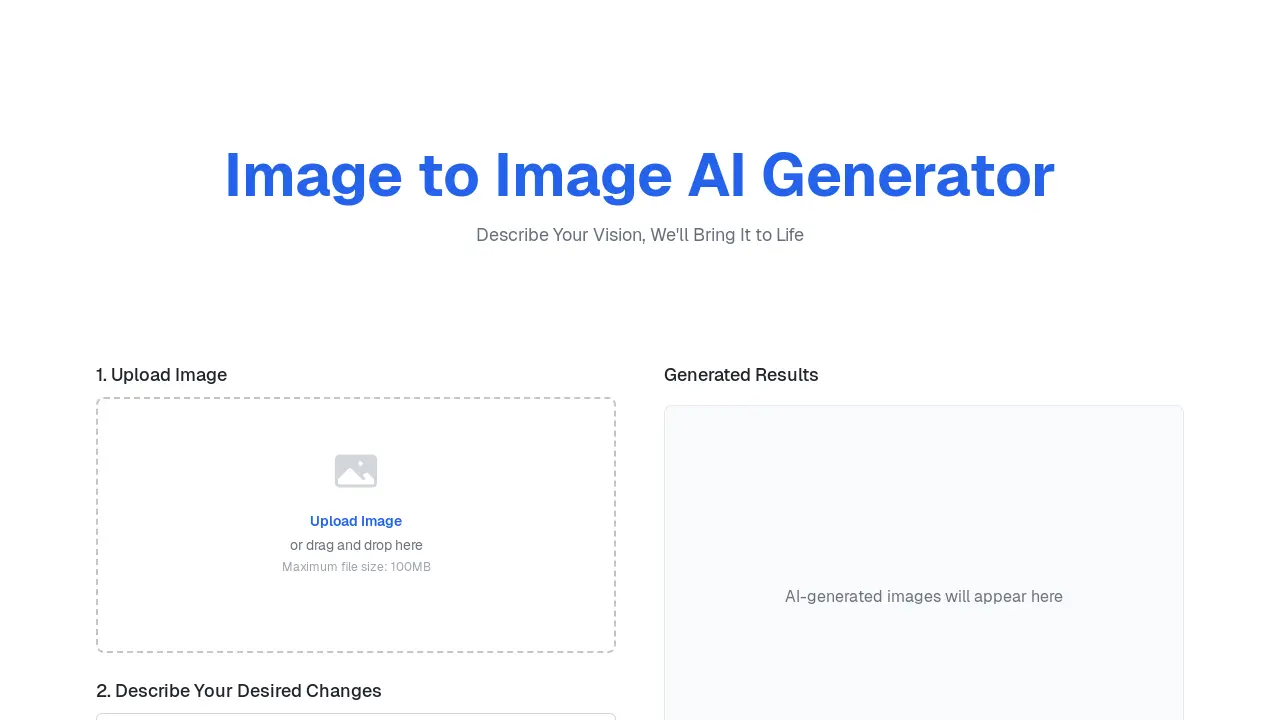
The Image to Image AI generator offers an online tool for transforming images using AI. Users upload an image and provide a text prompt to describe desired changes. The platform facilitates style transfer, realistic scene transformations, and creative design generation. It supports various image formats and offers high-resolution output. A free tier is available, with additional features and commercial usage rights accessible through subscription plans.
How does Image to Image AI work
The Image to Image AI generator operates by allowing users to upload an image and then provide a descriptive text prompt outlining desired alterations. This image to image AI free online tool utilizes advanced AI models, similar to Stable Diffusion, to process the input image and the prompt, generating a transformed AI art output. Users can specify the number of images and aspect ratio, with the system providing generated results, offering a free image to image AI experience without sign-up for initial trials. The platform supports various creative applications, including style transfer, scene transformation, and architectural mockups, functioning as an intuitive image to image AI art generator for diverse user needs.
Benefits of Image to Image AI
Image to Image AI provides a free online platform for transforming images using AI-powered text prompts. This image to image AI generator enables users to upload photos and describe desired changes, from style transfer to scene transformations. It offers high-resolution output and maintains user privacy by securely processing images without storage. This accessible tool facilitates creative character design, architectural mockups, and general image manipulation, making advanced AI art generation free and simple for various applications.
Pros and Cons of Image to Image AI
Pros
- Offers free image generation with no sign-up.
- Provides various aspect ratio options.
- Supports high-resolution output.
- Ensures user privacy and data security.
- Features diverse AI-powered editing tools.
Cons
- Free version has limited credits.
- Watermarks appear on free generated images.
- Commercial use requires a paid subscription.
- Maximum file size limit for uploads.
- Advanced features are paywalled.
Core Features of Image to Image AI
AI-Powered Image Transformation
Transforms source images into new visuals based on user-provided text prompts, enabling creative expression and diverse stylistic changes.
AI Photo Generation from Image
Converts photos into various artistic styles or unique masterpieces by leveraging image-to-image AI, style transfer, and custom prompts.
Text-Prompt Image Editing
Allows users to edit, enhance, and manipulate photos using natural language commands, facilitating object removal, background replacement, and style enhancement.
Flexible Aspect Ratio Control
Enables users to select various output aspect ratios, including original, 1:1, 4:3, 16:9, and 9:16, for tailored image generation.
Commercial Use Licensing
Offers different subscription plans that include commercial usage rights for generated images, accommodating both personal and professional needs.
Use Cases of Image to Image AI
- Artists: Apply artistic style transfer to transform original images into various art forms using the Image to Image AI generator.
- Designers: Generate architectural and interior design mockups by modifying existing images with text prompts.
- Marketers: Create diverse product and ad creatives by placing products in new settings using the free online Image to Image AI.
- Photographers: Enhance old or damaged photos with AI-powered photo restoration features for improved quality.
- Developers: Integrate Image to Image AI generation models to build new applications for image manipulation.
FAQs of Image to Image AI
What types of images can users upload to the Image to Image AI generator?
Users can upload most standard image formats, including JPEG, PNG, and WEBP, to the Image to Image AI generator. For optimal results when utilizing the image to image AI art generator, it is recommended to use a clear and well-lit image as the initial input.
What is included in the free trial for the Image to Image AI platform?
New users of the Image to Image AI platform receive several free credits to experience the image to image AI free online tool. Following the trial, users can select from various subscription plans, enabling continued use of the image to image AI generator.
How should text prompts be formulated for optimal results with the Image to Image AI editor?
For the best results with the Image to Image AI editor, text prompts should be as specific as possible. Instead of general commands, detailed descriptions, such as "change the background to a bustling cyberpunk city street at night with neon signs," enable the AI to more accurately fulfill the user's vision for the image to image AI art.
Can generated images from the Image to Image AI be used for commercial purposes?
The commercial usage rights for images generated by the Image to Image AI platform depend on the user's subscription plan. Basic plan subscribers are limited to personal use, while Pro and Premium subscribers are granted full commercial usage rights, which include applications for business, marketing, and resale.
How does Image to Image AI differ from traditional photo editing software?
Traditional photo editors typically require manual adjustments for every change, whereas the Image to Image AI tool operates based on descriptive text prompts. This approach allows users to guide the overall creative direction using natural language, with the AI handling the complex execution, thereby streamlining the workflow for image to image AI generation.
What are the file size limitations for uploading images to the Image to Image AI generator?
The maximum file size for image uploads to the Image to Image AI generator is 100MB. This limit applies to all supported formats, ensuring efficient processing by the image to image AI system.
What are the available aspect ratio options for generated images on the Image to Image AI platform?
The Image to Image AI platform provides several aspect ratio options for generated images, including Original, 1:1, 4:3, 16:9, and 9:16. Users can select their preferred aspect ratio to ensure the output aligns with their creative or professional requirements for the image to image AI.
How to use Image to Image AI
Image to Image AI is a sophisticated online image transformation tool that utilizes artificial intelligence to modify existing images based on user-provided text prompts. This free online generator allows users to perform style transfer, scene transformation, and other creative edits without requiring extensive technical expertise or software installation, making it an accessible image to image AI art generator. The platform leverages advanced AI models, similar to Stable Diffusion, to interpret textual descriptions and apply desired changes, offering capabilities far beyond basic photo editors.
- Initiate the process by uploading your desired image; files up to 100MB are supported for this image to image AI generation.
- Proceed to the "Describe Your Desired Changes" field and input a clear, specific text prompt detailing the intended image modifications.
- Select the desired number of output images and choose an appropriate aspect ratio (e.g., Original, 1:1, 4:3, 16:9, 9:16).
- Click the "Generate" button to activate the image to image AI, processing your input and prompt to produce the transformed image.
- Review the AI-generated results, which will appear in the "Generated Results" section, allowing for immediate comparison and download.
- Utilize the transformed images for creative projects, personal use, or commercial purposes depending on your chosen Image to Image AI plan.
Image to Image AI Website Traffic Analysis
Latest traffic information
- Monthly Visits621
- Bounce Rate62.71%
- Pages Per Visit3.14
- Visit Duration00:01:49
- Global Rank--
- Country/Region Ranking--
Visits Over Time
Traffic Sources
- Direct: 43.02%
- Referrals: 38.43%
- Organic Search: 6.05%
- Mail: 4.61%
- Generative AI: 4.6%
- Organic Social: 3.29%
Top Keywords
| Keyword | Traffic | Volume | Cost Per Click |
|---|---|---|---|
| image to image ai | 50 | 13.52K | $0.56 |
| image to image no sign up | 10 | 20 | -- |
| image to image | -- | 4.96K | $0.88 |
| imagefree.org | -- | 710 | -- |
| imageai org | -- | 160 | -- |
Top Regions
| Region | Percentage |
|---|---|
| United States | 100% |
