
Image to Image AI FAQs
This free online AI tool transforms and generates images using advanced AI models, allowing users to edit and create visuals from a source image and text prompts.

FAQs of Image to Image AI
What types of images can users upload to the Image to Image AI generator?
Users can upload most standard image formats, including JPEG, PNG, and WEBP, to the Image to Image AI generator. For optimal results when utilizing the image to image AI art generator, it is recommended to use a clear and well-lit image as the initial input.
What is included in the free trial for the Image to Image AI platform?
New users of the Image to Image AI platform receive several free credits to experience the image to image AI free online tool. Following the trial, users can select from various subscription plans, enabling continued use of the image to image AI generator.
How should text prompts be formulated for optimal results with the Image to Image AI editor?
For the best results with the Image to Image AI editor, text prompts should be as specific as possible. Instead of general commands, detailed descriptions, such as "change the background to a bustling cyberpunk city street at night with neon signs," enable the AI to more accurately fulfill the user's vision for the image to image AI art.
Can generated images from the Image to Image AI be used for commercial purposes?
The commercial usage rights for images generated by the Image to Image AI platform depend on the user's subscription plan. Basic plan subscribers are limited to personal use, while Pro and Premium subscribers are granted full commercial usage rights, which include applications for business, marketing, and resale.
How does Image to Image AI differ from traditional photo editing software?
Traditional photo editors typically require manual adjustments for every change, whereas the Image to Image AI tool operates based on descriptive text prompts. This approach allows users to guide the overall creative direction using natural language, with the AI handling the complex execution, thereby streamlining the workflow for image to image AI generation.
What are the file size limitations for uploading images to the Image to Image AI generator?
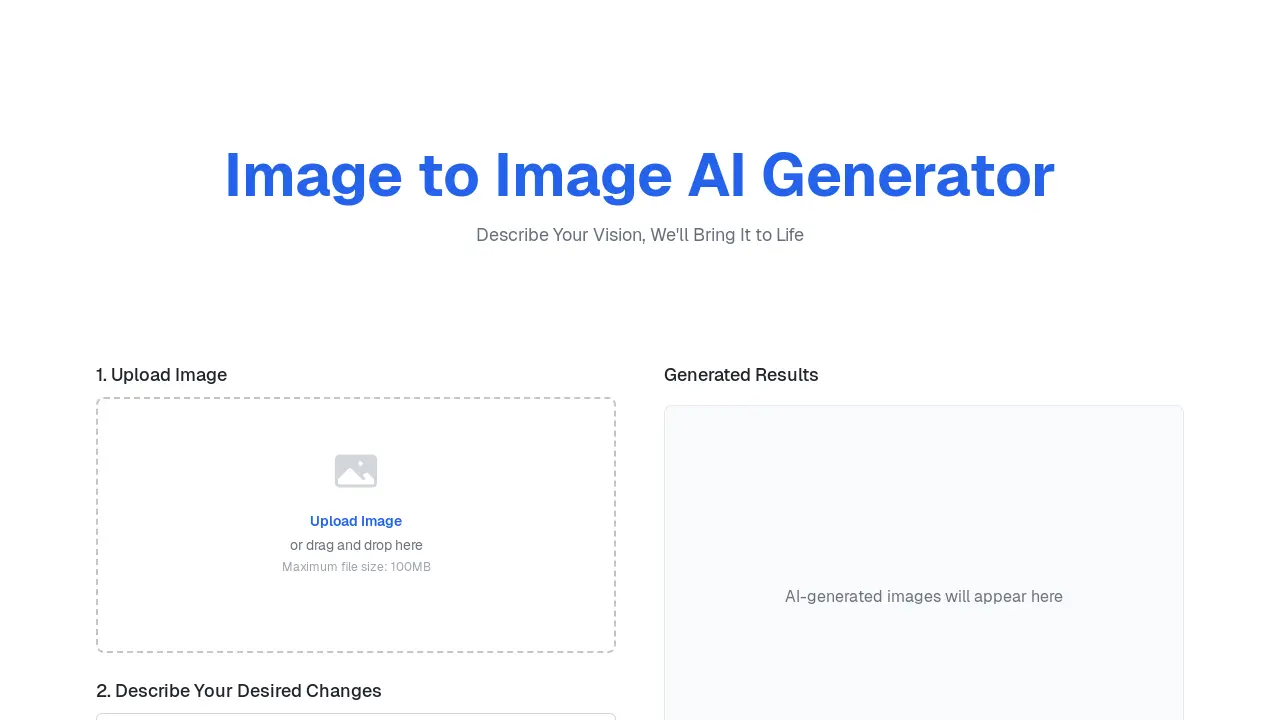
The maximum file size for image uploads to the Image to Image AI generator is 100MB. This limit applies to all supported formats, ensuring efficient processing by the image to image AI system.
What are the available aspect ratio options for generated images on the Image to Image AI platform?
The Image to Image AI platform provides several aspect ratio options for generated images, including Original, 1:1, 4:3, 16:9, and 9:16. Users can select their preferred aspect ratio to ensure the output aligns with their creative or professional requirements for the image to image AI.
How to use Image to Image AI
Image to Image AI is a sophisticated online image transformation tool that utilizes artificial intelligence to modify existing images based on user-provided text prompts. This free online generator allows users to perform style transfer, scene transformation, and other creative edits without requiring extensive technical expertise or software installation, making it an accessible image to image AI art generator. The platform leverages advanced AI models, similar to Stable Diffusion, to interpret textual descriptions and apply desired changes, offering capabilities far beyond basic photo editors.
- Initiate the process by uploading your desired image; files up to 100MB are supported for this image to image AI generation.
- Proceed to the "Describe Your Desired Changes" field and input a clear, specific text prompt detailing the intended image modifications.
- Select the desired number of output images and choose an appropriate aspect ratio (e.g., Original, 1:1, 4:3, 16:9, 9:16).
- Click the "Generate" button to activate the image to image AI, processing your input and prompt to produce the transformed image.
- Review the AI-generated results, which will appear in the "Generated Results" section, allowing for immediate comparison and download.
- Utilize the transformed images for creative projects, personal use, or commercial purposes depending on your chosen Image to Image AI plan.
