
Heatbot.io: Generate Improved Websites from Heatmaps with AI
| Added on: | Sep 27, 2024 |
| Monthly Visits: | -- |
| Social & Email: | -- |

What is Heatbot.io
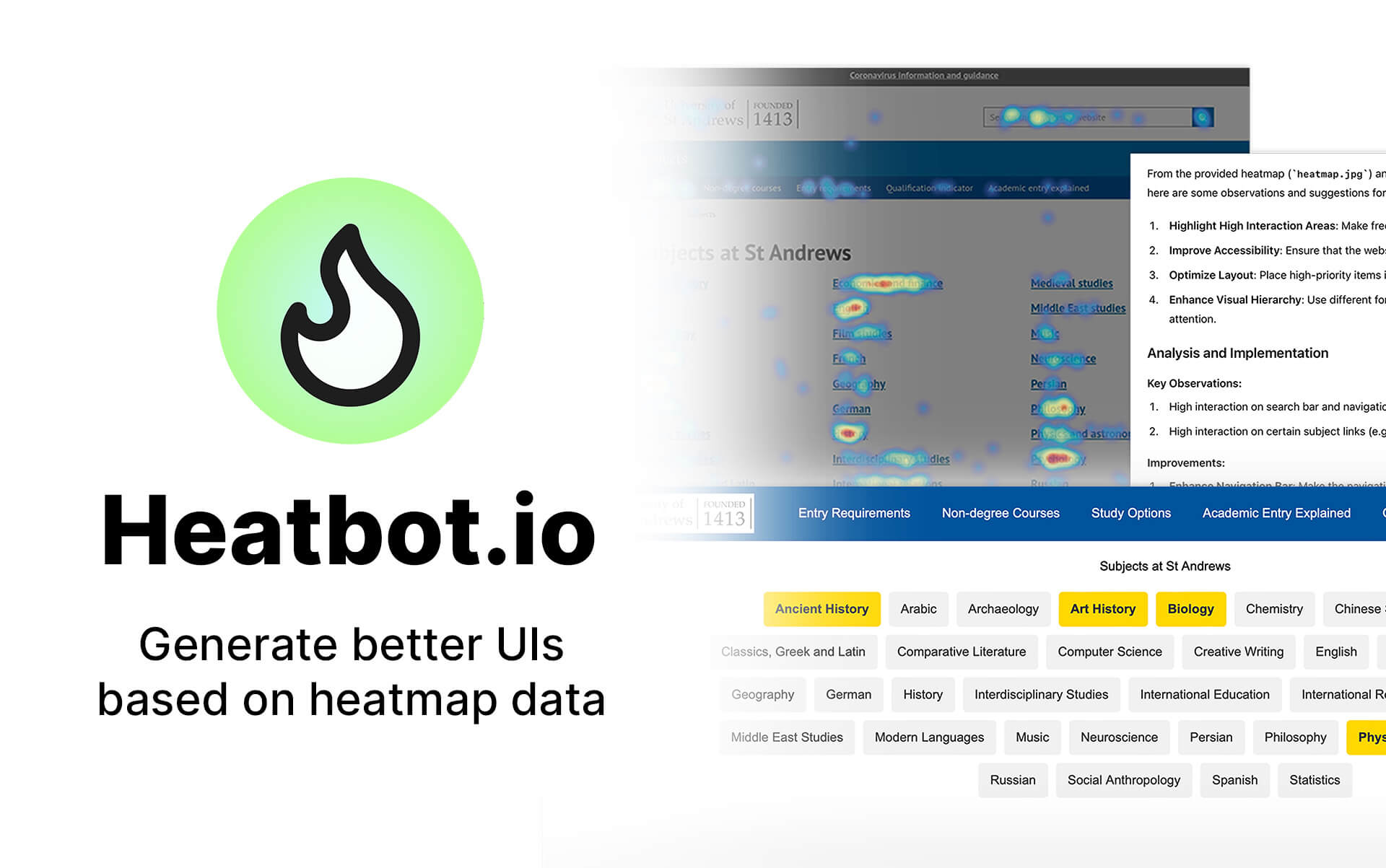
Heatbot.io is a revolutionary AI-powered tool that transforms user heatmaps into improved website designs. By analyzing heatmap data, Heatbot generates code for a better user experience, saving you time and effort. Simply upload a website screenshot and heatmap, set your improvement goals, and let Heatbot's AI do the rest. Heatbot can even write a comprehensive improvement report, guiding you towards a more effective website.
How does Heatbot.io work
Heatbot.io is a data-driven generative UI builder that uses AI to create improved website designs based on uploaded heatmaps. The process involves uploading a website screenshot and a corresponding heatmap image from user analytics software. Users then set improvement goals, either choosing from pre-defined options or creating custom prompts. Heatbot's AI analyzes the data and generates improved HTML, CSS, and JavaScript code, along with a report detailing the changes. Different subscription plans, including Basic, Pro, and Enterprise options, offer varying features and generation limits. The platform supports various frameworks like Bootstrap and Tailwind CSS, catering to individual users and businesses seeking to optimize user experience and conversion rates through heatmap analysis.
Benefits of Heatbot.io
Heatbot.io is an AI-powered generative UI builder that transforms website heatmaps into improved designs. Upload your heatmaps and website screenshots; then, define improvement goals (e.g., boost conversion rates) to generate optimized HTML, CSS, and JavaScript code. Choose from various pricing plans, including Basic, Pro (offering features like custom goal prompts and multiple frameworks including Bootstrap and Tailwindcss), and Enterprise options for larger businesses. Heatbot.io streamlines the process of translating heatmap data into actionable website redesigns, saving time and resources. Start your free trial today!
Pros and Cons of Heatbot.io
Pros
- AI-powered UI generation.
- Uses heatmap data.
- Offers various pricing tiers.
- Generates HTML, CSS, JavaScript.
- Integrates popular frameworks.
Cons
- Limited user accounts on some plans.
- High enterprise plan cost.
- Single user limitation (Pro plan).
- Relies on heatmap accuracy.
- May require technical skills.
Core Features of Heatbot.io
Upload website screenshot
Upload a screenshot of the UI or website you want to improve.
Upload heatmap image
Upload a heatmap image from your tracking software. The image must be of the same part of the website as the screenshot.
Set goals for improvement
Select from the predefined goals library or write your own. These goals guide the AI in generating an improved UI with the heatmap data.
Generate improved UIs
Heatbot's AI analyzes heatmap data, follows improvement goals, and generates improved HTML/CSS/JavaScript code along with an improvement report.
Use Cases of Heatbot.io
- Website Designers: Generate improved website designs using Heatbot.io's AI-powered UI builder and heatmap data analysis for enhanced user experience.
- UX Researchers: Leverage Heatbot.io to translate heatmap data into actionable UI improvements, optimizing website usability and conversion rates.
- Marketing Teams: Employ Heatbot.io's AI to create data-driven website redesigns, boosting engagement and achieving marketing goals.
- Web Developers: Use Heatbot.io to efficiently generate HTML, CSS, and JavaScript code based on heatmap analysis for faster website development.
- Business Owners: Improve website performance and ROI using Heatbot.io's heatmap analysis and AI-generated UI improvements to optimize conversions.
FAQs of Heatbot.io
What is Heatbot?
Heatbot uses data from user interactions with your websites or apps to generate an improved UI based on your set goals.
What is a heatmap?
Heatmap software visually represents data using colors to show the intensity of values in a two-dimensional space. In web analytics, heatmaps are used to visualize and analyze user interactions with a website or application.
What does Heatbot generate?
Heatbot generates quality HTML and CSS code. Depending on your plan, you can choose to use frameworks like Tailwindcss, Bootstrap, etc. The Pro version allows you to generate React, Vue, or Svelte components.
How can the generated UI improve my conversion rates?
Heatbot's AI analyzes heatmap data alongside a website screenshot. Based on this, it generates multiple versions of an improved UI to meet goals like increasing conversion rates, improving accessibility, reducing visual clutter, and more.
How to use Heatbot.io
- Begin by uploading a screenshot of your website's relevant section to Heatbot.io. This provides the visual context for analysis.
- Next, upload the corresponding heatmap image from your analytics software. Ensure both images align perfectly.
- Define your improvement goals; choose from pre-set options or create custom prompts to guide AI generation.
- Initiate the generation process; Heatbot's AI analyzes the data and generates improved HTML, CSS, and JavaScript code.
- Review the generated code and the accompanying improvement report. Integrate the suggested changes into your website. This improves user experience and conversion rates.
Heatbot.io Alternatives
Discover curated website, landing page, and hero design prompts at HeyDesign AI. Browse the style, copy the prompt, and build faster.

AI website cloner that rebuilds live sites from a URL into editable React + Tailwind. Free preview, multi-page clones, production-ready code export, no subscription.
Ideogram 4.0 AI is an AI image generator for designers and creators, providing prompt‑to‑image drafts, multilingual readable text, layout‑aware prompting and high‑resolution, brand‑ready downloads.
reAPI provides a single OpenAI‑compatible endpoint that aggregates leading image, video, chat, music and code models, delivering 99.96% uptime, automatic failover and zero request logging for developers.
CartoMind is a free AI infographic generator that lets marketers, educators and creators turn text, documents or ideas into professional infographics in seconds, using automatic layout, typography and multi‑language design.
GPT Image 2 is an AI‑powered text‑to‑image platform for creators and production teams, offering precise prompt control, multilingual text rendering and ready‑for‑publish visuals to streamline editorial and marketing workflows.
AI Logo Generator is an online AI-powered logo design tool for entrepreneurs and marketers, delivering custom vector logos in seconds without design skills.
GLM 5 is a frontier LLM with 745B parameters, MoE architecture, and 128K context, offering state-of-the-art reasoning, coding, and agentic AI for developers.
Awesome Skills is a marketplace where developers can download over 50,000 agent skills for Claude, Codex, and ChatGPT, offering code‑generation prompts.
Generative UI transforms static designs into dynamic, AI-powered experiences, enabling the creation of personalized, context-aware user interfaces in real-time.
LogoSymbol provides over 1223 royalty-free logo symbols, offering transparent PNGs and vector SVGs for free download without requiring sign-up.
Full Width Converter is a free tool that generates aesthetic text for social media, allowing users to create unique Instagram bios and Twitter names with full-width letters.