
AI Logo Generator
AI Logo Generator creates professional logos in seconds

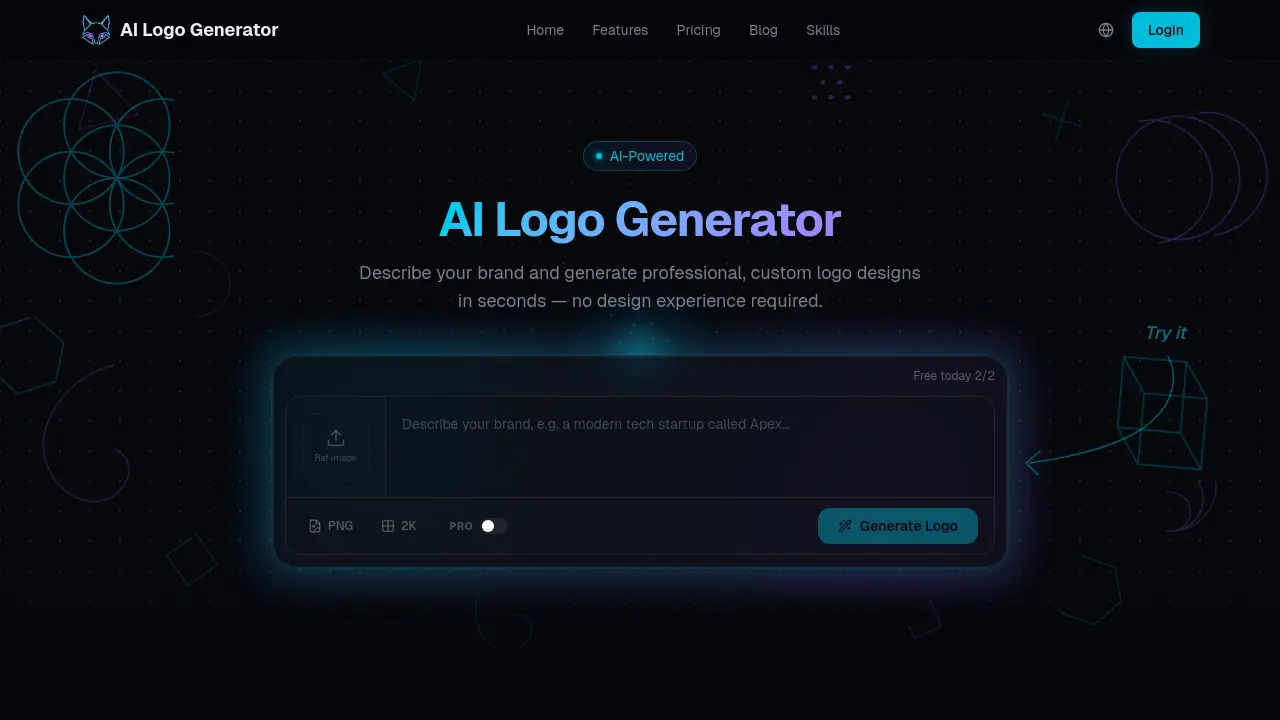
What is AI Logo Generator
AI Logo Generator is an online AI‑driven service that creates custom, production‑ready logos from a simple brand description. Users input the company name, industry, and preferred visual style; the system analyses the text and generates multiple design concepts within seconds. A built‑in editor allows refinement of colors, typography, and layout, while the export function provides SVG, PNG, or JPEG files suitable for web, print, and merchandise. The free tier permits two daily generations with standard‑resolution PNG output, and paid plans unlock higher credit limits, high‑resolution SVG exports, and a commercial license for unrestricted use. With an average generation time of 30 seconds, the tool targets founders, marketers, and designers who need professional branding without dedicated design skills.
How does AI Logo Generator work
The AI Logo Generator processes a user‑provided brand description—name, industry, and preferred style—through a proprietary multimodal model trained on millions of professional logos. The model interprets the textual input, synthesizes vector‑based concepts, and presents several design options within approximately 30 seconds. Users can then refine color palettes, typography, and layout via guided controls; each adjustment feeds back into the model, producing iterative variations that converge on the desired visual identity. Finally, the tool exports the selected logo in SVG, PNG or JPEG formats, granting full commercial ownership when a Pro plan is active.
Benefits of AI Logo Generator
AI Logo Generator delivers custom, professional logos within seconds, eliminating the need for design expertise. By entering a brand name, industry, and style preferences, the AI creates multiple concepts, then lets users refine colors, typography, and layout through guided controls. Free users receive two daily generations and standard‑resolution PNGs, while Pro subscribers gain unlimited creations, high‑resolution PNG and scalable SVG exports, and a commercial license for unrestricted use. The platform’s 60‑second turnaround, original AI‑crafted designs, and simple, web‑based workflow make it suitable for startups, marketers, and anyone seeking fast, cost‑effective brand identity assets.
Pros and Cons of AI Logo Generator
Pros
- Free tier offers two daily logo generations.
- AI creates original designs without template reliance.
- Export options include high‑resolution PNG and scalable SVG (Pro).
- Refine colors, fonts, and layout through guided controls.
Cons
- Unlimited generations require paid subscription.
- Starter plan lacks commercial license for full usage.
- No native brand guideline export feature.
- Advanced customization limited to Pro plan controls.
Core Features of AI Logo Generator
AI‑Driven Logo Generation
Creates multiple custom logo concepts instantly from brand name, industry, and style inputs, eliminating the need for design expertise and accelerating brand identity development.
Interactive Design Refinement
Provides guided controls to adjust colors, typography, and layout, allowing iterative feedback so the logo increasingly matches the user’s visual preferences.
Multi‑Format Export Options
Enables download of production‑ready files in SVG, PNG, or JPEG at standard or high resolution, supporting web, print, and branding applications.
Use Cases of AI Logo Generator
- Startup founders: Generate a unique brand identity in seconds, enabling rapid market entry without hiring designers.
- Marketing students: Produce high‑resolution SVG logos for class projects, demonstrating AI‑driven design workflows.
- Small business owners: Create commercial‑license logos for websites and print materials, eliminating template limitations.
- Freelance designers: Use AI‑generated concepts as creative starting points, accelerating client deliverables.
- Non‑profit coordinators: Obtain free daily logo generations for branding events, maintaining consistent visual style.
FAQs of AI Logo Generator
How does the AI logo generator work?
The AI logo generator takes a textual description of the brand—name, industry, and preferred visual style—and processes it with proprietary machine‑learning models trained on millions of professional logos. Within roughly 30 seconds it creates several distinct concepts, after which users can adjust colors, typography, and layout through guided controls until the design aligns with their brand identity.
Is this AI logo generator really free?
Yes. The service offers two free logo generations per day without requiring a credit card or account registration. Free users receive standard‑resolution PNG files suitable for web use. If users need additional generations, higher‑resolution assets, or vector SVG exports, they can upgrade to a paid Starter or Pro plan at any time.
Can I use the generated logos commercially?
Logos produced under the free tier or Starter plan are intended for personal evaluation only. The Pro plan includes a full commercial license, allowing unlimited use of the logo on websites, packaging, merchandise, advertising, and any other marketing material without extra fees.
Will my AI‑generated logo be unique?
Each logo is synthesized from scratch based on the specific brand description and style preferences entered by the user. The AI does not pull from a fixed template library, so no two outputs are identical, ensuring a distinctive visual identity for every project.
What file formats and resolutions can I download?
Starter plan users can download standard‑resolution PNG files, which are suitable for most digital applications. Pro plan subscribers receive high‑resolution PNGs as well as scalable SVG vector files, enabling crisp rendering at any size—from tiny favicons to large‑format prints and signage.
How is this AI logo generator different from Canva or Looka?
Unlike template‑driven platforms, this AI logo generator creates each design algorithmically rather than rearranging pre‑made elements. Users describe their brand in natural language, and the AI interprets the brief to produce original concepts, eliminating the need for manual drag‑and‑drop editing and reducing the risk of generic, template‑like results.
Can I edit or refine the logo after it’s generated?
Yes. After the initial set of concepts appears, users can modify style direction, color palette, typography, and layout through iterative refinement tools. Each refinement builds on the previous version, allowing the logo to evolve until it precisely matches the desired visual tone and brand messaging.
Do I need design skills to use the AI logo generator?
No design experience is required. The platform guides users through a simple three‑step process—describe the brand, refine the design, and download the assets—while the AI automatically handles typography, color theory, and composition, making it accessible to founders, marketers, and students alike.
How to use AI Logo Generator
The AI Logo Generator creates custom, AI‑powered logo designs from a textual brand description, delivering professional graphics without requiring design expertise.
Access the tool, enter the brand name, select industry, and choose a preferred visual style; the interface captures these inputs for AI processing.
Click “Generate Logo”; the AI model analyses the description and produces several distinct logo concepts within roughly 30 seconds, displayed as selectable thumbnails.
Review generated options, then refine the chosen concept by adjusting colors, typography, and layout using the provided sliders and style controls.
Once satisfied, export the final logo in the required format—SVG for vector scalability or PNG/JPEG for web use—ensuring the file meets branding requirements.
Interpret the results by comparing visual consistency with brand identity, confirming commercial license terms if on a Pro plan, and applying the logo across marketing assets.
AI Logo Generator Alternatives
Ideogram 4.0 AI is an AI image generator for designers and creators, providing prompt‑to‑image drafts, multilingual readable text, layout‑aware prompting and high‑resolution, brand‑ready downloads.

CartoMind is a free AI infographic generator that lets marketers, educators and creators turn text, documents or ideas into professional infographics in seconds, using automatic layout, typography and multi‑language design.
GPT Image 2 is an AI‑powered text‑to‑image platform for creators and production teams, offering precise prompt control, multilingual text rendering and ready‑for‑publish visuals to streamline editorial and marketing workflows.
This free AI graffiti generator produces professional graffiti fonts, bubble letters, wildstyle text, and custom tags for street art and digital projects.
This AI image generator, Nano Banana Pro, creates reality-defying 4K images with perfect text rendering and precise control, designed for professional creators.
This AI-powered slogan generator creates memorable brand taglines in seconds for businesses, requiring no registration and offering unlimited, instant results.
This free online graffiti generator offers 50+ professional street art fonts, creating custom graffiti names, logos, and designs instantly for users.
Logo3D instantly converts 2D logos into professional 3D designs using AI, offering over 500 styles and advanced customization for enhanced brand recognition and engagement.
LogoSymbol provides over 1223 royalty-free logo symbols, offering transparent PNGs and vector SVGs for free download without requiring sign-up.
This free online ambigram generator creates bidirectional text art for tattoos, logos, and custom designs, allowing users to transform words into visual magic.
Full Width Converter is a free tool that generates aesthetic text for social media, allowing users to create unique Instagram bios and Twitter names with full-width letters.
AI Line Art Generator creates professional line art in seconds. It features multiple styles, image upload, and fast generation, ideal for designers.