
GoGlo AI Image Generator: AI Art Creation
| Added on: | Apr 5, 2025 |
| Monthly Visits: | -- |
| Social & Email: | -- |

What is GoGlo AI
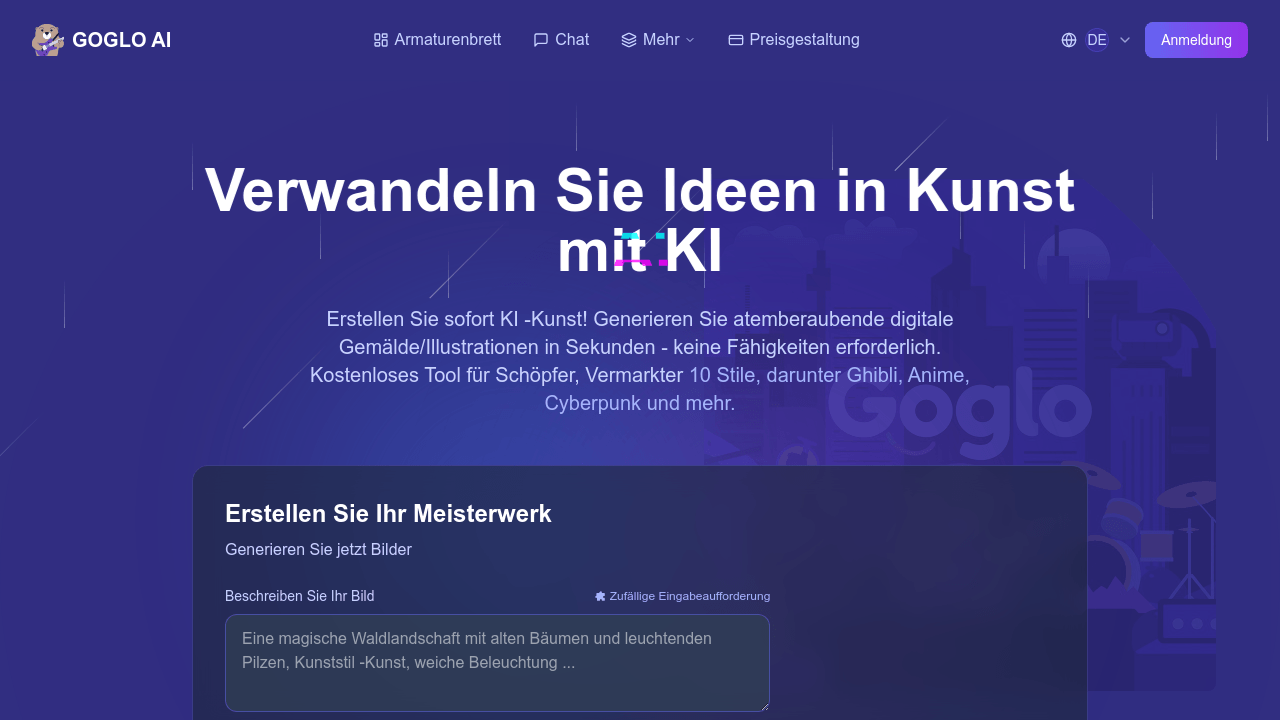
GoGlo AI is an AI image generator designed to transform textual descriptions into visual art. It utilizes advanced machine learning algorithms to produce images in various styles, including Ghibli, Anime, and Cyberpunk. GoGlo AI distinguishes itself from basic free AI image generator tools by offering multi-model fusion technology, proprietary style libraries, and advanced prompt engineering.
The platform allows users to customize parameters such as resolution and aspect ratio. It provides fast generation times and supports ultra-high-resolution outputs, surpassing many free and premium competitors. GoGlo AI also offers commercial licenses, comprehensive support, and frequent updates, making it suitable for both beginners and professionals. It supports various input methods, including text prompts and image-to-image transformation.
How does GoGlo AI work
GoGlo AI is an AI image generator that transforms text descriptions into images using machine learning algorithms. Unlike basic free AI image generator tools, GoGlo AI employs diffusion models to create high-fidelity images based on user specifications. Users input text prompts and customize parameters such as style, resolution, and aspect ratio. GoGlo AI offers multiple artistic styles. The platform provides both free and subscription-based access, with commercial licenses available even in the free tier. It distinguishes itself from tools like google ai and google ai image generator through superior image quality and faster generation times.
Benefits of GoGlo AI
GoGlo AI is an AI image generator that transforms text into stunning visuals. It offers a free tier for basic use and premium subscriptions for professional projects. With over 200 artistic styles, including Ghibli-inspired presets, GoGlo AI provides users with extensive creative control. The platform delivers high-resolution images, supports various input methods, and offers detailed tutorials. Compared to other AI image generator platforms like Flux AI image and GROK image generator, GoGlo provides superior image quality and faster generation times. It's a great tool for beginners and professionals alike.
Pros and Cons of GoGlo AI
Pros
- Generates stunning digital art instantly.
- Offers 200+ artistic styles, surpassing competitors.
- Fast generation time compared to Midjourney.
- Licensed for commercial use, even on free tier.
- Supports high resolution outputs, up to 4096x4096.
Cons
- Image quality score slightly lower than some alternatives.
- Requires credits for each image beyond daily free limit.
- Success relies heavily on prompt engineering.
- Advanced features require paid subscription.
- Multi-stage refinement might be slower for some users.
Core Features of GoGlo AI
Text-to-Image Generation
GOGLO AI allows users to create images from textual descriptions, leveraging advanced AI models to interpret prompts and generate corresponding visuals, offering a user-friendly experience.
Style Customization and Control
The platform provides a wide range of over 200 artistic styles and fine-grained control over image parameters, enabling users to tailor the generated images to their specific creative visions.
Image Enhancement and Upscaling
GOGLO AI offers advanced algorithms for enhancing image details and upscaling resolution, ensuring high-quality output suitable for various commercial and artistic purposes, even at large formats.
Commercial Licensing
GOGLO AI's generated images are fully licensed for commercial use, across all subscription tiers, differentiating it from free alternatives with usage restrictions.
Multi-Modal Input Support
Beyond text prompts, the AI image generator supports image-to-image transformation, sketch-to-image, and mixed-media inputs, offering versatility exceeding basic text-prompt-only tools.
Use Cases of GoGlo AI
- E-commerce Businesses: Generate product images and lifestyle shots using the AI image generator for enhanced product visualization in online stores.
- Marketing Teams: Accelerate marketing campaigns by creating unique visuals with the AI image generator, surpassing free alternatives in quality.
- Game Developers: Design concept art and game assets efficiently with GOGLO AI, gaining more control than GROK image generator tools.
- Content Creators: Illustrate articles and blog posts using the AI image generator, exceeding ChatGPT 4o image capabilities for custom imagery.
- Ghibli Enthusiasts: Transform imagination into beautiful Ghibli-style illustrations using Goglo AI's powerful Google AI image generator.
FAQs of GoGlo AI
What is GOGLO AI Image Generator and how does it work?
GOGLO is a state-of-the-art AI image generator that uses advanced machine learning algorithms to transform text descriptions into stunning visuals. The AI image generator technology understands natural language inputs and converts them into visual elements through trained neural networks, using sophisticated diffusion models similar to those used in ChatGPT 4o image generation systems to create high-fidelity, photorealistic or artistic images based on user specifications.
How does GOGLO AI Image Generator compare to other AI art tools?
GOGLO AI image generator distinguishes itself from competitors like Flux AI image generator and GROK image generator with proprietary rendering technology, delivering superior image quality and faster generation times. While most free AI image generator options limit resolution and style options, GOGLO offers over 200 artistic styles, higher resolution outputs, and enhanced prompt understanding, providing more precise control over artistic elements and composition compared to ChatGPT 4o image capabilities.
Can I use GOGLO AI Image Generator for commercial projects?
Yes, the GOGLO AI image generator is fully licensed for commercial use across all subscription tiers. Unlike some free AI image generator services that restrict commercial usage, even the free tier allows for basic commercial applications. Professional users benefit from enterprise-grade AI image generator features that rival or exceed Flux AI image and GROK image generator offerings, making GOGLO ideal for marketing materials, product visualizations, and professional creative work.
What makes GOGLO better than other free AI image generator options?
While many free AI image generator tools provide basic functionality, GOGLO's free tier delivers superior image quality, faster generation times, and more accurate prompt interpretation. The AI image generator technology builds upon research similar to ChatGPT 4o image systems but is optimized specifically for visual creativity. Additionally, GOGLO provides educational resources on AI image generator techniques, allowing users to continually improve their results.
How does GOGLO handle image resolution compared to other AI image generators?
GOGLO AI image generator supports ultra-high resolutions up to 4096×4096 pixels in its premium tiers, significantly exceeding the capabilities of most free AI image generator options that typically cap at 512×512 or 1024×1024. Advanced scaling algorithms preserve details better than Flux AI image and GROK image generator tools when upscaling, ensuring professional-quality outputs suitable for large-format printing and commercial applications.
Can GOGLO AI Image Generator create images in specific artistic styles?
GOGLO AI image generator excels at style-specific creation with over 200 built-in artistic styles—from Renaissance painting to modern digital art. While ChatGPT 4o image generation offers good stylization, the specialized AI image generator provides finer control over stylistic elements. Users can also create custom style profiles by combining multiple references, something rarely possible with free AI image generator tools or even premium competitors like GROK image generator.
How often is GOGLO AI Image Generator updated with new features?
The AI image generator receives major feature updates monthly and model improvements weekly, making it one of the most actively developed platforms in the market. The GOGLO research team continually integrates advancements from cutting-edge AI image generator research, including techniques pioneered in systems like ChatGPT 4o image generation. This commitment to innovation puts its technology ahead of competitors like Flux AI image and GROK image generator in terms of feature velocity and image quality improvements.
What type of support does GOGLO provide for AI image generator users?
GOGLO offers comprehensive support for all AI image generator users, including detailed tutorials, prompt engineering guides, and community forums. Premium subscribers receive priority support with 24-hour response guarantees, personalized AI image generator training sessions, and technique consultations. This level of support goes well beyond what's available from free AI image generator alternatives or even paid options like Flux AI image or GROK image generator platforms.
Is GOGLO AI Image Generator suitable for beginners?
Yes, GOGLO is designed to be accessible for beginners while offering advanced features for professionals. The AI image generator includes an intuitive interface with guided prompt creation, starter templates, and built-in tutorials—features rarely found in other free AI image generator tools. Beginners can achieve impressive results without understanding the complex technical aspects of AI image generator technology, while still having a clear upgrade path as their skills develop beyond what ChatGPT 4o image or GROK image generator capabilities might offer.
What input methods does GOGLO AI Image Generator support?
GOGLO AI image generator supports multiple input methods including text prompts, image-to-image transformation, sketch-to-image, and mixed-media inputs. Unlike most free AI image generator tools that only handle basic text prompts, the platform can process reference images, sketches, and even mood boards to guide the creation process. This versatility exceeds what's typically available in Flux AI image generators or ChatGPT 4o image generation systems.
Does GOGLO AI offer an API for developers?
Yes, GOGLO AI offers a comprehensive REST API for developers, equipped with advanced parameters. This API access distinguishes GOGLO AI from many free AI image generator options, and provides more functionality for developers than limited or Discord-based APIs that some alternatives, such as Midjourney, offer.
What are some popular use cases for the GOGLO AI Image Generator?
The GOGLO AI image generator has various popular use cases. These include creating product images for e-commerce, generating unique visuals for marketing campaigns that outperform free options, illustrating content for publishing, and developing assets for game and app development, offering more control than tools like GROK image generator.
How does GOGLO AI ensure image quality?
GOGLO AI Image Generator uses 2.5x more parameters than standard models for finer detail rendering, a proprietary architecture with separate processing paths for structure and texture, enhanced color representation, superior facial and anatomical accuracy, advanced coherence mechanisms, and custom lighting simulation to produce realistic environmental effects.
How to use GoGlo AI
GOGLO AI is an AI image generator that transforms text descriptions into visuals. It offers diverse styles, resolutions, and control options exceeding those of free alternatives. It is designed for both beginners and experts.
Begin by entering a descriptive prompt into the text field, detailing the image you want to generate. The GOGLO AI system will interpret this prompt.
Select an art style from the extensive library; over 200 styles are available, including Ghibli, Anime, and Cyberpunk, enhancing Google AI capabilities.
Customize parameters such as aspect ratio and resolution using available tools to refine your image output. These controls differentiate GOGLO from simpler AI tools.
Click "Generate" to initiate the AI image creation. Each generation consumes credits, with free options limited to two images daily.
Examine the generated image. If needed, adjust your prompt and parameters for improved results, leveraging advanced Google AI functionality.
Download your high-definition image instantly. Upgrade to a paid plan for commercial licenses and to generate more images daily with Google AI integration.
Explore the AI Art Inspiration Gallery to view community creations, inspiring your prompts and demonstrating GOGLO's image generation capabilities.
Review the FAQ section to understand AI image generator features, commercial use, and comparisons with tools like Flux AI image and ChatGPT 4o image.
Compare GOGLO's performance to Midjourney, DALL-E 3, and Stable Diffusion, focusing on metrics such as image quality, speed, and accuracy within the AI field.
Consider various use cases, from e-commerce product visualization to content creation, illustrating GOGLO’s diverse application across industries using Google AI.
