
Clothes Swap FAQs
Clothes Swap uses AI for virtual try-ons, letting users see how clothes look on them. It helps online shoppers confidently buy clothes.

FAQs of Clothes Swap
What is Clothes Swap?
Clothes Swap is an AI-powered virtual try-on platform designed to allow users to visualize how clothing will appear on them before making a purchase. By uploading a personal photo, the AI technology simulates the fit and look of various outfits.
How does the virtual try-on work?
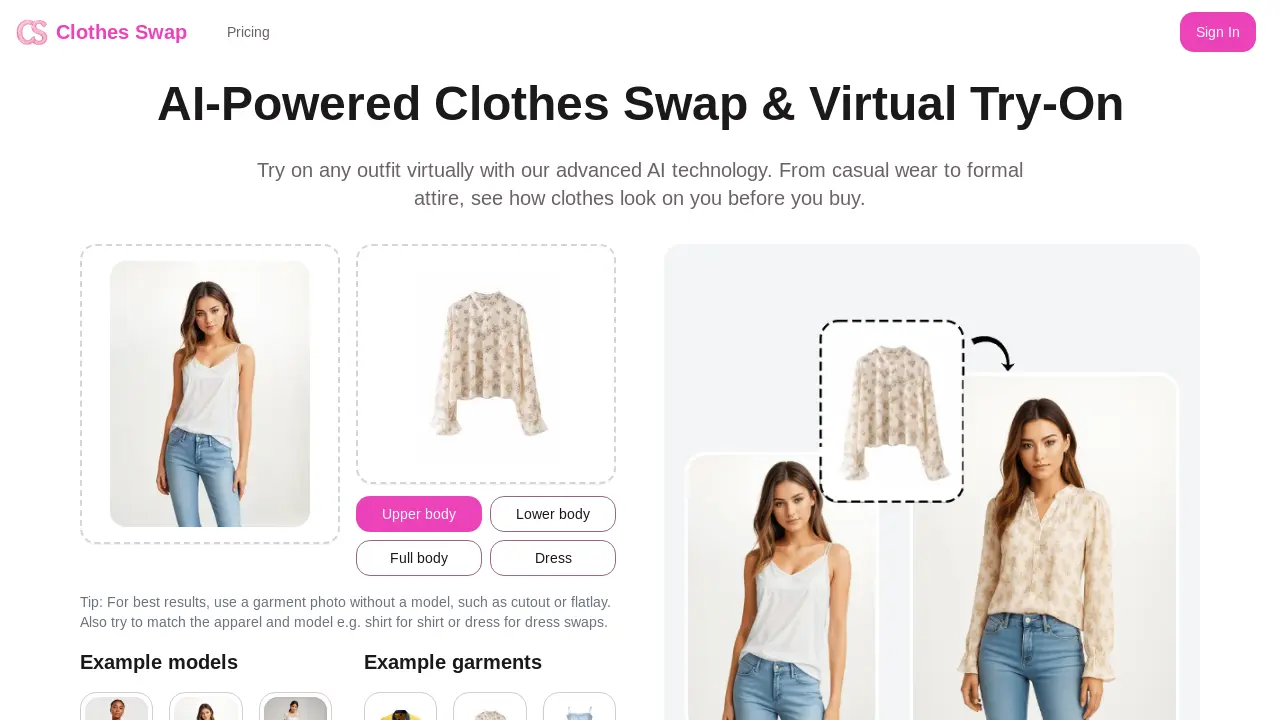
The Clothes Swap virtual try-on process involves uploading a clear photo, selecting the desired clothes for a virtual try-on, and then allowing the AI to analyze the user's body shape and size. The platform then generates an image showcasing how the chosen clothes would look on the individual, enabling users to save or share their preferred styles.
What types of photos work best for Clothes Swap?
To achieve optimal results with Clothes Swap, it's recommended to use clear, well-lit photos where the full body is visible. Front-facing photos taken in good lighting conditions tend to yield the best outcomes. Avoiding blurry images or those with complicated backgrounds can improve the accuracy of the virtual try-on.
What types of clothes can I try on using Clothes Swap?
Clothes Swap provides options to try on a diverse array of clothing, including tops, dresses, pants, and suits. The platform's collection is routinely updated with new styles and seasonal items to provide users with a constantly evolving virtual wardrobe.
How accurate is the virtual try-on feature of Clothes Swap?
Clothes Swap's AI technology is engineered to deliver highly accurate virtual try-on results, factoring in body measurements and garment-specific fits. While the AI strives for precision, consulting the size guide for each clothing item is advised to ensure the best possible fit.
Can I save my try-on results on Clothes Swap?
Yes, Clothes Swap allows users to save their favorite outfits to a personal gallery for future reference. These saved looks can also be shared with friends. Premium subscribers typically receive expanded storage and more sharing functionalities.
Is there a limit to how many outfits I can virtually try on with Clothes Swap?
The number of outfits a user can virtually try on Clothes Swap is dependent on their subscription plan. Free users have a limited number of monthly attempts, whereas premium users benefit from unlimited try-ons and access to exclusive clothing options.
What steps can I take to get the best results from Clothes Swap?
To maximize the accuracy and satisfaction of the Clothes Swap experience, users should utilize high-quality, well-lit photos that clearly show their entire body. Wearing form-fitting clothing in the photo and adopting poses that align with the desired style can further enhance the AI's performance.
What are the pricing options for Clothes Swap?
Clothes Swap offers tiered pricing plans to suit different user needs, including a "Pay as you go" option, a "Standard" plan, and a "Premium" plan. Each tier offers a different number of images, features, and benefits, such as VIP model generation, faster generation speeds, and commercial use rights.
Can I use Clothes Swap for commercial purposes?
Yes, the "Pay as you go," "Standard," and "Premium" plans for Clothes Swap all include commercial use rights. This allows users to utilize the generated images for business-related activities, such as marketing or online sales.
How to use Clothes Swap
Clothes Swap is an AI-powered virtual try-on platform allowing users to see how clothes look before buying. This tutorial guides you through using the platform for virtual clothes swapping and exploring styles.
Begin by uploading a clear, well-lit photo of yourself. A front-facing photo with your full body visible works best for accurate AI analysis.
Choose the article of clothing you want to virtually try on. The platform offers upper body, lower body, full body, and dress options for clothes swapping.
Allow the AI to process the image, matching your body shape to the garment. Consider garment photos without a model for improved results.
View the generated image displaying the clothing on your figure. Each image generation consumes credits, as detailed in the pricing section.
Examine the fit and style in the generated image. Use these virtual try-ons to make informed decisions before purchasing clothing online.
Consider upgrading to a paid plan for more image generations. Paid plans offer additional features like no watermarks and faster generation speeds.
Save your favorite virtual try-on results to your personal gallery. Share these images with friends for feedback or save them for future reference.
Refer to the FAQ section for answers to common questions. Contact support for further assistance with Clothes Swap features or functionality.
Explore various garments and model combinations to find your best style. Clothes Swap aims to make online clothes shopping more convenient and accurate.
