
Voicss FAQs
Voicss is an online AI vocal remover that separates vocals and instrumentals, creates karaoke backing tracks, and isolates vocals for remixing, serving singers and creators with a fast, no‑download interface.

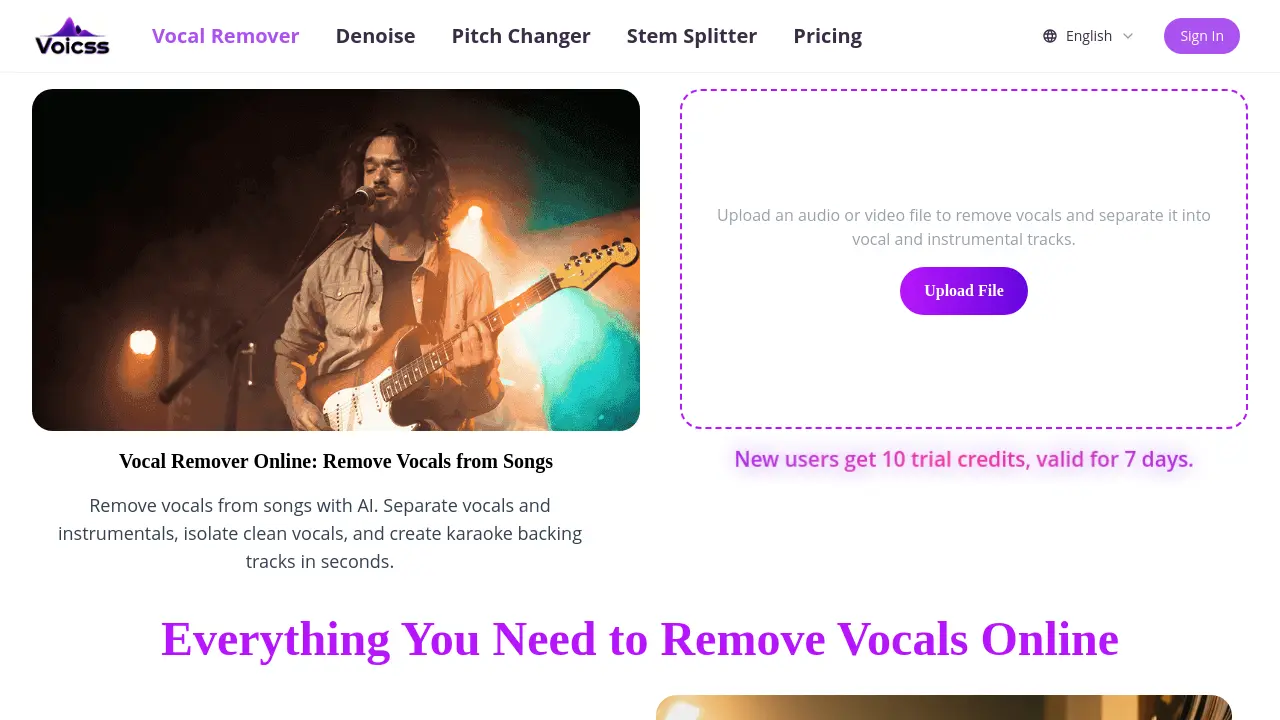
FAQs of Voicss
What is Voicss and how does its AI vocal remover work?
Voicss is an entirely browser‑based service that uses artificial intelligence to separate vocal tracks from instrumental accompaniment. Users upload an audio or video file, and the AI model analyses frequency and temporal patterns to isolate the singing voice, producing separate vocal and instrumental files within seconds, without requiring any software installation.
Which audio and video formats are supported by Voicss?
Voicss accepts all common media types, including MP3, WAV, M4A, FLAC, as well as video containers such as MP4 and MOV. The platform automatically detects the file type, processes it in the cloud, and returns high‑quality vocal and instrumental stems compatible with standard playback devices and editing software.
How accurate are the vocal and instrumental outputs, and what quality can users expect?
The AI algorithm is trained on a large dataset of mixed recordings, enabling it to achieve clean separation with minimal artifacts. While results can vary depending on the source mix, most users report instrumentals that are sufficiently free of vocal bleed for karaoke, remixing, and practice purposes, delivering near‑studio quality within a few seconds of processing.
Is there a cost to use Voicss, and what are the trial limitations?
Voicss offers a free trial that grants new users ten credits, valid for seven days. Each credit typically corresponds to one file split. After the trial, users can purchase additional credits or subscribe to a paid plan, which provides higher throughput and priority processing, though the basic functionality remains accessible without a mandatory sign‑up.
How does Voicss ensure user privacy and data security during processing?
All uploads are transmitted over encrypted HTTPS connections and processed on secure servers that do not retain the files longer than necessary to complete the separation. Voicss deletes the original and generated audio tracks after the download link expires, aligning with its privacy policy and protecting user content from unauthorized access.
How to use Voicss
- The AI‑driven Voicss platform separates vocals from instrumental tracks, enabling karaoke creation, remixing, and clean vocal isolation without installing any software.
- Navigate to voicss.com, locate the “Upload File” button under the Vocal Remover section, and select an MP3, WAV, FLAC, or other supported audio/video file from your device.
- After the file uploads, the system automatically processes it using AI vocal removal; progress is indicated by a brief loading animation and estimated time remaining.
- Once processing completes, two downloadable files appear: one containing the isolated instrumental track and another containing the extracted vocal track, each labeled clearly.
- Download the instrumental file to use as a karaoke backing track, or download the vocal file for remixing, sampling, or practice, then store them in your preferred audio library.
- Evaluate the results by listening for residual vocal bleed or artifact noise; if necessary, re‑upload a higher‑quality source or adjust post‑processing with an external editor for optimal clarity.
