
Tome App AI FAQs
Tome App AI uses AI to generate, beautify, and enhance PowerPoint presentations, leveraging Claude Opus 4.6 for professional results in minutes.

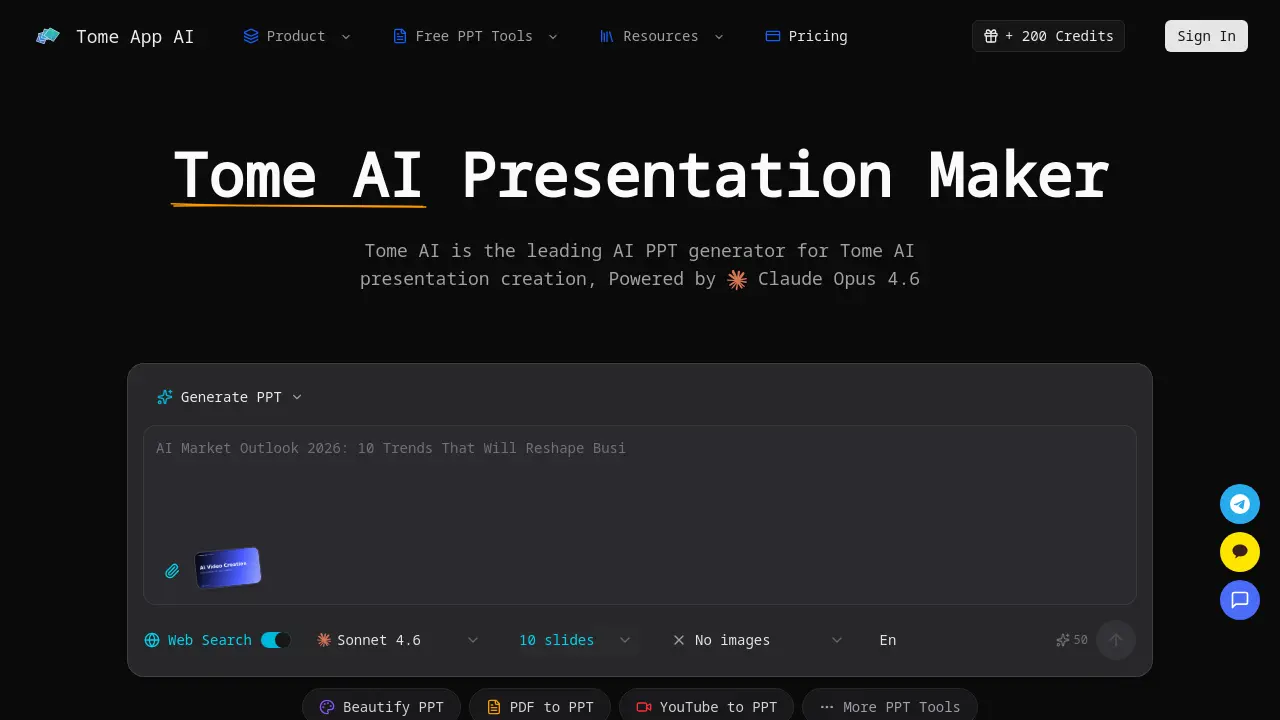
FAQs of Tome App AI
What is Tome App AI?
Tome App AI is an AI-powered presentation maker that leverages Claude Opus 4.6 to generate and enhance slide decks. It automates design, layout, and content structuring for professional presentations, serving as a comprehensive AI PPT generator for various use cases.
How does the AI PPT generator work?
The AI PPT generator processes a text description of the presentation topic from the user. It analyzes this input to create a complete slide deck, automatically generating professional layouts, content, and design elements based on the specified requirements.
Can I edit presentations generated by the AI PPT maker?
Yes, Tome App AI provides a real-time preview and editing interface within the browser. Users can directly modify content, adjust layouts, and refine designs on the generated slides before exporting the final file to PPTX format.
What file formats does the AI PowerPoint generator support?
Tome App AI supports multiple input formats for conversion, including PDF, Word, HTML, plain text, and YouTube videos. The primary export format is PPTX, ensuring compatibility with Microsoft PowerPoint, Google Slides, and Keynote.
Can I upload and beautify existing presentations with Tome App AI?
Yes, users can upload existing presentation files to Tome App AI. The AI PowerPoint beautification feature then enhances the slides by improving design consistency, fixing layout issues, and applying professional styling to elevate visual quality.
Does Tome App AI's AI PPT generator create speaker notes?
Yes, the tool automatically generates detailed speaker notes and talking points for each slide. These notes are designed to support presenters by providing structured talking points and additional context for delivery.
Is Tome App AI better than other AI PPT makers?
Tome App AI utilizes Claude Opus 4.6, offering advanced AI capabilities for presentation tasks. It provides an integrated suite of tools for generation, beautification, and format conversion, positioning it among the leading AI PowerPoint generators available.
How fast is the AI PPT generator?
The AI PPT generator produces complete presentation decks in minutes rather than hours. Tome App AI states its technology can accelerate the creation process by up to 10 times compared to traditional manual slide design methods.
Can I use Tome App AI for business presentations?
Yes, Tome App AI is suitable for business and professional contexts. It creates polished, branded presentations appropriate for corporate meetings, marketing materials, educational lectures, and other professional scenarios requiring high-quality slides.
What additional AI PPT tools does Tome App AI offer?
Beyond core generation, Tome App AI provides specialized tools such as AI Beautify PPT for redesign, PDF to PPT and YouTube to PPT converters, Speech Notes from PPT, and a PPT Reverse Prompt feature to extract prompts from existing decks.
How does Tome App AI support multilingual presentations?
The platform supports multiple languages for presentation creation, handling proper formatting and typography automatically. This capability allows users to generate content in various languages, facilitating presentations for global or multilingual audiences.
What is the PPT Reverse Prompt tool?
The PPT Reverse Prompt tool analyzes an uploaded presentation to extract underlying prompts or topics that likely generated its content. This feature helps users understand the AI's input requirements and replicate successful design patterns for future projects.
Can Tome App AI generate charts from data?
Yes, Tome App AI includes a chart generation feature that transforms raw data into professional charts and graphs. The AI automatically selects appropriate chart types and applies styling to ensure visualizations integrate seamlessly into the presentation.
Does Tome App AI suggest images for slides?
The tool offers image suggestion functionality, recommending relevant visuals for each slide based on the content. These suggestions aim to enhance aesthetic appeal and align with the presentation's thematic message without requiring manual image searches.
How to use Tome App AI
Tome App AI is an AI-driven presentation tool that generates, enhances, and converts slides using Claude Opus. It automates design and content for professional presentations, supporting various formats and multilingual output.
- Access the Tome App AI platform and complete the sign-in process to unlock the AI PPT generator and presentation features.
- For new presentations, provide a detailed text prompt outlining the topic; alternatively, upload existing PPT files to use the beautify PPT function.
- Configure generation settings, including slide count, image inclusion preference, and language, to customize the AI output for specific needs.
- The system processes the request with Claude Opus AI, automatically generating structured slides, professional layouts, and suggested visuals.
- Review the generated presentation in the browser-based editor, making real-time edits to text, design, and slide order as required.
- Generate speaker notes for each slide to produce talking points, aiding in rehearsal and improving delivery confidence.
- Export the final deck as a PPTX file compatible with PowerPoint, or use conversion tools to create PDF and other format versions.
