
Seedream 5.0 AI: 2K Images via Multi-Subject Text Prompts

What is Seedream 5.0
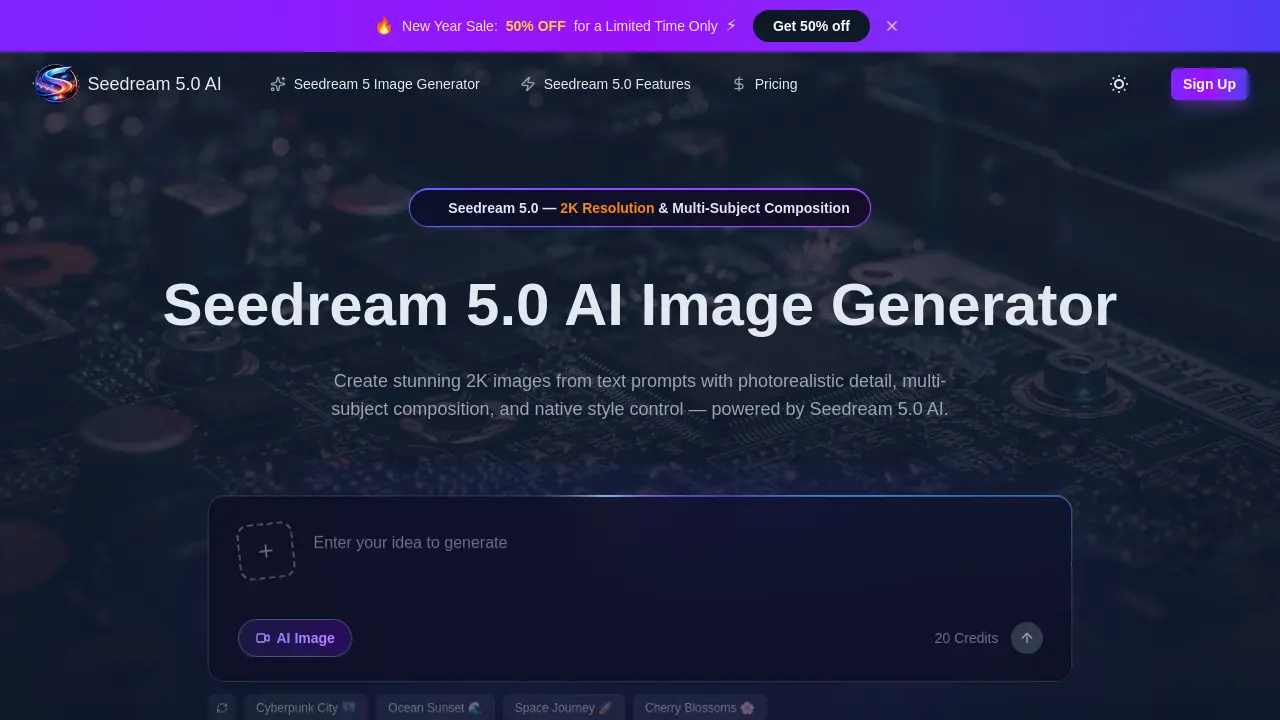
Seedream 5.0 is a fifth-generation AI image generator built on a diffusion transformer architecture. It produces studio-quality images at up to 2K resolution from text prompts, emphasizing photorealistic detail and accurate multi-subject composition for scenes with three or more distinct elements. The model offers native style control, supporting photorealism, anime, cyberpunk, watercolor, and cinematic aesthetics via text prompts or reference images. Its image-to-image editing functionality allows for precise modifications like style transfer, object removal, and background replacement using natural language commands. With a 40% faster inference speed than previous versions and support for various aspect ratios, Seedream 5.0 serves creators, designers, and marketers requiring high-fidelity, commercially licensed outputs for advertising, social media, and product visualization. All generated images include a commercial use license.
How does Seedream 5.0 work
Seedream 5.0 is a fifth-generation diffusion transformer model for AI image generation. It operates by processing detailed text prompts to create images at up to 2K resolution. The system excels at multi-subject composition, accurately rendering three or more distinct elements with proper spatial relationships. Native style control allows for direct switching between photorealism, anime, cyberpunk, and other artistic modes via prompts or reference images. An image-to-image editing function enables natural language instructions for tasks like object removal and style transfer, preserving original composition. The model’s rebuilt language encoder improves prompt comprehension, while optimized inference delivers results 40% faster than previous versions.
Benefits of Seedream 5.0
Seedream 5.0 AI is a fifth-generation diffusion transformer model for high-fidelity image generation. It produces up to 2K resolution images with accurate prompt comprehension, handling complex descriptors and spatial relationships. The model excels in multi-subject composition, maintaining individual attributes for three or more subjects. Native style control allows instant switching between photorealism, anime, cyberpunk, watercolor, and other styles via prompts or reference images. Image-to-image editing supports natural language modifications like object removal and color grading. With fast generation speeds of 5-10 seconds and a commercial license, it is accessible to creators without design experience, supporting multiple aspect ratios and output formats.
Pros and Cons of Seedream 5.0
Pros
- Generates 2K resolution images with photorealistic detail.
- Accurately composes scenes with three or more subjects.
- Generation speed is 40% faster than previous models.
- Includes a commercial use license for all outputs.
- Offers native control over multiple artistic styles.
Cons
- Performance claims lack third-party verification or benchmarks.
- Pricing tiers and credit systems may be complex.
- Free tier credit allocation and limitations are unspecified.
- Requires constant internet for cloud-based processing.
- Mobile performance details and optimization are not provided.
Core Features of Seedream 5.0
Text-to-Image Generation
Converts textual prompts into high-quality images at up to 2K resolution, enabling fast and accurate visual creation for portraits, product photography, and concept art.
Image-to-Image Editing
Allows users to upload images and apply edits via natural language, supporting style transfer, object removal, and background replacement while maintaining original composition.
Multi-Subject Composition
Accurately renders scenes with three or more distinct subjects, preserving individual attributes and natural spatial relationships for complex and realistic image generation.
Style Control
Offers native support for diverse artistic styles including photorealism, anime, and cyberpunk, controllable through text prompts or reference images for customized output.
Use Cases of Seedream 5.0
- Graphic designers: Compose multi-subject editorial illustrations with precise style control at 2K resolution for print.
- Marketing teams: Generate photorealistic campaign visuals rapidly using text prompts and the commercial use license.
- E-commerce businesses: Create product photography with image-to-image editing for background replacement and object removal.
- UI/UX designers: Prototype interface visuals in minutes with style control matching specific design systems.
- Content creators: Produce scroll-stopping thumbnails featuring complex multi-subject scenes other generators cannot handle.
FAQs of Seedream 5.0
What is Seedream 5.0 AI?
Seedream 5.0 AI is a fifth-generation text-to-image and image-to-image model based on diffusion transformer architecture. It is designed to generate high-quality images from text prompts or edit existing images using natural language descriptions.
What are the main features of Seedream 5.0 AI?
Key features include generating images at up to 2K resolution, advanced prompt comprehension for complex scenes, multi-subject composition with three or more distinct elements, native style control across multiple aesthetics, and precise image-to-image editing capabilities like object removal and style transfer.
How does Seedream 5.0 AI compare to other generators?
Seedream 5.0 AI claims competitive performance against models like DALL-E 3 and Midjourney, particularly in prompt adherence, photorealism, and handling multi-subject scenes. It also states a 40% faster inference speed while supporting 2K resolution output natively.
What specifications does Seedream 5.0 AI support?
The model generates images at a maximum resolution of 2048x2048 (2K). Supported aspect ratios include 1:1, 4:3, 3:4, 16:9, 9:16, and 21:9. Output formats are PNG and JPEG, and prompts can be up to 5,000 characters long for detailed descriptions.
Is it free to use?
Yes, Seedream 5.0 AI provides free credits for new users to start generating images. Individual images cost from 3 credits. Additional credits can be purchased via one-time packs or monthly/annual subscription plans, which offer varying credit allocations.
Can I use generated images commercially?
All images generated with Seedream 5.0 AI are covered by a commercial use license. This permits use in advertising, social media, product marketing, editorial content, and print materials without royalty fees, according to the provided terms.
How does image-to-image editing work?
Users upload an existing image and describe desired edits in natural language. The model preserves the original composition while applying changes such as style transfer, background replacement, object removal, or color adjustments to achieve the requested result.
What's different from Seedream 4?
Seedream 5.0 introduces a 2x resolution increase (2048x2048 vs. 1024x1024), a rebuilt language encoder for better prompt understanding, enhanced accuracy for scenes with three or more subjects, improved anatomy rendering, native style control, and a 40% faster generation speed compared to version 4.
Which styles are supported?
The model supports a range of styles including photorealism, anime, cyberpunk, watercolor, oil painting, 3D render, minimalist illustration, cinematic, and vintage photography. Style can be controlled via text prompts or by using reference images.
How fast is image generation?
A single 2K image typically generates in 5 to 10 seconds. The architecture is advertised as 40% faster than previous Seedream iterations and also supports batch generation for producing multiple images sequentially.
Does Seedream 5.0 AI support reference images?
Yes, users can upload reference images to guide the generation process. This feature allows for style transfer, composition guidance, and detailed editing while aiming to maintain the structural integrity of the reference image as described.
Is Seedream 5.0 AI mobile compatible?
The service is compatible with major web browsers including Chrome, Safari, Firefox, and Edge. It functions across desktop, tablet, and mobile devices, with all image processing performed on cloud servers rather than locally on the user's device.
What are the system requirements for using Seedream 5.0 AI?
Seedream 5.0 AI is a cloud-based service accessed through a web browser. There are no specific hardware requirements for the end user beyond a stable internet connection and a modern browser. All computational processing occurs on remote servers.
Does Seedream 5.0 AI support batch image generation?
Yes, Seedream 5.0 AI supports batch generation, allowing users to create multiple images in a sequence. This is useful for generating variations or multiple concepts efficiently, with each image consuming credits according to the user's plan.
How can I optimize prompts for better results with Seedream 5.0?
For optimal results, use descriptive language specifying subjects, style, lighting, camera angle, and mood. The model's advanced prompt comprehension handles spatial relationships and modifiers, so detailed prompts yield more accurate and higher-fidelity outputs.
What is the difference between the Seedream model and other models like Nano Banana Pro?
According to the pricing tiers, different subscription plans include access to various models such as Nano Banana Pro, Seedream, GPT Image 1.5, and Flux Kontext. The Seedream model is the core fifth-generation model, while others may offer different stylistic outputs or performance characteristics. Higher-tier plans (Plus, Enterprise) provide faster generation speeds.
How does 2K resolution benefit professional projects compared to lower resolutions?
2K resolution (2048x2048) provides significantly higher pixel density than standard 1080p or lower AI outputs. This benefits professional use by delivering superior detail for print materials, large-format displays, and high-quality digital assets where clarity, texture, and scaling are critical.
How to use Seedream 5.0
Seedream 5.0 AI is a fifth-generation diffusion transformer model for text-to-image and image-to-image generation. It produces images up to 2K resolution with high prompt comprehension, multi-subject composition, and native style control. The tool serves creators, designers, and marketers for professional-grade visual content.
- Access the Seedream 5.0 AI platform through a compatible web browser on desktop, tablet, or mobile devices to begin.
- Enter a comprehensive text prompt specifying subjects, artistic style, lighting, and spatial relationships for accurate generation.
- Configure output settings, selecting an aspect ratio from supported options and resolution up to 2K for high-definition results.
- For image-to-image editing, upload a reference image and describe modifications in natural language, such as style transfer or object removal.
- Initiate generation; the system deducts credits and processes the request in 5–10 seconds using its accelerated inference architecture.
- Review the generated image for fidelity to the prompt, correct multi-subject composition, and adherence to the requested style.
- Download the final output in PNG or JPEG format; all images include a commercial use license for unrestricted application.
- Iterate by refining prompts based on initial results, adding precise descriptors to improve subsequent outputs toward the desired vision.
Users should evaluate outputs for prompt accuracy, subject integrity, and style fidelity. Discrepancies warrant prompt refinement or setting adjustments. The commercial use license permits direct integration into advertising, social media, print, and e-commerce without royalty fees. Efficient credit management ensures sustained workflow for large-scale projects.
