
Scan2Estimate FAQs
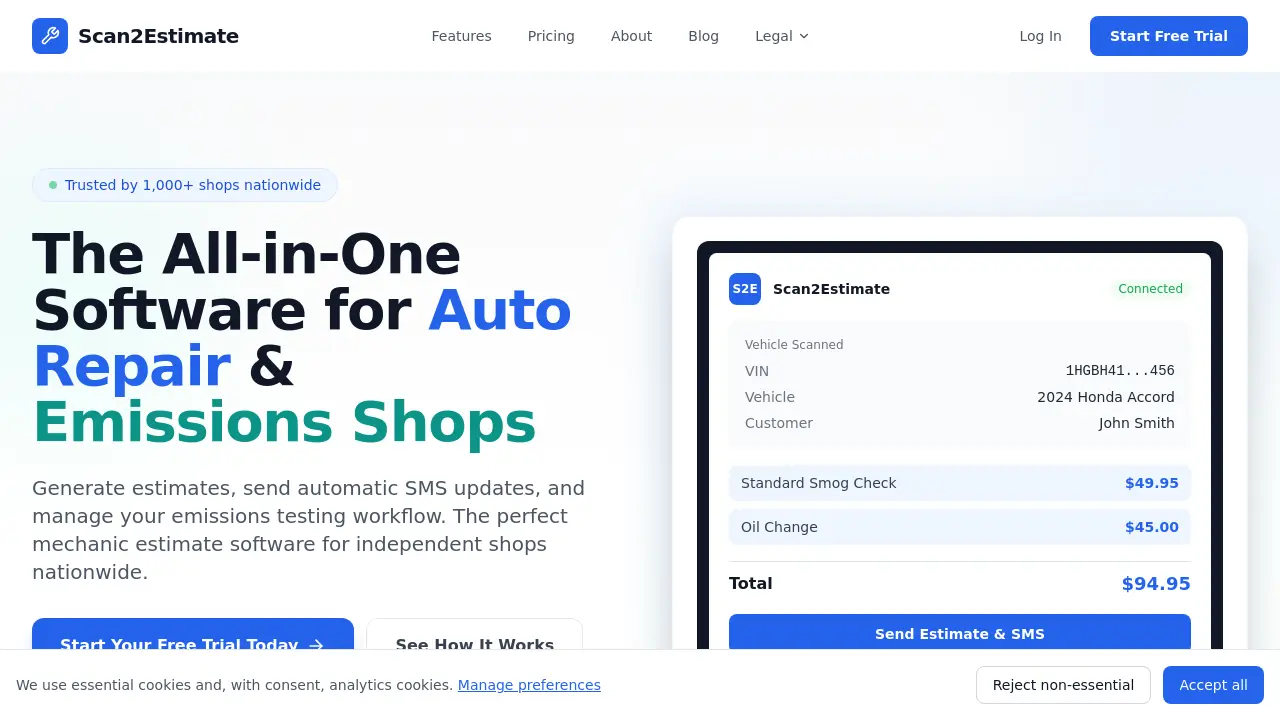
Scan2Estimate offers auto repair shop management with AI-powered estimates, SMS updates, and emissions testing to streamline operations.

FAQs of Scan2Estimate
How does Scan2Estimate's VIN & DMV card scanning functionality work?
Scan2Estimate uses the device camera to capture a VIN barcode or a photo of a DMV registration card. Integrated AI technology then instantly extracts all relevant vehicle details, such as make, model, year, and VIN, along with associated customer information from the card. This automation eliminates manual data entry, significantly reducing intake time and potential errors.
What is the AI-Powered Labor Guide and how does it assist in building estimates?
The AI Labor Guide provides accurate, data-driven labor time estimates directly within the estimate building process. Instead of referencing static labor guides or outsourcing, mechanics can quickly select a repair task, and the software suggests standard labor times. This feature helps create more consistent and reliable estimates, improving shop efficiency and customer trust in proposed pricing.
How do the Automatic SMS Updates function within the shop workflow?
Automatic SMS Updates send text messages to customers at predefined workflow stages, such as when a vehicle is received, when diagnostics are complete, or when it is ready for pickup. This automated communication reduces manual phone calls, keeps customers informed, and can help decrease appointment no-shows by providing timely reminders and status changes.
What specific tools are available for handling emissions test failures?
The software includes an Emissions Failure Advisor. When a vehicle fails an emissions test, this tool uses AI to explain the failure reason in plain language and recommends specific, compliant repair steps. Additionally, the Drive Cycle SMS Instructions feature can automatically text customers the necessary drive cycle procedures to reset monitors after repairs are completed.
Can Scan2Estimate be used across different devices and operating systems?
Yes, Scan2Estimate is a cross-platform solution with native applications for iOS and Android mobile devices, as well as a web application for desktop use. All data entered on any platform syncs automatically to a central cloud-based account. This allows shop staff to start an estimate on a phone in the service bay and finish or review it later on a desktop computer.
Is customer and vehicle data stored securely within Scan2Estimate?
The software stores all shop and customer data in a secure cloud environment. As a professional business tool, it employs standard industry practices for data security, including encryption for data transmission and storage. Specific details on their data safety protocols, compliance certifications, and data handling policies are outlined in their Data Safety and Privacy Policy documentation on their website.
What are the different pricing tiers or subscription plans?
Scan2Estimate offers subscription-based pricing with different feature tiers, typically including a plan for individual mechanics and a plan for multi-user shops. Exact pricing details, feature comparisons between tiers, and any per-scan or per-estimate fees are provided on their dedicated Pricing page. They also offer a free trial period to test the core functionality without a credit card.
Does Scan2Estimate integrate with other business software like accounting or payment systems?
The primary function of Scan2Estimate is estimate creation and shop workflow communication. While it exports professional PDF estimates, direct, native integrations with third-party accounting software (e.g., QuickBooks) or payment processing gateways are not highlighted as core features in the provided context. Users would likely need to manually transfer financial data between systems.
How long does it typically take for a new shop to become proficient with the software?
Based on the described "60-second estimate" workflow, the software is designed for rapid adoption. Basic functions like scanning a VIN and building a simple estimate can be learned very quickly. Full proficiency with all features, such as customizing service menus or using the AI Labor Guide effectively, would depend on the user's technical aptitude and may require a short period of active use, supported by available resources.
Can the generated work orders meet specific state or regulatory compliance standards?
Yes, the software generates BAR Compliant Work Orders. This indicates the templates and documentation are designed to meet the specific legal and regulatory requirements, including proper disclaimers, for automotive repair facilities in states like California that fall under the Bureau of Automotive Repair (BAR) jurisdiction. This feature is crucial for emissions testing stations to ensure compliance.
How to use Scan2Estimate
- The user begins by scanning the vehicle's VIN barcode or DMV registration card using a smartphone or tablet camera, which automatically populates customer and vehicle details.
- Next, the user builds the estimate by selecting repair services from a pre-configured menu or consulting the integrated AI labor guide for accurate time and pricing data.
- The customer then signs the estimate digitally on the device, after which the user can email a branded PDF or print it immediately for the client.
- The system automatically sends SMS status updates to the customer as the vehicle moves through the shop's workflow, reducing check-in calls.
- Throughout the process, the status tracking dashboard provides a visual overview of all active vehicles, from initial scan through to completion.
