
Quitar Fondo: AI background remover for images
| Added on: | Jul 1, 2025 |
| Monthly Visits: | 1.54K |
| Social & Email: | -- |

What is Quitar Fondo
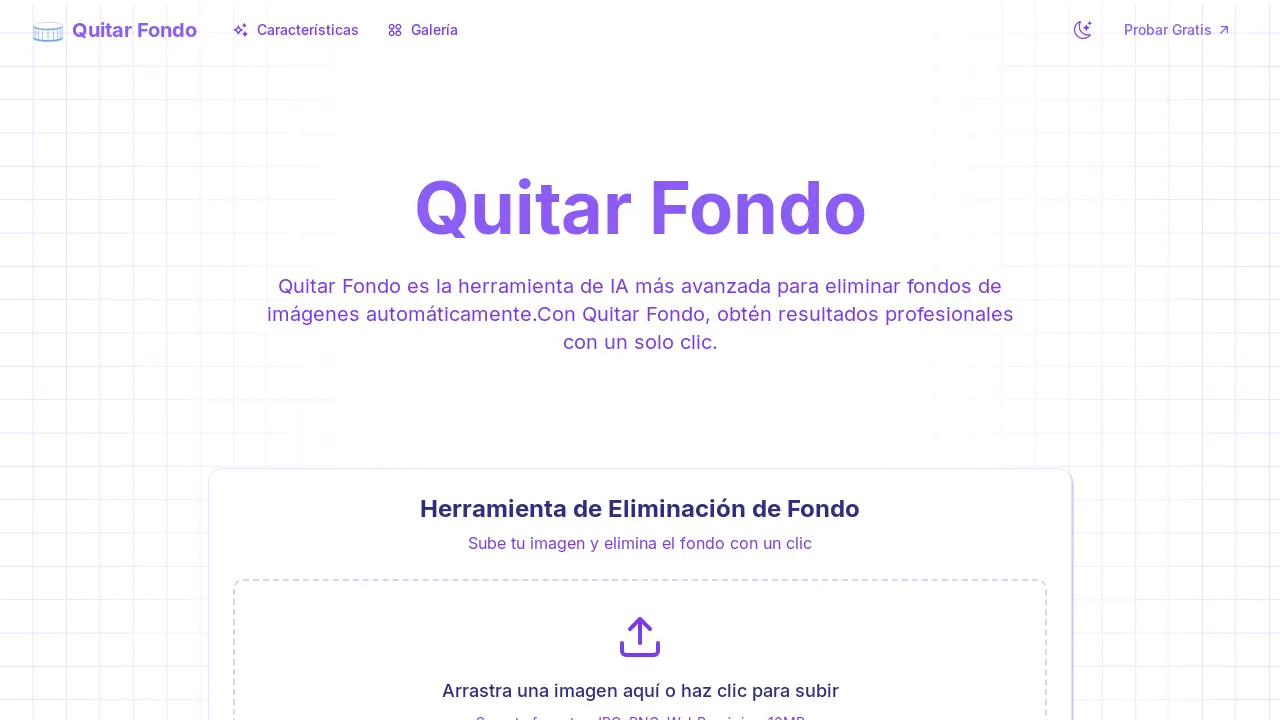
Quitar Fondo is an AI-powered tool designed to automatically remove image backgrounds. It leverages advanced AI algorithms to precisely detect and eliminate backgrounds, delivering professional-quality results with a single click. Supporting multiple formats, including JPG, PNG, and WebP, Quitar Fondo streamlines image editing.
The tool offers features such as high-speed processing and high-definition downloads. Quitar Fondo accurately detects edges, including complex elements like hair and fine details. It's designed for ease of use, allowing users to efficiently create images with transparent backgrounds, suitable for various applications including logos and product photos. Whether needing to quitar fondo a imagen or realizar edición online, this tool can assist in efficient image editing.
How does Quitar Fondo work
Quitar Fondo is an AI-powered tool designed to automatically quitar fondo a imagen. It utilizes advanced IA algorithms to accurately detect and remove backgrounds, supporting formats like JPG, PNG, and WebP. Users can upload an image, and the tool provides a version with a transparent background. The service offers precision in detecting edges and fine details, allowing for quitar fondo online quickly, delivering results suitable for professional and personal use. It also supports quitar fondo a logo and other specific image types.
Benefits of Quitar Fondo
Quitar Fondo is an AI-powered tool designed to quitar fondo a imagen with professional precision in seconds. This herramienta de IA leverages advanced algorithms to accurately detect and remove backgrounds, supporting various formats including JPG, PNG, and WEBP. Ideal for quickly quitar fondo blanco or any unwanted background, it's user-friendly, requiring no technical skills. Benefit from its ability to quitar fondo con ia, delivering high-quality results perfect for logos, photos, and more. Quitar Fondo ensures efficiency, saving time and resources for various image editing needs.
Pros and Cons of Quitar Fondo
Pros
- AI removes image backgrounds automatically.
- Supports multiple image formats.
- Offers fast processing of images.
- Easy to use interface.
- High resolution downloads are available.
Cons
- Image uploads limited to 10MB.
- Occasional imperfections in background removal.
- Requires clear subject/background contrast.
- Image processing occurs on remote servers.
- Output only available in PNG format.
Core Features of Quitar Fondo
Automatic Background Removal
Quitar Fondo uses AI to automatically remove backgrounds from images with professional-level precision in seconds, eliminating the need for complex software or technical skills.
High-Quality Image Processing
The tool supports various image formats like JPG, PNG, and WEBP, processing images up to 4000x4000 pixels and 10MB, delivering high-resolution output suitable for commercial use.
User-Friendly Interface
Quitar Fondo features an intuitive design for easy navigation, enabling users to efficiently upload, process, and download images with transparent backgrounds in just a few clicks.
Precise Edge Detection
Leveraging advanced machine learning algorithms, the tool accurately detects and handles complex edges, including hair, fur, and other fine details for seamless background removal.
Use Cases of Quitar Fondo
- E-commerce businesses: Quickly quitar fondo a imagen for product listings, improving visual consistency and attracting customers online.
- Graphic designers: Remove image backgrounds with IA to efficiently isolate subjects for composites and other creative projects.
- Photographers: Utilize the quitar fondo tool to isolate portrait subjects and create transparent PNGs for diverse background applications.
- Marketing teams: Leverage the quitar fondo online service to generate engaging social media visuals with clean, professional-looking cutouts.
- Website developers: Use Quitar Fondo to quitar fondo blanco from logos and icons, preparing them for seamless integration into web designs.
FAQs of Quitar Fondo
¿Qué es Quitar Fondo?
Quitar Fondo es una herramienta que utiliza inteligencia artificial (IA) para eliminar automáticamente el fondo de cualquier imagen. Esta herramienta is designed para ofrecer resultados de calidad profesional, even for users without technical expertise in photo editing software such as Adobe Photoshop or Canva.
¿Qué tipos de imágenes funcionan mejor con Quitar Fondo?
Quitar Fondo is optimized for portraits, product photos, objects, and even images of pets. For optimal results when you want to quitar fondo a imagen, it is ideal that there is a clear contrast between the main subject and the image background.
¿Qué formatos de imagen soporta Quitar Fondo?
Quitar Fondo is compatible with various image formats including JPG, PNG, WEBP, and GIF. Output images are available in PNG format, maintaining a transparent background after you quitar fondo online.
¿Existe un límite en el tamaño de las imágenes que puedo subir a Quitar Fondo?
Yes, Quitar Fondo accepts image files up to 10MB in size, with a maximum resolution of 4000x4000 pixels. If you need to process larger images, it is recommended to contact customer support.
¿Es Quitar Fondo una herramienta gratuita?
Quitar Fondo offers a free trial and subscription options to quitar fondo imagen and allows users to process a certain number of images without charge. For higher volumes or additional features, a paid subscription may be required.
¿Qué nivel de precisión ofrece Quitar Fondo al quitar el fondo de una imagen?
Quitar Fondo's AI achieves a precision rate of 95% or higher in most cases. Optimal results are typically obtained when using sharp, well-lit images that provide clear separation between the subject and background.
¿Puedo utilizar las imágenes procesadas con Quitar Fondo para fines comerciales?
Yes, users have full rights to use the images processed through Quitar Fondo for both personal and commercial projects without any restrictions. This includes using the images for e-commerce, marketing, and advertising purposes.
¿Cómo protege Quitar Fondo mi privacidad?
Quitar Fondo processes all images securely and automatically deletes them from its servers after 24 hours. This ensures user privacy and data security, which is particularly important when you quitar fondo de foto.
¿Cómo puedo quitar fondo a un logo usando Quitar Fondo?
Quitar Fondo can be used to quitar fondo a logo by uploading the logo image to the platform. The AI will automatically detect the logo and remove the background, leaving you with a transparent version for various uses.
¿Cómo se compara Quitar Fondo con otras herramientas como "quitar fondo adobe" o "quitar fondo canva"?
Quitar Fondo uses advanced AI algorithms specifically designed for background removal, offering a one-click solution that may be faster and easier for users compared to more complex software like Adobe Photoshop or Canva. While those tools offer more manual control, Quitar Fondo prioritizes speed and ease of use with high accuracy.
How to use Quitar Fondo
- Initiate the process by uploading your desired image directly to Quitar Fondo. The platform supports JPG, PNG, and WEBP formats, with a maximum file size of 10MB.
- Allow the AI to automatically analyze and remove the background from your image. This process leverages advanced machine learning for precise detection and removal.
- Examine the processed image. Quitar Fondo AI algorithms are designed to handle complex edges and fine details, ensuring a professional-quality result.
- Download the image with the background removed in high-definition PNG format. Use this image for diverse applications, both personally and commercially.
- Troubleshoot any issues with image clarity or lighting by ensuring a clear contrast between the subject and background for optimal AI performance.
- Explore the gallery for examples of how Quitar Fondo's background removal tool excels in different scenarios, including product photography and portraits.
- Consult the FAQ section for common questions on image compatibility, privacy policies, and the commercial usage of processed images.
- Understand that all processed images are securely handled and automatically deleted from the servers after 24 hours, ensuring user privacy.
- Utilize Quitar Fondo for various background removal tasks, including generating PNG images with transparent backgrounds, ideal for logos or digital marketing materials.
- Consider Quitar Fondo as a viable alternative to background removal processes in Adobe Photoshop or Canva, leveraging AI for a faster and more efficient process.
Quitar Fondo Website Traffic Analysis
Latest traffic information
- Monthly Visits1.54K
- Bounce Rate38.85%
- Pages Per Visit1.04
- Visit Duration00:00:00
- Global Rank11.18M
- Country/Region Ranking--
Visits Over Time
Top Keywords
| Keyword | Traffic | Volume | Cost Per Click |
|---|---|---|---|
| quitar fondo ia | 10 | 8.11K | $0.2 |
| quitar fondo | -- | 1.1M | $0.19 |
| quitar | -- | 10.99K | $0.12 |
| quitar fondo gratis | -- | 10.23K | $0.1 |
| quitar fondo imagen png | -- | 4.56K | $0.14 |
Top Regions
| Region | Percentage |
|---|---|
| Peru | 37.31% |
| United States | 30.82% |
| Indonesia | 23.32% |
| Mexico | 3.6% |
| Spain | 2.79% |
