
Peek FAQs
Peek is an AI-powered workspace that automatically organizes and summarizes your browser tabs. Be curious, be productive, and harness the limitless knowledge of the internet with Peek.

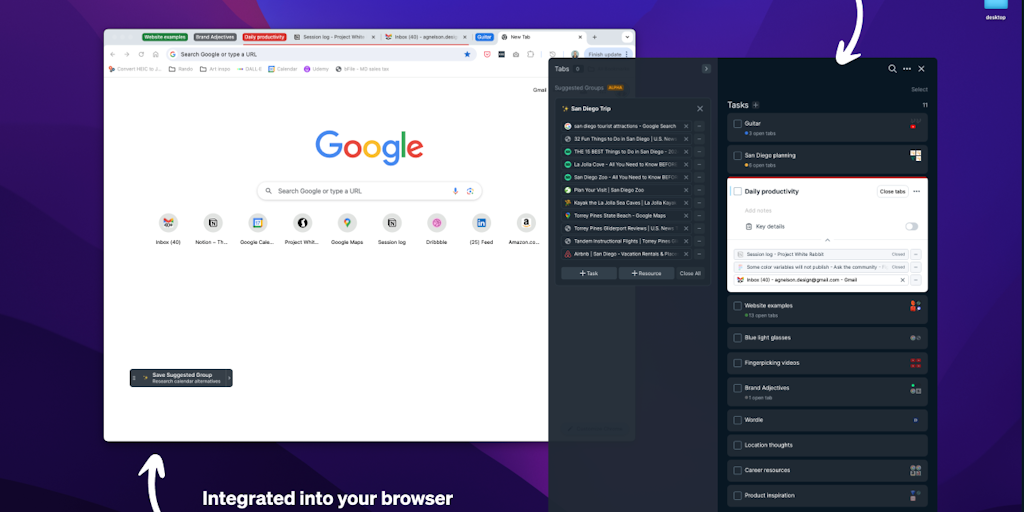
FAQs of Peek
What is Peek?
Peek is an AI-powered workspace that helps you organize and summarize your browser tabs. It uses AI to analyze the content of your tabs and group them into meaningful categories. Peek can also generate summaries of each tab, so you can quickly get a sense of what each one is about. This can be really helpful if you have a lot of tabs open and you're not sure what's in each one.
How do I use Peek?
Peek is a browser extension that you can install on Chrome or Firefox. Once you install Peek, it will start automatically organizing your tabs. You can then use Peek to navigate your tabs, read summaries of each tab, and even create notes on each tab.
How can Peek help me?
Peek can help you save time and improve your productivity. By organizing your tabs and providing summaries of each one, Peek can help you focus on the information that's most important to you. Peek can also help you avoid information overload by making it easier to manage your tabs.
How does Peek compare to other tab management tools?
Peek is different from other tab management tools in a few ways. First, Peek uses AI to organize your tabs, which means you don't have to manually create categories. Second, Peek generates summaries of each tab, which can be really helpful if you're trying to quickly get a sense of what's in each one. Finally, Peek is designed to be a more user-friendly experience than other tab management tools.
