
Noven FAQs
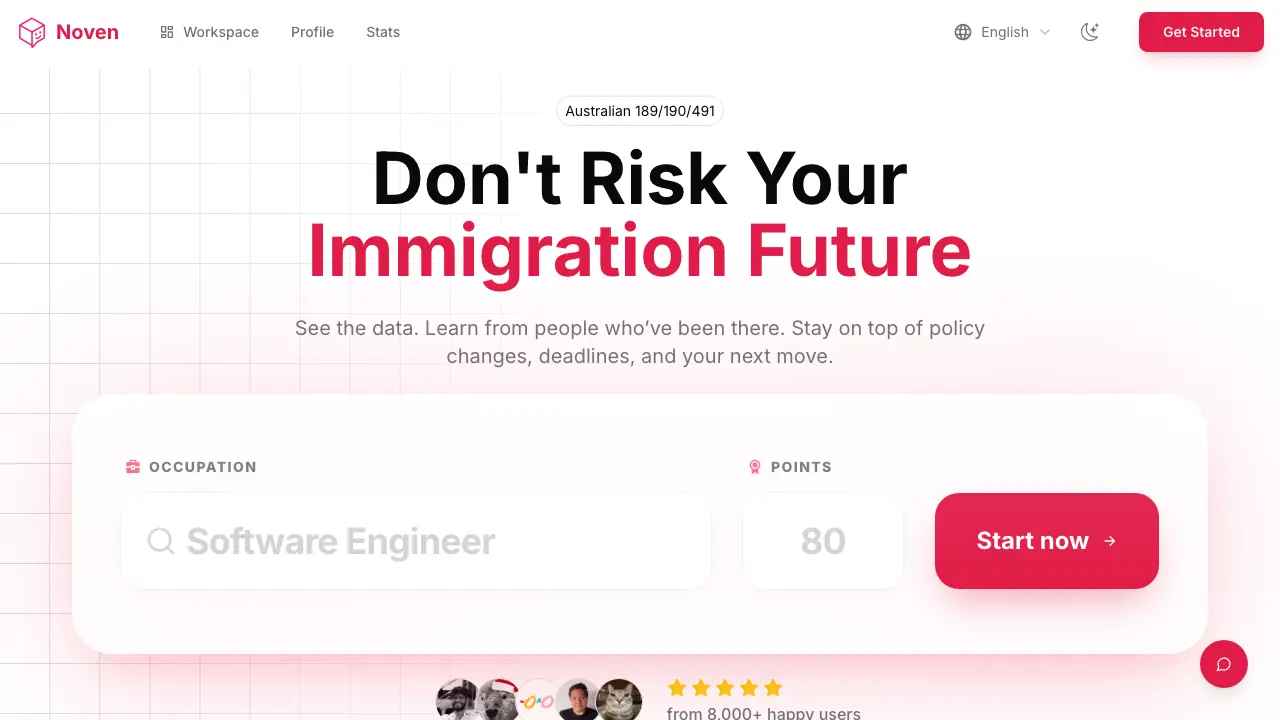
Noven AI is an Australian skilled migration platform for applicants, offering AI‑driven profile analysis, real‑time policy alerts, deadline calendar and personalized action recommendations to keep EOI processes organized and cost‑effective.

FAQs of Noven
How reliable is Noven’s skilled immigration information?
Noven’s information reliability stems from a dedicated team that continuously gathers official immigration news and data. By integrating the latest policies and minimizing AI hallucination, the platform delivers accurate, up‑to‑date guidance that aligns with Australian government sources.
How is user privacy protected on Noven?
Noven does not store personal identifiers or chat histories, and it never uses conversation content to train its AI models. Payments are processed securely through Stripe, ensuring that user data remains confidential and protected throughout the immigration workflow.
Why does Noven claim its AI is the best for immigration?
The platform combines the most advanced GPT models with specialized immigration datasets and official documentation. This hybrid approach enables the AI to generate highly relevant, precise answers that are tailored to each user’s occupation, points score, and timeline.
How do Noven’s different features work together?
Noven’s ecosystem links the Profile, AI‑driven Next Best Actions, Calendar reminders, Policy Updates, and Workspace dashboard. Information entered in the Profile powers personalized AI suggestions, which become actionable To‑dos; calendar entries track deadlines, and the Workspace consolidates all data for a single, coherent view of the migration journey.
Is Noven easy to use for first‑time applicants?
New users simply input their occupation and EOI points, after which Noven guides them through six integrated modules. The intuitive interface requires no separate spreadsheets, and each module—Profile, Workspace, Calendar, AI Chat, Policy Alerts, and Summary PDFs—can be accessed from a unified navigation pane.
How does the Profile system help manage an immigration journey?
The Profile centralises every critical detail, including milestones, dates, points calculations, and eligibility criteria. By consolidating this information, users avoid fragmented record‑keeping and can instantly reference their status, upcoming tasks, and required documents within a single dashboard.
What benefits does the integrated calendar and validity tracking provide?
Noven’s calendar automatically imports visa‑related deadlines, EOI expiry dates, and test validity periods. Real‑time reminders and to‑do synchronization keep users aware of upcoming actions, reducing the risk of missed deadlines and improving overall time management.
What is the Workspace dashboard and how does it aid applicants?
The Workspace offers a panoramic view of the entire migration process, displaying EOI status, policy change alerts, upcoming tasks, and progress metrics. This unified hub enables applicants to monitor every aspect of their journey without toggling between multiple tools or external sites.
How do the PDF conversation summaries support users?
After each AI interaction, Noven generates a professional PDF summary that is emailed to the user. These documents compile key advice, recommended actions, and reference links, allowing users to review past consultations, maintain records for audit purposes, and share information with migration advisers if needed.
Can Noven help users reduce consultation fees?
By providing instant, data‑driven answers and personalized action plans, Noven reduces the need for frequent paid consultations. Users can access the same official information and expert‑level guidance directly within the platform, potentially saving thousands of dollars in advisory costs.
How to use Noven
- Define Noven’s purpose: an AI‑driven immigration companion that centralises profile data, delivers real‑time policy updates, and generates personalized action plans for Australian skilled migration.
- Register or log in, then navigate to Workspace; upload your occupation, points, and visa subclass (e.g., 189, 190, 491) to initialise the system’s data model.
- Populate the Profile section with work history, language scores, and other credentials; the platform uses this context to tailor AI responses and next‑best‑action recommendations.
- Access the AI Conversation interface, pose specific queries (e.g., “How can I increase my points?”); the engine draws on official immigration data and provides concise answers.
- Review the automatically generated PDF summary of each conversation; the document records advice, suggested tasks, and reference sources for future reference.
- Open the Calendar within Workspace to view deadlines, validity dates, and to‑do items; enable notifications so policy changes or upcoming milestones trigger alerts.
- Analyse the Stats dashboard to gauge point progression, compare against current occupation thresholds, and adjust your strategy based on the AI’s prioritized recommendations.
