
NeverDrop: AI for Event Lead Capture and Follow-Up

What is NeverDrop
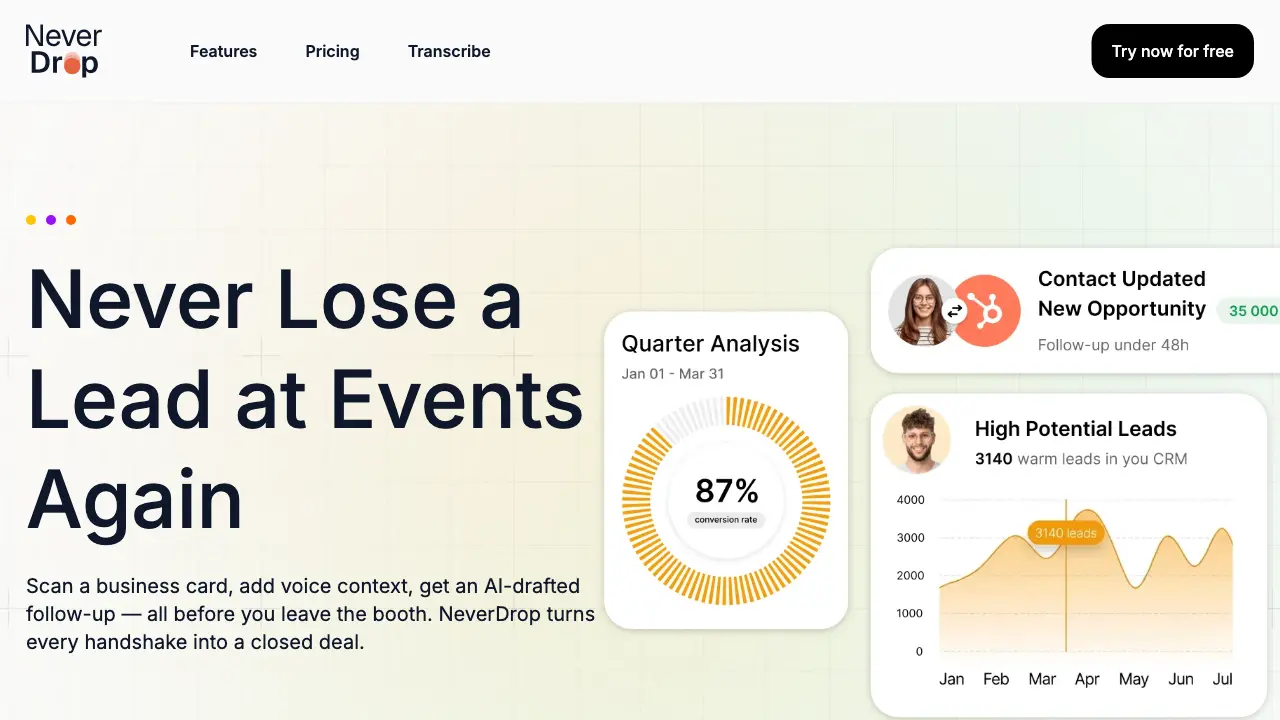
NeverDrop is a lead-capture application built for sales teams at events. The tool allows users to scan business cards via mobile, where AI-powered OCR instantly extracts contact information. It enriches profiles by automatically locating verified work emails and permits adding voice or text context from conversations. Based on this input, NeverDrop generates a personalized follow-up email draft in under two minutes, which can be reviewed and sent directly from the phone. The application integrates with CRM platforms like HubSpot and Gmail, supports team collaboration through event-based organization, and maintains data security with EU-hosted, GDPR-compliant infrastructure. By enabling immediate, context-rich follow-ups, NeverDrop addresses the common issue of lost trade-show leads, aiming to improve response speed and conversion rates.
How does NeverDrop work
NeverDrop functions as a lead-capture application for event-based sales, employing AI-powered OCR to scan business cards and extract contact details like name, company, and email. Users add voice or text conversation context, which the system uses to generate personalized follow-up emails automatically. It enriches profiles by finding verified work emails and integrates with CRMs such as HubSpot and Gmail for seamless data sync. This streamlined process, completed in under two minutes, enables rapid response to event leads, reducing loss and improving conversion rates through timely, context-aware follow-ups.
Benefits of NeverDrop
NeverDrop is a lead-capture application designed for sales teams at events. It utilizes AI-powered optical character recognition to instantly scan business cards and extract contact details. The platform automatically enriches profiles with verified work emails and generates a personalized follow-up email draft based on voice or text conversation context, all within two minutes. Integrated with CRMs like HubSpot, it organizes leads by event and provides team dashboards for management. This workflow addresses the common issue of post-event lead decay by ensuring rapid, contextual follow-up, thereby increasing the potential for conversion.
Pros and Cons of NeverDrop
Pros
- AI-powered OCR extracts business card details instantly.
- Automatically enriches contacts with verified work emails.
- Generates personalized follow-up emails from conversation context.
- Team workspace organizes leads by event and rep activity.
- GDPR-compliant data hosting ensures security and compliance.
Cons
- CRM integrations limited to HubSpot and Gmail only.
- Mobile app required for scanning and voice note features.
- AI-drafted emails require manual review before sending.
- Product is specialized for event lead capture scenarios.
- Voice context addition may be inconvenient in noisy environments.
Core Features of NeverDrop
Business Card Scanning with AI Extraction
Uses AI-powered OCR to instantly extract contact details—name, company, title, phone, email—from business card photos, eliminating manual data entry and preventing lost leads at events.
Automated Email Enrichment
Automatically finds and verifies work emails using only a contact's name and company information, enriching profiles without manual LinkedIn searches to improve outreach accuracy and deliverability.
AI-Powered Follow-Up Drafting
Generates personalized follow-up email drafts based on voice or text conversation context, enabling quick review and sending within two minutes to maintain lead warmth and increase conversion chances.
Team Workspace and Lead Management
Organizes leads by event, allows reassignment between sales representatives, and provides a dashboard for tracking team activity to ensure alignment and prevent leads from falling through the cracks.
Use Cases of NeverDrop
- Sales teams at trade shows: Capture leads instantly via AI-powered OCR business card scanning and voice note context.
- Business development representatives: Enrich contact profiles automatically with verified work emails for effective outreach.
- Event marketing coordinators: Organize and reassign leads by event using a centralized team dashboard to prevent loss.
- Sales development reps: Generate personalized AI-drafted follow-up emails within two minutes of a conversation.
- Account executives: Sync enriched contact data and follow-up activities seamlessly to HubSpot CRM.
FAQs of NeverDrop
What is NeverDrop?
NeverDrop is a lead-capture application designed for sales teams operating at events such as trade shows and conferences. It streamlines the process of converting in-person interactions into follow-up actions by enabling users to scan business cards, add contextual voice or text notes, and automatically generate personalized follow-up emails. The system also enriches contact profiles with verified work emails and integrates with customer relationship management platforms to centralize lead data.
How does business card scanning work?
NeverDrop utilizes AI-powered optical character recognition (OCR) technology to extract contact information from business card photographs. Users capture an image via the mobile application, and the system processes it to identify details such as name, company, job title, phone number, and email address. This extraction occurs within seconds, eliminating manual data entry. Users retain the option to input or correct details manually if the OCR requires adjustments.
How does the voice context feature enhance follow-ups?
After scanning a business card, users can record brief voice notes describing their conversation with the contact. NeverDrop's artificial intelligence analyzes this audio to understand key discussion points, tone, and relevance. This context informs the drafting of a personalized follow-up email, which references specific aspects of the interaction. The resulting communication appears more authentic and tailored compared to generic templates, potentially increasing engagement rates.
What types of events is NeverDrop for?
NeverDrop is applicable to any professional gathering where lead generation occurs, including trade shows, industry conferences, networking meetups, business dinners, and seminars. The application allows users to categorize scanned contacts by specific events, facilitating organized lead tracking per occasion. This structure supports sales teams in managing post-event follow-ups efficiently and assessing performance across different gatherings.
How much does NeverDrop cost?
NeverDrop employs a tiered pricing model based on factors such as the number of team members, expected scan volume, and required feature access. Detailed plan information, including monthly or annual subscription costs and any usage limits, is available on the official pricing page. Prospective users are encouraged to review that page or contact sales for precise quotes tailored to their organization's size and needs.
Do I need the mobile app?
The mobile application is essential for core on-the-go functionalities, including business card scanning, voice note recording, and initiating follow-up email generation at events. A separate web dashboard, accessible via a browser, supports administrative tasks like team management, scan review, configuration adjustments, and billing oversight. Both interfaces synchronize data to provide a cohesive user experience across devices.
How does NeverDrop support team collaboration?
NeverDrop provides a unified workspace where sales teams can organize leads by event, reassign contacts between representatives, and monitor collective activity through a central dashboard. This visibility helps managers ensure no lead is overlooked and allows for coordinated follow-up strategies. The system's design promotes accountability and alignment among team members during high-volume event periods.
What CRMs do you integrate with?
Current integrations include HubSpot for pushing enriched contact profiles directly into sales pipelines and Gmail for dispatching follow-up emails from the user's personal email address. These connections automate data transfer and reduce manual entry. The development team indicates additional customer relationship management platform integrations are planned for future releases to broaden compatibility.
How accurate is the AI-powered OCR?
The AI-powered OCR engine is trained to recognize diverse business card layouts and typography, aiming for high accuracy in extracting standard contact fields. Factors such as image quality, card design complexity, and font styles can influence precision. While the system performs robustly in most scenarios, users are advised to review extracted data for correctness and utilize the provided editing tools to correct any inaccuracies promptly.
Can users edit extracted contact details?
Yes, all extracted contact information can be edited within the application after scanning. Users have the ability to modify any field, including name, company, email, and phone number, to ensure data accuracy before enrichment or follow-up actions. This flexibility accommodates instances where OCR misinterprets text or when a contact provides updated details verbally during a conversation.
Is my data secure?
NeverDrop, developed by the French company SCOPEO, hosts user data within the European Union and adheres to GDPR compliance standards. Data encryption is implemented both during transmission and at rest. Business card images are processed solely for contact extraction and are not shared with third parties. Comprehensive security practices are detailed in the Privacy Policy, and users are encouraged to review it for complete information on data handling protocols.
How to use NeverDrop
NeverDrop is a lead-capture application for sales teams at events, enabling quick business card scanning, contact enrichment, and AI-drafted follow-ups to prevent lost leads.
- The process begins with downloading the NeverDrop mobile app from the device's app store and accessing the web dashboard at app.never-drop.com for team setup.
- At the event, use the mobile app to photograph a business card. The AI-powered OCR extracts name, company, title, phone, and email automatically.
- Immediately after scanning, dictate or type voice notes about the conversation to provide personalized context for the AI-generated follow-up.
- The system automatically searches for and verifies the contact's work email using their name and company, eliminating manual LinkedIn searches.
- Based on the scanned details and voice context, NeverDrop generates a personalized follow-up email draft for review and immediate sending.
- Users review the AI-drafted email, make adjustments if needed, and send it directly from the mobile app with one tap.
- On the web dashboard, organize leads by event, reassign between sales reps, and monitor team activity to ensure no lead is missed.
- Enriched contacts are pushed to integrated CRMs like HubSpot, and follow-ups are sent via Gmail, maintaining data consistency across platforms.
- Track response rates and deal conversions through the dashboard, as timely follow-ups significantly increase the chances of closing deals.
NeverDrop Alternatives
Alenta AI trains an AI agent on your website to answer visitor questions, capture qualified leads, and book appointments 24/7 for service businesses.
Linkeddit is an AI demand and competitor intelligence platform that tracks competitor moves and complaints, surfaces buyer intent from Reddit and review sites, and turns signal into pipeline and content.

RedReplier monitors Reddit, X, Bluesky, and Hacker News for keywords that match your product, ranks conversations by buyer intent, and alerts you so you can reply before anyone else.
Yipara is an AI photo analysis tool for dog and cat owners. Upload a photo of any visible concern — skin, eye, ear, paw, wound, lump, insect bite, or unusual stool — and receive an instant analysis that helps you decide whether to monitor at home or seek veterinary care. Yipara is a triage aid and does not replace professional veterinary advice.
AI Prospect Scout is an AI‑driven SDR platform designed for founders and lean outbound teams, offering ICP building, multi‑signal prospect discovery, AI‑generated outreach and automated reply handling to accelerate pipeline creation.
Volumn.ai automates X/Twitter growth for B2B SaaS and creators using AI replies, SalesBot follow-ups, and lead tracking to turn engagements into revenue.
AI BotKit enables businesses to create no-code AI chatbots for websites quickly, automating 24/7 customer support and lead capture using ready-to-use templates.
Cleanlist provides AI-powered B2B data enrichment, cleaning, verifying, and enriching leads with 95%+ accuracy using 15+ data sources and waterfall enrichment for reliable outbound campaigns.
echoloc uses AI to analyze job posts for hiring signals, providing sales teams with real-time, evidence-based company insights to find ready buyers.
LinkFinder AI enriches lead and company data instantly by finding websites, emails, phone numbers, and LinkedIn information from multiple sources.
ImagesToText.ai offers free, unlimited AI text extraction from images including documents, photos, screenshots, and handwritten notes with 99%+ accuracy.
This AI-powered tool solves math problems via text or image upload, delivering step-by-step solutions for students and professionals without requiring signup.