
ImagesToText.ai
ImagesToText.ai is free AI-powered image to text converter.

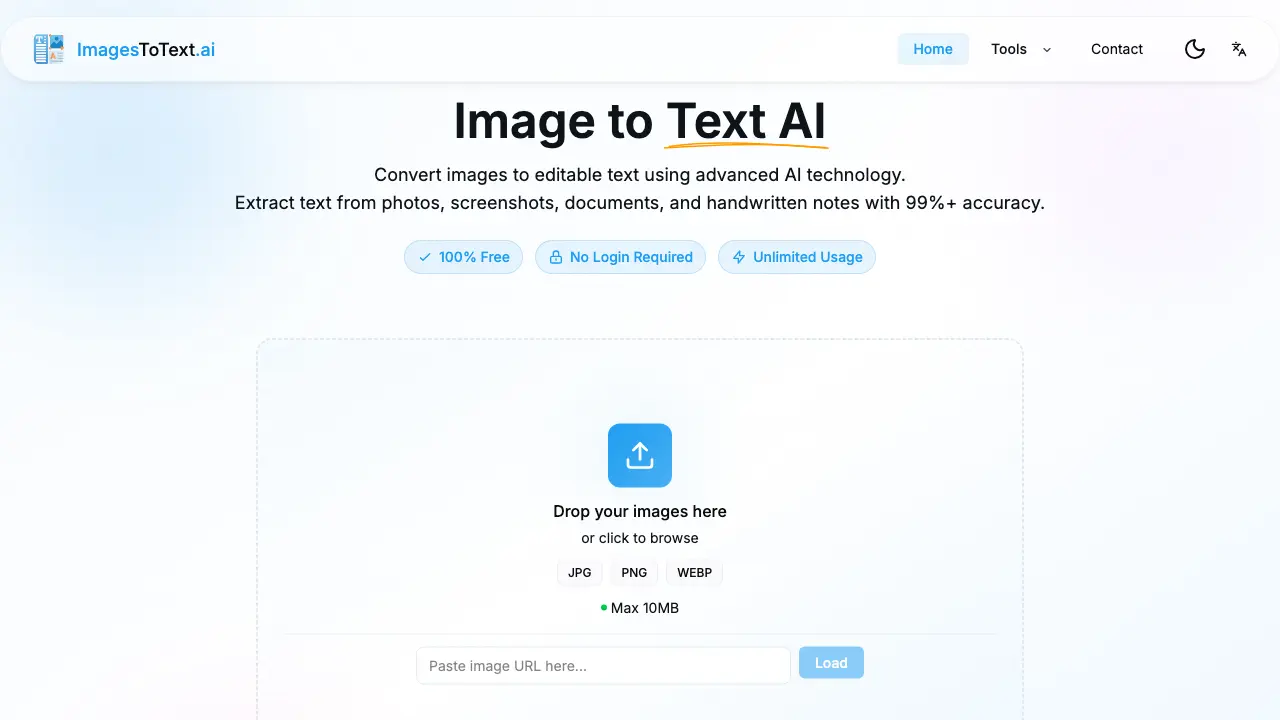
What is ImagesToText.ai
ImagesToText.ai is an AI-powered optical character recognition (OCR) tool designed to convert images into editable, searchable text with 99%+ accuracy. The service supports common formats including JPG, PNG, and WEBP, processing files up to 10MB in size without requiring user registration or imposing usage limits. Key functionalities encompass handwriting recognition for notes, batch processing for multiple files, and support for over 50 languages. The tool efficiently extracts text from screenshots, scanned documents, and low-resolution images, maintaining a focus on user privacy with all processing completed securely. With a processing time of under three seconds per image, it serves as a practical solution for students, professionals, and researchers needing reliable text extraction from visual content.
How does ImagesToText.ai work
ImagesToText.ai operates as an AI-powered optical character recognition (OCR) tool that converts images containing text into editable digital formats. Users upload files via drag-and-drop or browsing, supporting formats such as JPG, PNG, and PDF. The system processes images rapidly using advanced AI, achieving over 99% accuracy even with handwritten notes, screenshots, and low-resolution scans. Key functionalities include batch processing, mathematical equation extraction, and support for more than 50 languages. The service is free, requires no login, and ensures privacy protection, with output available via copy or download options.
Benefits of ImagesToText.ai
ImagesToText.ai provides high-accuracy OCR, converting images such as photos, screenshots, documents, and handwritten notes into editable text with a 99%+ precision rate. This free tool requires no login or registration and supports batch processing for efficiency. It handles multiple languages, low-resolution images, and complex content like mathematical equations. With fast processing times and a privacy-protected environment, users can securely extract text from formats including JPG, PNG, and PDF. The service offers a reliable, cost-effective solution for digitizing diverse visual text sources.
Pros and Cons of ImagesToText.ai
Pros
- Free with no login or registration required.
- Claims 99%+ accuracy on diverse image types.
- Processes images in under three seconds.
- Supports batch processing and handwriting recognition.
- Handles 50+ languages and multiple formats.
Cons
- File uploads limited to 10MB maximum.
- Accuracy not perfect; errors possible in some cases.
- Requires internet connection for AI processing.
- Web-only access with no desktop or mobile app.
- Limited explicit support for complex document layouts.
Core Features of ImagesToText.ai
AI-Powered OCR Conversion
Converts images to editable text using advanced AI technology, ensuring 99%+ accuracy for photos, screenshots, documents, and handwritten notes with high precision.
Handwriting Recognition
Extracts text from handwritten notes and personal documents with high accuracy, digitizing class notes and handwritten correspondence for easy editing.
Mathematical Equation Detection
Accurately detects and extracts mathematical expressions, formulas, and equations from images, making them editable for academic and professional use cases.
Batch Processing
Allows users to upload and process multiple images simultaneously, saving time on large document conversions and improving overall workflow efficiency.
Multi-Language Support
Supports over 50 languages for text extraction, enabling users to convert images containing multilingual content accurately and efficiently across diverse documents.
Low-Resolution Image Processing
Maintains high accuracy when extracting text from blurry, low-quality, or old scanned images, ensuring reliable results from suboptimal sources for various applications.
Screenshot to Text Conversion
Instantly converts screenshots from any device into editable, searchable text, enabling rapid extraction from app and web interfaces for efficient data capture.
Use Cases of ImagesToText.ai
- Students: Convert handwritten class notes to editable text using advanced handwriting recognition AI.
- Professionals: Extract text from app screenshots instantly for documentation and reporting purposes.
- Businesses: Digitize scanned receipts and invoices with high accuracy for accounting workflows.
- Researchers: Process batches of images containing mathematical equations via OCR technology.
- Archivists: Restore text from low-resolution historical documents using low-resolution support features.
FAQs of ImagesToText.ai
How does image to text conversion work?
ImagesToText.ai employs advanced optical character recognition (OCR) technology powered by artificial intelligence. When a user uploads an image, the AI analyzes pixel patterns, identifies text regions, and converts recognized characters into editable digital text. This process handles various fonts, layouts, and backgrounds to produce accurate results without manual intervention.
What image formats are supported?
The tool supports common image formats including JPG, PNG, WEBP, and PDF files. Users can upload images with a maximum file size of 10MB per image. This range covers most everyday photo, screenshot, and document scanning scenarios, ensuring broad compatibility for text extraction tasks.
Is my data safe and private?
Yes, data privacy is a core feature. The service is 100% privacy protected, meaning uploaded images are not stored, shared, or used for any other purpose. All processing occurs securely in transient memory, and no personal data is collected, providing confidentiality for user content.
Can it recognize handwritten text?
The AI includes specialized handwriting recognition capabilities. It is trained to interpret diverse handwriting styles from notes, letters, and personal documents. This allows accurate conversion of handwritten class notes or informal text into searchable and editable digital format, though results may vary with extreme cursive or stylistic variations.
What languages are supported?
ImagesToText.ai supports over 50 languages for text extraction. This includes major languages like English, Spanish, French, German, Chinese, and many others. The multilingual capability enables users to extract text from images containing mixed or non-Latin scripts effectively.
Is there a limit on image size or number of conversions?
Each uploaded image must be 10MB or smaller. There are no restrictions on the total number of conversions; users can process unlimited images without creating an account or encountering usage caps. This unlimited policy applies to both single and batch uploads for consistent accessibility.
How does ImagesToText.ai achieve high accuracy with low-resolution images?
The AI incorporates low-resolution support algorithms that enhance blurry or pixelated images before text detection. It uses image upscaling and noise reduction techniques to improve clarity, maintaining a 99%+ accuracy rate even with old scans, poor-quality photos, or compressed screenshots where traditional OCR might fail.
Can mathematical equations and formulas be extracted from images?
Yes, the tool features mathematical equation detection. It can accurately identify and extract complex expressions, formulas, and scientific notations from images. This is particularly useful for converting textbook excerpts, research papers, or problem sets containing algebraic, calculus, or symbolic content into editable text.
What are the details of the batch processing feature?
Batch processing allows users to upload and convert multiple images in a single session. There is no specified limit on the number of images per batch, enabling efficient handling of large document sets like multi-page receipts, photo collections, or scanned archives without repetitive individual uploads.
How long does image processing typically take?
The AI is designed for instant processing, with most images converted in under 3 seconds as indicated by service metrics. Processing time depends on image complexity, size, and content density, but the system is optimized for speed to provide immediate text output for both single and batch operations.
Does the tool handle all document types like receipts and forms?
Yes, it is versatile for various document structures including receipts, invoices, forms, and printed reports. The AI adapts to different layouts, tables, and segmented information, extracting relevant text accurately whether from standardized templates or free-form documents.
What options are available after text extraction?
Once text is extracted, users can directly copy it to the clipboard or download it as a plain text file. This allows immediate pasting into other applications or saving for later editing, providing flexible integration into workflows without requiring additional software or manual transcription.
How to use ImagesToText.ai
ImagesToText.ai is a web-based OCR tool that uses artificial intelligence to convert images containing text into editable digital formats. It supports various image types including photos, screenshots, and scanned documents, with emphasis on accuracy and user privacy.
- The user navigates to the ImagesToText.ai website, where the OCR tool is immediately accessible without any registration or login requirements.
- An image file is uploaded via drag-and-drop or the file browser; supported formats include JPG, PNG, PDF, WEBP, with a maximum size of 10 megabytes per file.
- The user selects an extraction mode, choosing between all text, common information, or specific content such as handwritten notes or mathematical equations.
- The AI processes the image automatically within seconds, employing advanced algorithms to achieve a stated accuracy rate exceeding 99% for many document types.
- The extracted text is displayed in an output panel, allowing the user to review and perform minor manual edits if necessary before finalizing.
- The final text can be copied directly to the clipboard or downloaded as a plain text file for integration into other software or storage systems.
- Batch processing enables the simultaneous upload of multiple images, streamlining the conversion of large document sets or collections efficiently.
- Users apply the extracted text to tasks like digitizing handwritten class notes, converting screenshots to searchable text, or archiving scanned receipts and forms.
ImagesToText.ai Alternatives
Yipara is an AI photo analysis tool for dog and cat owners. Upload a photo of any visible concern — skin, eye, ear, paw, wound, lump, insect bite, or unusual stool — and receive an instant analysis that helps you decide whether to monitor at home or seek veterinary care. Yipara is a triage aid and does not replace professional veterinary advice.
NeverDrop is an AI app for sales teams that captures event leads by scanning business cards, enriching contacts, and sending follow-ups in under two minutes.

This AI-powered tool solves math problems via text or image upload, delivering step-by-step solutions for students and professionals without requiring signup.
AI-powered skin analysis and virtual try-on tools for men provide personalized foundation matching, hairstyle previews, and invisible makeup simulations.
kirkify instantly creates marketing videos, cinematic images, and audio, enabling marketers and creators to produce visuals quickly with editing and export.
This AI-powered ATS checker analyzes resumes for job description skill matches and keyword optimization, providing instant results and recommendations without requiring user signup.
This free online rock identifier tool instantly analyzes uploaded photos, providing accurate results in seconds without requiring sign-up.
Molmo is an open-source AI model for understanding and interacting with visual data, ideal for developers building web agents, robotics, and other visual-driven applications.
Transforming Object Detection, Localization, Tracking, and Monitoring with Advanced AI Technology. Explore the capabilities of FlyPix and elevate your operations with our user-friendly interface, efficiency, and cost savings. Industries benefiting from FlyPix AI-driven geospatial solutions include government, construction, renewable energy, agriculture & farming, risk management, oil & gas, forestry & ecotechnology, smart city, port operations, and mining. Contact us today to get started!
Detect hidden sugars with our label scanner. Get personalized guidance from an AI nutritionist. Track your progress and beat sugar addiction. Ultimate lifestyle tool for a healthier you!
Picture To Summary AI is a tool that helps you understand the content of an image by generating a text summary, making it easier for you to grasp the main points of a picture.
Picture To Summary AI is a powerful tool that uses cutting-edge AI technology to analyze images and generate concise and accurate summaries. Upload your image, customize the prompt, and let our AI do the magic!