
MiroFish FAQs
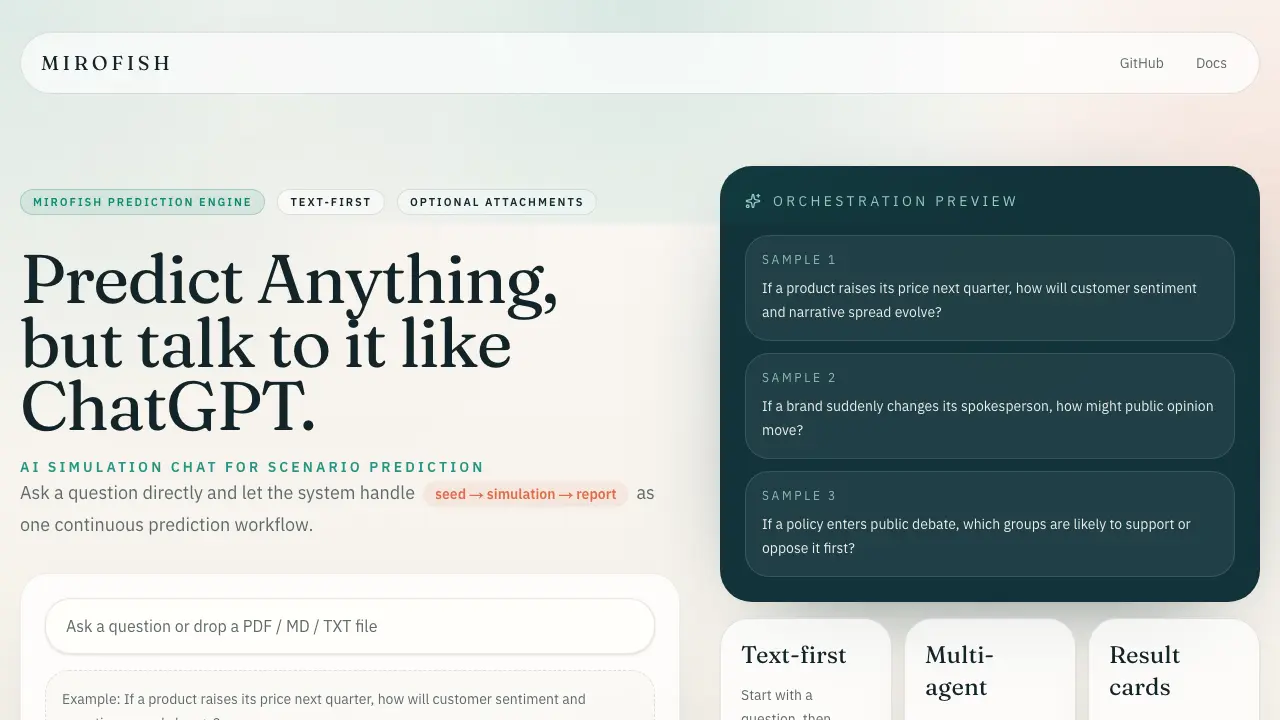
MiroFish is an AI simulation chat platform that converts text, PDF, MD or TXT inputs into graph building, scenario simulation, and structured reports, offering continuous chat‑driven prediction for analysts and decision‑makers.

FAQs of MiroFish
What is the MiroFish Prediction Engine?
MiroFish Prediction Engine is an AI‑driven simulation chat platform that allows users to pose scenario‑based questions in natural language. It processes the query, optionally incorporates attached data files, runs multi‑agent simulations, and returns structured result cards that summarize predictions and suggest next steps.
How does MiroFish handle text‑first interactions?
In a text‑first workflow, users begin with a plain‑language question. MiroFish then decides if additional attachments are needed, preserving conversational speed. This design eliminates the need for separate data upload steps, making scenario prediction feel like a continuous chat with ChatGPT‑style responsiveness.
Can MiroFish predict business outcomes such as price changes?
Yes. By entering a question like “If a product raises its price next quarter, how will customer sentiment and narrative spread evolve?” MiroFish runs a graph‑based simulation that models market reactions, sentiment dynamics, and narrative propagation, delivering a concise prediction report within the chat interface.
What role do multi‑agent simulations play in MiroFish?
MiroFish orchestrates multiple AI agents behind the scenes to handle graph construction, simulation execution, and report generation. This multi‑agent architecture enables complex scenario analysis—such as public opinion shifts after a brand spokesperson change—while keeping the user experience within a single conversational thread.
How are results presented to the user?
After each prediction, MiroFish provides a result card positioned directly below the answer. The card includes a summary of key insights, a link to a detailed report, and suggested follow‑up questions, allowing users to quickly assess outcomes and continue the analytical conversation.
How to use MiroFish
- Identify the prediction question, phrasing it clearly in natural language, because MiroFish operates as a text‑first AI simulation chat for scenario prediction.
- Open the MiroFish interface, locate the chat box, and enter the question; the system automatically initiates the simulation workflow without requiring initial attachments.
- Review the optional “Attach Files” prompt; upload supporting documents only if they add contextual data, ensuring faster processing when no files are needed.
- Observe the multi‑agent engine generate a result card containing a concise summary, a link to the full report, and suggested follow‑up actions.
- Click the report entry point to expand detailed simulation outputs, including sentiment trajectories, narrative spread, and stakeholder analysis relevant to the query.
- Apply the insights to strategic planning, adjusting pricing, messaging, or policy approaches according to the predicted public response demonstrated by MiroFish.
