
Krut AI FAQs
Krut AI is an AI co-pilot built for e-commerce that helps with AI production and model shot generation, content creation for e-commerce, editing tools, and multilingual AI-bot.

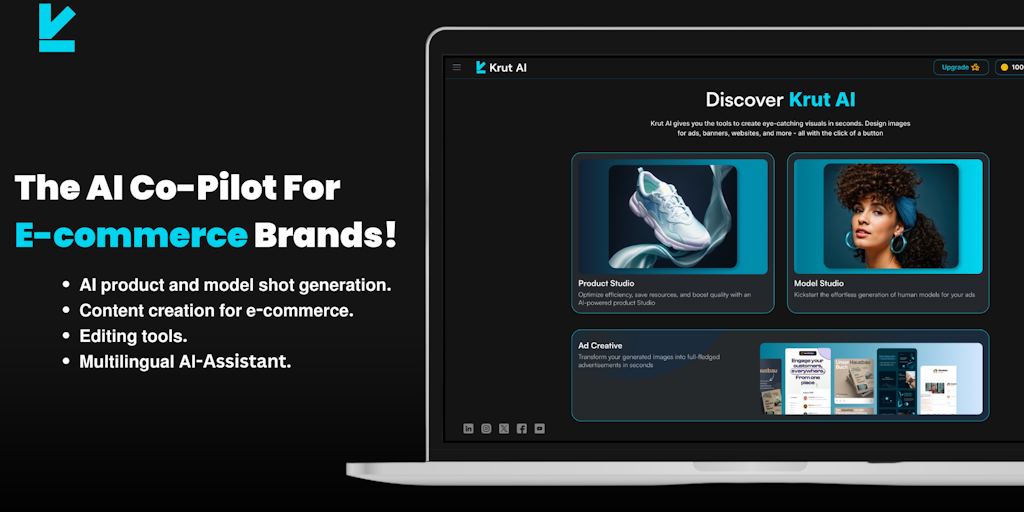
FAQs of Krut AI
What is Krut AI?
Krut AI is an AI co-pilot designed specifically for e-commerce brands. It helps you with tasks like creating product descriptions, generating ad copy, and optimizing your website. Think of it as an AI assistant who can help you get more done in your online store.
How does Krut AI work?
Krut AI uses advanced natural language processing (NLP) and machine learning models to understand the context of your products and business. Based on this understanding, it can suggest improvements to your content, and even help you generate new content for your website and social media.
What are some of the things Krut AI can do for me?
Here are a few examples:
- Product descriptions: Krut AI can help you create engaging and persuasive product descriptions that drive sales.
- Ad copy: It can generate ad copy that is tailored to your target audience and helps you get more clicks and conversions.
- Website optimization: Krut AI can analyze your website and suggest improvements that can help you rank higher in search engine results and attract more customers.
Why should I use Krut AI?
Krut AI is a great choice for e-commerce brands that are looking to:
- Save time and resources: By automating content creation and optimization tasks, Krut AI can free up your time so you can focus on other important aspects of your business.
- Improve website performance: Krut AI helps you create content that is more engaging and persuasive, which can lead to higher conversion rates.
- Get a competitive edge: Krut AI can help you stand out from the competition by generating unique and creative content that resonates with your target audience.
How to use Krut AI
Krut AI is an AI platform designed for e-commerce brands. It offers tools like Product Studio and Model Studio to generate high-quality custom content, helping users create visually appealing product photos and optimized ads.
- Begin by accessing the Krut AI platform through the Krut AI website or Krut AI login.
- Explore the AI Creative Suite, including Product Studio and Model Studio for image generation.
- Utilize the Background Remover, Upscaler, Magic Remove, and Magic Replace tools for image editing.
- Consider the Autofill and Virtual Try-On features to extend images and enable virtual product try-ons.
- Choose a suitable Krut AI pricing plan based on your needs, starting with the free option.
- Upload your product images to Krut AI's Product Studio for AI-powered photoshoot generation.
- Experiment with different prompts and settings within Krut AI to customize the generated content.
- Review the generated images and use the editing tools within Krut AI to fine-tune results.
- Download the enhanced images and integrate them into your e-commerce product listings and marketing materials.
- Monitor your e-commerce metrics after implementing Krut AI visuals to assess the impact on sales.
