
Protect your Google Ads from click fraud with ClickGuardian.

What is ClickGuardian
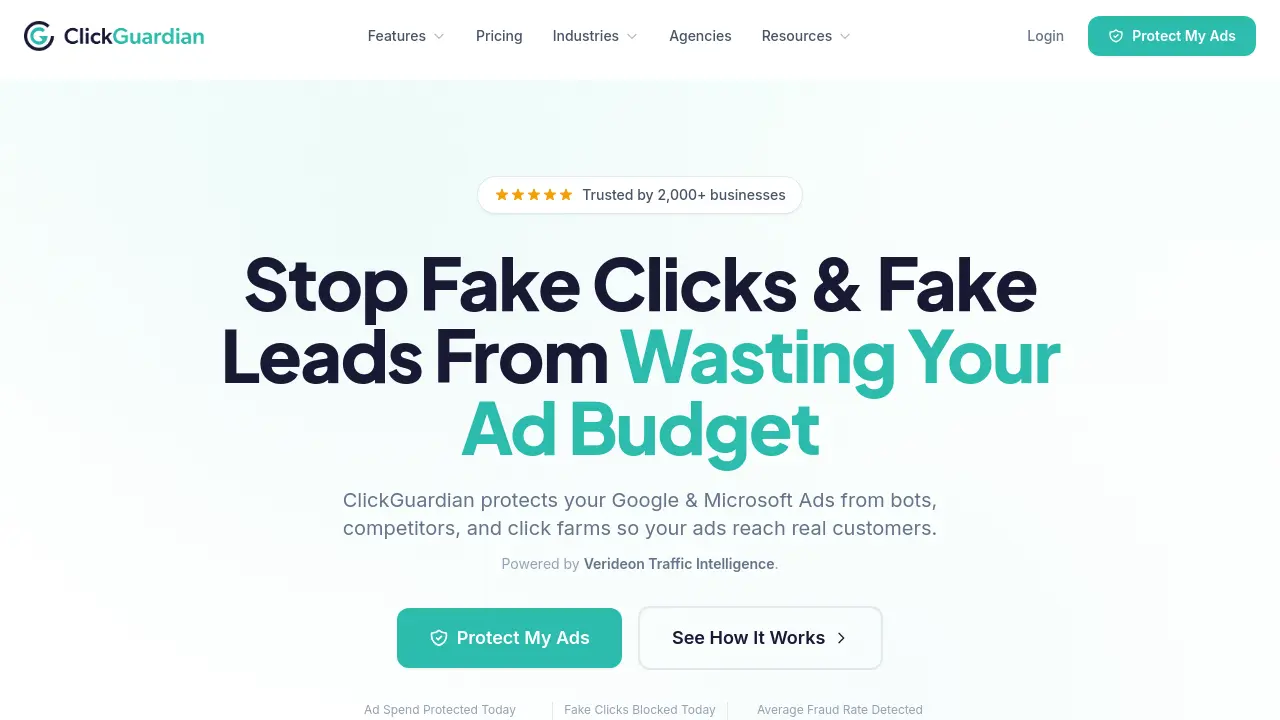
ClickGuardian is an AI-driven platform designed to protect businesses from invalid ad clicks and fraudulent activity within their digital advertising campaigns. It delivers real-time monitoring, detailed traffic analysis, and automatic blocking of suspicious visitors, including bots, click farms, spies, and proxy traffic. By utilizing advanced detection techniques such as device fingerprinting and VPN identification, the platform ensures that advertisers only pay for genuine customer interactions.
With seamless integration for Google and Microsoft Ads, ClickGuardian offers tailored protection across industries that heavily rely on paid advertising leads. Users benefit from actionable insights via its intuitive dashboard, which displays live updates on blocked threats and protected ad spend. The service features customizable blocking rules, campaign exclusions, and multi-platform support to match different business needs. This scalable solution is trusted by over 2,000 businesses worldwide and provides a measurable return on investment by safeguarding advertising budgets and improving campaign performance.
How does ClickGuardian work
The product ClickGuardian protects digital advertising budgets from fraudulent clicks generated by bots, competitors, and click farms. The software uses an AI-driven traffic analysis engine called Verideon to identify and block invalid traffic in real time. When a suspicious visitor clicks an ad, the system analyzes behavioral patterns, device fingerprints, IP addresses, and network signals to determine if the interaction is legitimate. If deemed fraudulent, the click is blocked immediately and the source is added to exclusion lists. The multi-layered detection approach examines over 100 data attributes while maintaining VPN and proxy detection to prevent masked traffic from reaching ads. Integration with Google Ads and Microsoft Ads allows automated campaign protection, while the dashboard displays live blocking statistics and protection metrics. User-defined rule sets customize the detection sensitivity based on business needs, and a seven-day free trial demonstrates the volume of invalid traffic and projected cost savings before commitment.
Benefits of ClickGuardian
ClickGuardian is an AI-driven solution that protects Google and Microsoft Ads from click fraud, preserving ad budgets by blocking invalid traffic. Utilizing real-time monitoring and advanced AI detection, it identifies and prevents fraudulent clicks from bots, competitors, and click farms. The platform offers a simple 5-minute setup, multi-platform protection, and detailed analytics to help businesses of all sizes maximize ROI. Trusted by over 2,000 businesses, ClickGuardian provides transparent pricing with a 7-day free trial and industry-specific protection plans to meet diverse needs.
Pros and Cons of ClickGuardian
Pros
- Protects from click fraud in real-time.
- Supports multiple ad platforms.
- Easy 5-minute setup process.
Cons
- Limited free trial period.
- Some features still in development.
- No permanent contracts available.
Core Features of ClickGuardian
Click Fraud Protection
Blocks fraudulent clicks on Google and Microsoft Ads in real-time, preventing budget waste and ensuring genuine visitors reach your campaigns.
Real-Time Blocking
Detects and blocks invalid clicks instantly, with automated ad exclusion list updates to prevent recurring fraudulent activity.
Bot Traffic Detection
Uses AI and device fingerprinting to identify and block automated bot traffic, click farms, and suspicious activity patterns.
VPN & Proxy Detection
Identifies visitors hiding behind VPNs, proxies, TOR networks, and datacenters, then automatically blocks them from your ads.
Device Fingerprinting
Tracks unique devices even when IPs change, preventing repeat offenders from clicking your ads across different networks.
Custom Blocking Rules
Allows custom click thresholds, geographic restrictions, and advanced exclusion settings tailored to your business needs.
Detailed Analytics Dashboard
Provides real-time insights into every visitor, blocked threats, and budget protection with easy-to-understand reports and alerts.
Multi-Platform Protection
Safeguards ad campaigns across Google Ads, Microsoft Ads, and Meta Ads with centralized dashboard management for all platforms.
Fake Lead Detection (Coming Soon)
Prevents junk form submissions and bot-filled leads from entering your CRM and wasting sales team resources.
Traffic Quality Scoring (Coming Soon)
Assigns quality scores to every visitor based on behaviour patterns, helping optimize ad spend for genuine customers.
Use Cases of ClickGuardian
- Lawyers: Minimize expensive PPC campaign costs by blocking competitor clicks.
- Plumbers: Protect emergency service ad budgets from competitor and bot interference.
- HVAC Companies: Prevent fraudulent clicks during high-demand seasonal periods.
- Restoration Services: Reduce wasted ad spend from automated bot attacks and competitors.
- Locksmiths: Identify and block suspicious activity around high-value emergency calls.
FAQs of ClickGuardian
What is ClickGuardian?
ClickGuardian is an AI-powered click fraud protection service that monitors and blocks invalid traffic from bots, competitors, and click farms targeting your Google Ads and Microsoft Ads campaigns. The platform uses machine learning and over 100 data points to identify fraudulent activity in real-time, automatically blocking fake clicks before they waste your advertising budget.
How does ClickGuardian work?
ClickGuardian analyzes every visitor coming from your paid ads using sophisticated AI detection systems. The platform examines behavior patterns, device fingerprints, IP addresses, VPN/proxy usage, and click timing to identify fraudulent activity. When suspicious traffic is detected, it's automatically blocked and excluded from your campaigns in real-time, ensuring your ads reach genuine potential customers instead of bots or competitors.
How long does setup take?
Most businesses are fully protected within 5 minutes. Setup involves connecting your Google Ads or Microsoft Ads account and adding a small tracking script to your website using simple copy-paste instructions. No technical knowledge or coding experience is required to get started.
What platforms does ClickGuardian support?
ClickGuardian currently protects Google Ads and Microsoft Ads campaigns. The platform provides a unified dashboard to monitor and protect all your paid advertising campaigns across these major platforms. Meta Ads (Facebook and Instagram) support is coming soon to the platform.
Can I cancel anytime?
Yes, ClickGuardian offers flexible monthly subscriptions with no long-term contracts. You can cancel your subscription at any time and won't be charged for the next billing period. All plans include a 7-day free trial so you can test the service before committing.
How much money does ClickGuardian save businesses?
The average business loses approximately $1,000 per month to click fraud, which amounts to over $12,000 annually in wasted ad budget. ClickGuardian users typically achieve a 5-7x return on investment through fraud prevention and budget savings. Your actual savings will depend on your industry, ad spend, and the current level of fraudulent activity affecting your campaigns.
What makes ClickGuardian different from Google's built-in protections?
While Google Ads automatically filters some invalid traffic, ClickGuardian provides additional protection layers that analyze deeper behavioral patterns. Google's systems are designed to protect the advertising ecosystem as a whole, while ClickGuardian is specifically designed to protect your individual advertising budget with real-time monitoring, detailed analytics, and advertiser-level protection through continuous traffic intelligence.
How does ClickGuardian detect fake clicks?
ClickGuardian uses AI and machine learning to analyze over 100 data points per click, including IP addresses, device fingerprints, behavioral patterns, VPN and proxy detection, click timing, network signals, and repeated click patterns across campaigns. This multi-layered approach identifies sophisticated fraud that humans might miss, including bot networks, click farms, competitor activity, and proxy traffic.
Is ClickGuardian suitable for my industry?
ClickGuardian serves over 2,000 businesses across various industries that rely heavily on paid advertising for leads. The platform is particularly effective for high-CPC industries like legal services, personal injury law, plumbing, HVAC, roofing, restoration services, locksmiths, and dentistry. The service includes industry-specific protection strategies tailored to the unique fraud patterns in each market vertical.
How to use ClickGuardian
- Begin by signing up for ClickGuardian on their website. This process takes just a few minutes and requires basic business information.
- Connect your Google Ads account to ClickGuardian. The tool will access your ad campaigns to monitor for suspicious activity.
- Add the ClickGuardian tracking code to your website. The provided instructions make this step easy, even for non-technical users.
- Configure your blocking rules based on your business needs. Decide how many clicks to allow from one IP before blocking and set geographic restrictions.
- Monitor your dashboard regularly. Review the real-time blocking feed to see threats being blocked as they happen.
- Use the analytics to understand your traffic quality. Identify which sources produce the most fraudulent clicks and adjust your advertising strategy.
- Review the monthly reports in your ClickGuardian dashboard. These show your blocked clicks, estimated savings, and return on investment.
- Adjust your ad spend strategies based on the insights. Focus your budget on legitimate traffic sources that produce real customers.
ClickGuardian Website Traffic Analysis
Latest traffic information
- Monthly Visits3.87K
- Bounce Rate42.01%
- Pages Per Visit1.25
- Visit Duration00:00:00
- Global Rank4.88M
- Country/Region Ranking3.94M
Top Keywords
| Keyword | Traffic | Volume | Cost Per Click |
|---|---|---|---|
| clickguardian | 110 | 120 | -- |
| click guardian | 60 | 330 | $6 |
| how does google analytics differenact human traffic vs bot traffic? | 30 | 200 | -- |
| click fraud google | 30 | 30 | -- |
| rightclickguardian | 20 | 300 | -- |
Top Regions
| Region | Percentage |
|---|---|
| United States | 40.65% |
| United Kingdom | 24.62% |
| Türkiye | 18.46% |
| India | 11.88% |
| Israel | 4.39% |
ClickGuardian Alternatives
Alenta AI trains an AI agent on your website to answer visitor questions, capture qualified leads, and book appointments 24/7 for service businesses.
Coralflavor offers uncensored AI chats without safety filters, plus burn-mode retention, web search, image generation, and an OpenAI-compatible API for U.S. adults.
AIdorable is a virtual baby AI companion app. Adopt, name, and care for a tiny AI baby in daily moments, as it grows, learns to speak, and remembers you.

Zens AI delivers account-aware AI customer support, turning user feedback into product work for SaaS teams via Codex, Linear, Slack, and GitHub.
Turn your website into a searchable knowledge base. Knowster answers visitors from your content in any language. One-line setup, no coding, free plan.
Chat with 20 realistic AI boyfriend characters. Send voice messages, request photos, and build romantic scenarios that remember what matters to you.
Therly AI is an AI therapist and chatbot offering private, anonymous mental health support for anxiety, stress, and emotional well-being, available 24/7.
NanoSkill is a web directory that helps marketing teams discover, compare and install AI agent skills for SEO, advertising, email campaigns and growth workflows, providing clear install paths, source links and agent compatibility.
HoneyChat is an AI chatbot platform featuring 80+ customizable girlfriend and character personas for roleplay and romance, offering voice, images, memory and 20 free daily messages.
VibeBot is an AI-powered Discord bot builder for server owners and community managers, generating custom moderation, music, leveling and AI chat features from plain English prompts and providing instant cloud hosting with zero coding required.
This website offers free Gemma 4 web chat, model comparisons, hardware requirement tables, and local setup guides for Ollama, LM Studio, and more.
Mover Marketing AI offers SEO services built for moving companies, helping them rank in local searches, optimize Google Business Profiles, and turn clicks into booked moves with free audits available.