
ImageGPT: AI Image Models, Tools & Generators

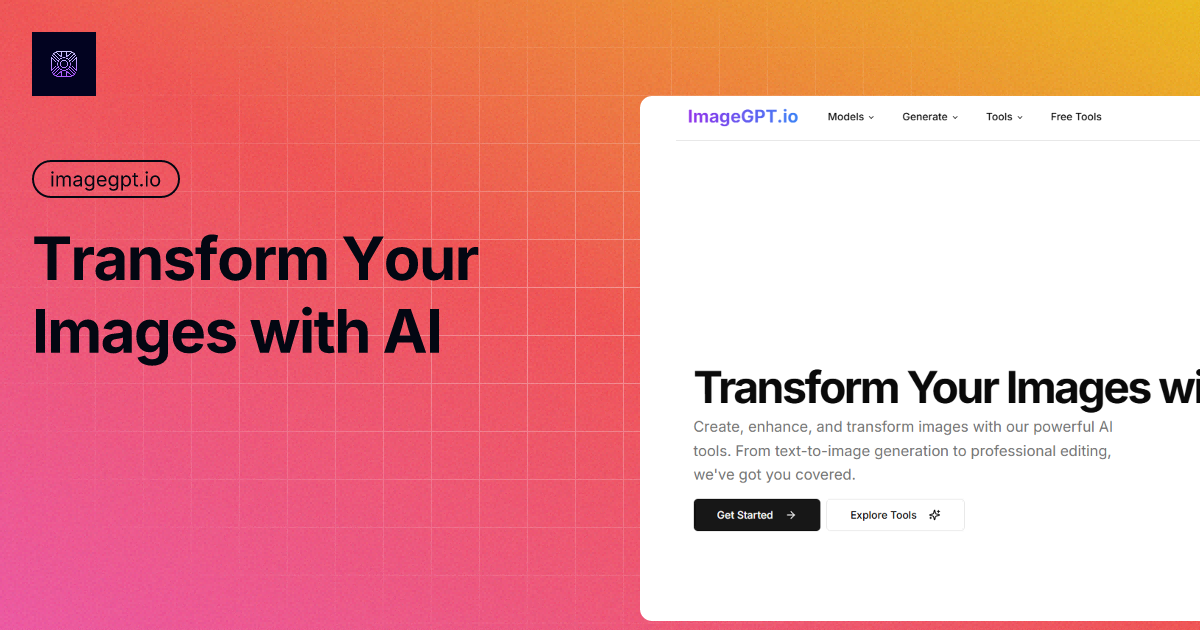
What is ImageGPT
ImageGPT is a comprehensive AI image platform providing a suite of tools for image generation, editing, and enhancement. It utilizes advanced AI models, including Flux AI, Recraft AI, Ideogram, Gemini, and Grok 3, to enable users to create and modify images using text prompts or existing visuals.
Key features include text-to-image generation, image-to-image transformation, AI inpainting and outpainting, background removal, object removal, and image enhancement. ImageGPT also offers free tools like a prompt generator and photo restoration. It supports various business applications, such as AI product photo generation and business card creation. ImageGPT provides a versatile solution for diverse image-related tasks.
How does ImageGPT work
ImageGPT, an all-in-one AI image platform, operates by providing various image generation, editing, and enhancement tools. It leverages AI models, like Flux AI and DALL-E 3, enabling users to create images from text using the text-to-image feature, and to modify existing images via tools such as ai-inpainting and ai-outpainting. ImageGPT also offers features like background remover and object remover. Several free tools are available, including a prompt generator. Users can access various AI image models and tools to create and modify images.
Benefits of ImageGPT
ImageGPT is an all-in-one platform offering AI-powered image generation, enhancement, and editing tools. It allows users to generate images, remove backgrounds, and perform AI magic edits. Using cutting-edge AI models, ImageGPT facilitates the creation of high-quality visuals, offering features like text to image generation and image to image transformations. Explore free tools such as the prompt generator and background remover. Whether it's image enhancement or creative generation, ImageGPT provides a comprehensive suite of tools for diverse applications, making it a versatile image gpt generator.
Pros and Cons of ImageGPT
Pros
- Offers all-in-one AI image tools and models.
- Provides a variety of image editing tools.
- Includes a text-to-image generation feature.
- Has several free tools available for users.
- Supports business applications like product photo generation.
Cons
- Requires login to utilize many features.
- Quality and consistency may vary across models.
Core Features of ImageGPT
AI Image Generation
Generates images from text prompts using various AI models like Flux AI, DALL-E 3, and Stable Diffusion, enabling users to create visual content based on textual descriptions.
AI Image Enhancement and Restoration
Improves image quality through features like AI Image Enhancer and Denoise AI, allowing users to refine and restore images for better visual appeal.
AI Image Editing
Provides tools for background manipulation, object removal, and content editing, giving users precise control over image composition and the ability to modify specific image elements.
Free AI Tools Access
Offers free tools such as Prompt Generator, Background Remover, and Photo Restore, providing users with basic image manipulation capabilities without requiring a paid subscription.
Use Cases of ImageGPT
- E-commerce businesses: Generate AI product photos and e-commerce backgrounds using ImageGPT, enhancing product visuals and marketing materials.
- Graphic designers: Utilize ImageGPT's AI image generator and editing tools like AI inpainting for advanced image manipulation and creative projects.
- Social media managers: Create engaging content using the image gpt generator and AI image enhancer to optimize visuals for different platforms.
- Marketing teams: Brainstorm creative prompts with the free ImageGPT prompt generator to drive innovative image generation campaigns.
- Researchers: Use ImageGPT AI tools to enhance and restore images for analysis, leveraging free tools like photo restoration.
FAQs of ImageGPT
What is ImageGPT?
ImageGPT is an all-in-one platform that provides AI-powered tools for image generation, enhancement, and editing. It offers access to various AI models, including Flux AI, Recraft AI, Ideogram, Stable Diffusion, and DALL-E 3, enabling users to create, modify, and enhance images using advanced artificial intelligence.
What AI image models are available on ImageGPT?
ImageGPT offers a diverse set of AI image models, such as Flux 1.1 Pro, Flux Schnell, Recraft V3, Ideogram v2, Stable Diffusion 3.5, and DALL-E 3. These models provide varied capabilities like high-quality image generation, fast processing speeds, advanced text-to-image functionality, and the ability to generate photorealistic visuals using sophisticated AI techniques.
What image editing tools are available?
ImageGPT provides a comprehensive suite of image editing tools, covering enhancement and restoration (AI Image Enhancer, Denoise AI), background manipulation (Background Remover, Replacer), object and content editing (Object Remover, Replacer, ai-inpainting), creative generation (AI Logo Maker, Image Generator), portrait and style adjustments (AI Face Swap, Portrait Generator), and business-specific applications (AI Product Photo Generator, Business Card Creator).
What can I do with the 'Text to Image' feature?
The 'Text to Image' feature in ImageGPT allows users to generate images directly from textual descriptions. By inputting a detailed description, the AI interprets the text and creates a visual representation, effectively turning words into images using advanced AI image generation techniques.
What is 'ai-inpainting'?
'ai-inpainting' within ImageGPT is an image editing technique that gives users the power to remove unwanted elements from an image and replace them with more suitable alternatives. This provides precise control over the final image composition, allowing for seamless and context-aware editing using AI.
What is 'ai-outpainting'?
'ai-outpainting' is a feature in ImageGPT that allows users to extend images beyond their original boundaries. This functionality enables the creation of larger, more complete images from a smaller initial frame, effectively expanding the visual scope using sophisticated AI algorithms.
Are there any free tools available?
Yes, ImageGPT provides a selection of free tools including a Prompt Generator, Image to Prompt, Remove Background, Photo Restore, Image to Caption, and File Image Converter. These tools allow users to explore some of ImageGPT's capabilities without requiring a subscription.
What is the 'Prompt Generator'?
The 'Prompt Generator' is a free tool within ImageGPT that assists users in creating effective text prompts for AI image generation models. This tool is valuable for optimizing results from models like Stable Diffusion or DALL-E 3, helping users to generate high-quality images from their text prompts and improve their use of AI image generator services.
Can I use ImageGPT for business purposes?
Yes, ImageGPT offers a range of business tools, including an AI Product Photo Generator, E-commerce Background, Product AI Editor, AI Model Image Generator, Business Card Creator, and Banner Maker. These tools cater to various business needs, helping create professional visuals using AI technology.
How do I get started with ImageGPT?
To begin using ImageGPT, click the 'Get Started' button to access the image generation section, or explore the available tools and models by clicking the 'Explore Tools' button. This will allow you to immediately start generating or editing images with AI.
Does ImageGPT Offer an API?
While not explicitly stated on the landing page, it's possible ImageGPT has an API available. It would be best to contact their support team to inquire about API access and its capabilities for integrating ImageGPT's AI image generation features into other applications or workflows.
Is there a limit to the image resolution I can generate?
ImageGPT's image resolution capabilities may vary depending on the specific AI model and subscription plan being used. Users should consult the documentation or pricing page for details on resolution limits associated with different options within the ImageGPT platform.
How to use ImageGPT
ImageGPT Tutorial
ImageGPT is an all-in-one platform for AI image generation, editing, and enhancement. It provides tools leveraging models like Flux AI and Stable Diffusion, offering features from text-to-image to background removal.
Begin by navigating to the ImageGPT website; locate the "Generate Images" section to start creating AI images from text using various models.
Alternatively, explore the "Free Tools" section for options like background removal or prompt generation without needing an account initially.
For AI image generation, enter a detailed prompt describing the image you want to create. Experiment with different models to observe varied outputs.
To use the "AI Inpainting" feature, upload an image and specify the area for editing. The tool will then replace or modify that section.
Utilize the "AI Outpainting" feature to extend the borders of an existing image. The AI will generate content that seamlessly blends with the original.
If you need to remove a background, upload an image to the "Background Remover" tool; the AI will automatically isolate the subject from the backdrop.
To enhance image quality, upload your image to the "AI Image Enhancer"; this tool improves resolution and sharpens details using AI algorithms.
For generating creative prompts, access the "Prompt Generator" tool and input keywords or themes to receive AI-suggested text prompts for image generation.
Consider upgrading to a paid plan to access advanced features, higher image resolution, and a wider selection of AI models for commercial usage.
Review the generated images. Fine-tune prompts or settings to refine the results based on your specific requirements, leveraging ImageGPT's features.
ImageGPT Website Traffic Analysis
Latest traffic information
- Monthly Visits5.18K
- Bounce Rate39.22%
- Pages Per Visit1.59
- Visit Duration00:00:10
- Global Rank3.62M
- Country/Region Ranking605.3K
Visits Over Time
Top Keywords
| Keyword | Traffic | Volume | Cost Per Click |
|---|---|---|---|
| imagegpt | 160 | 1.1K | $2.46 |
| image editor | 130 | 221.84K | $0.56 |
| filtro aleatorio isney | 100 | -- | -- |
| ai improve and resize anime artwork | 70 | -- | -- |
| ai prompt to improve photo quality | 60 | 120 | -- |
Top Regions
| Region | Percentage |
|---|---|
| United States | 25.44% |
| India | 20.97% |
| Brazil | 20.33% |
| Poland | 14.35% |
| France | 9.67% |
