
Word to PPT
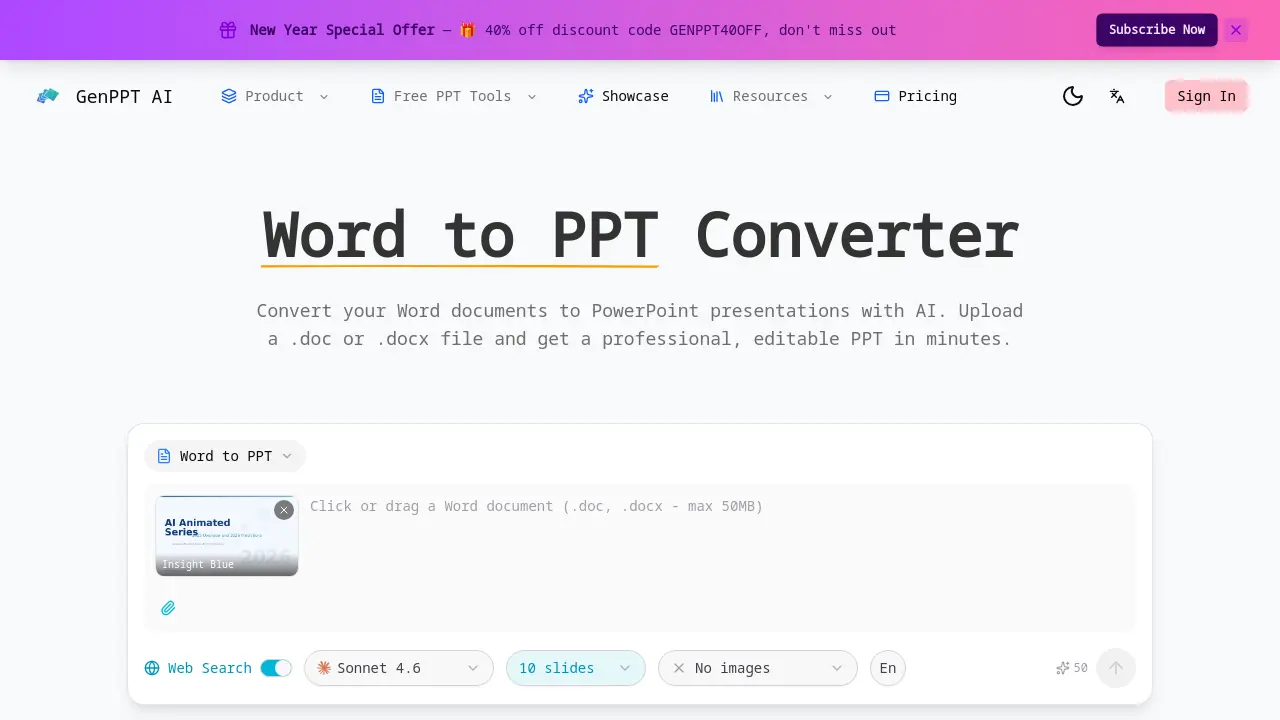
GenPPT AI offers a free online Word to PPT converter.

What is Word to PPT
Word to PPT is an AI-powered tool that converts Microsoft Word documents into professional PowerPoint presentations. Users upload .doc or .docx files, and the AI analyzes content to generate structured, editable slides. The tool preserves document hierarchy, mapping headings to slide titles and maintaining logical flow. Multiple design templates like Insight Blue and Clarity Glass allow visual customization. Additional features include optional web search for enriched content, fast processing, and a free tier with no sign-up required. The fully editable PPTX output supports post-conversion modifications, making it ideal for students and professionals transforming reports, proposals, or research papers into impactful presentations efficiently.
How does Word to PPT work
The Word to PPT converter employs AI to transform Word documents into structured PowerPoint presentations. It analyzes uploaded .doc or .docx files, extracting headings, paragraphs, tables, and lists to map content onto slides based on document hierarchy. The conversion preserves original organization, using templates like Insight Blue for professional layouts and optional web search for enriched data. Output is a fully editable PPTX file, with the process being free, fast, and requiring no sign-up, supporting various document lengths for efficient slide generation.
Benefits of Word to PPT
The Word to PPT converter leverages AI to efficiently transform .doc or .docx files into professional PowerPoint presentations. It intelligently analyzes document structure, mapping headings, tables, and paragraphs into a logical slide sequence while preserving hierarchical organization. The tool applies polished layouts and design schemes, delivering a fully editable PPTX output for further customization. An optional web search feature can supplement content with current data. This free, no-sign-up converter processes documents quickly, making it a practical resource for students and professionals needing to repurpose reports or proposals into clear slide decks.
Pros and Cons of Word to PPT
Pros
- AI-powered conversion preserves document hierarchy.
- Professional slide layouts with customizable templates.
- Fully editable PPTX output post-conversion.
- Web search integration adds current data.
- No sign-up required for free conversion.
Cons
- Limited image inclusion in default conversion.
- Sparse documentation in FAQ section.
- Potential language support constraints.
- No clear advanced customization options.
- Free tier may have usage limits.
Core Features of Word to PPT
AI-Powered Document Conversion
Converts Word documents (.doc, .docx) into PowerPoint presentations using artificial intelligence to automate slide creation from text files.
Intelligent Content Extraction
The AI reads the entire Word document to extract headings, paragraphs, tables, and lists, ensuring all content is captured for slide generation.
Structure Preservation
Maintains the original document's organization by mapping chapters to section dividers, headings to slide titles, and distributing content with visual hierarchy.
Professional Slide Design
Applies pre-designed layouts, color schemes, and typography to create visually polished slides that present document content effectively without manual design work.
Fully Editable PPTX Output
Delivers a standard PowerPoint file (.pptx) where all elements, including text and layouts, can be modified after conversion using presentation software.
Web Search Enhancement
Optionally enriches presentation content by integrating current data, statistics, and context from the web to supplement the original Word document information.
Fast & Free Conversion Service
Processes documents of any length in minutes without requiring user registration or payment for the basic conversion functionality.
Use Cases of Word to PPT
- Students: Convert research papers and essays into structured presentation slides for class.
- Business professionals: Transform lengthy reports and proposals into concise, professional deck formats.
- Researchers: Format academic findings and data tables from Word documents into clear visual slides.
- Educators: Quickly create lecture materials from existing course notes and syllabi in Word.
- Content creators: Repurpose blog posts and articles into engaging presentation formats with AI.
FAQs of Word to PPT
How does the Word to PPT converter work?
The Word to PPT converter uses artificial intelligence to automatically process uploaded Word documents. It analyzes the entire file to extract textual elements such as headings, paragraphs, tables, and lists. The AI then maps the document's hierarchical structure into a logical sequence of PowerPoint slides, applying appropriate slide layouts and design elements.
What Word file formats are supported?
The converter supports both .doc and .docx file formats commonly used by Microsoft Word. Users can upload documents of any length or complexity, and the system will process them without restrictions on page count or content size.
Is the Word to PPTX output fully editable?
Yes, the converted PowerPoint file is fully editable in Microsoft PowerPoint or compatible software. Users can modify all text content, adjust slide layouts, insert additional images or graphics, and customize design elements after conversion. The output maintains standard PPTX format compatibility.
Can I control the number of slides when converting Word to PPT?
The AI automatically determines the optimal number of slides based on the document's structure and content distribution. While direct slide count specification during conversion is not available, the fully editable output allows users to easily add, remove, or reorganize slides as needed after conversion.
Is the Word to PPT converter free?
The Word to PPT conversion service is completely free to use with no hidden charges. There is no requirement to create an account or subscribe to a paid plan for basic conversions. The service operates on a freemium model where core conversion features are available at no cost.
How long does Word to PPT conversion take?
Conversion time varies depending on document length and complexity, but most conversions are completed within a few minutes. The AI processing is optimized for speed, and users receive the editable PPTX file promptly after upload, typically without significant delay.
What template designs are available for the converted presentation?
The service offers multiple pre-designed template styles such as Insight Blue, Clarity Glass, and Sandstone Pro. Users can select their preferred template before conversion, which influences the color schemes, typography, and overall visual presentation of the slides. Each template provides a professional aesthetic.
Does the conversion include images from the original Word document?
By default, the conversion process does not automatically extract or embed images from the source Word document. The AI focuses on textual content and structure. However, users can manually add images to the editable PPTX file after conversion using PowerPoint's built-in tools.
How does the web search feature enhance the presentation content?
When enabled, the web search feature supplements the original Word document content with current data, statistics, and contextual information from the internet. This AI-driven enrichment updates facts, adds relevant examples, and ensures the presentation reflects the latest available information for greater impact.
Is there a file size or page limit for Word documents?
The converter imposes no strict file size or page count limitations. It can process .doc and .docx files of any length, from short memos to lengthy dissertations. The AI scales to handle documents with extensive content, though extremely large files may take proportionally longer to convert.
Do I need to sign up or provide personal information to use the converter?
No, the Word to PPT converter does not require user registration or personal information. Conversions can be performed anonymously without creating an account. Users simply upload their document and receive the PPTX file directly, ensuring privacy and convenience.
How to use Word to PPT
Word to PPT is an AI-powered tool that converts Microsoft Word documents into editable PowerPoint presentations. It analyzes document structure, applies professional templates, and optionally enriches content with web-sourced data for polished slides.
- Access the GenPPT AI website and navigate to the Word to PPT converter section. The tool is freely available without requiring user registration or login.
- Upload your .doc or .docx file by clicking the designated upload area or dragging the file into the interface. The converter accepts documents of any length.
- Select a pre-designed template such as Insight Blue, Clarity Glass, or Sandstone Pro. This choice determines the slide color scheme and typography.
- Enable the web search toggle if you need the AI to supplement your content with current statistics, data, or external context for more impactful slides.
- The AI automatically processes your uploaded document, extracting headings, paragraphs, tables, and lists to map content onto slides logically.
- Click the convert button to initiate the conversion. The system uses AI models like ClaudeSonnet 4.6 and typically completes processing within minutes.
- Review the generated slide preview in your browser. Verify that the document structure translated correctly and the professional design is applied.
- Download the fully editable PPTX file to your device. The output maintains all text and layout elements for modification in presentation software.
- Open the PPTX in Microsoft PowerPoint or a compatible editor. Customize slides by editing text, adjusting layouts, or adding imagery as required.
- Utilize the finalized presentation for business reports, academic lectures, or proposals. The AI-generated structure supports clear communication of your content.
Word to PPT Website Traffic Analysis
Latest traffic information
- Monthly Visits91
- Bounce Rate37.19%
- Pages Per Visit1.07
- Visit Duration00:00:00
- Global Rank3.4M
- Country/Region Ranking--
Top Regions
| Region | Percentage |
|---|---|
| Spain | 100% |
Word to PPT Alternatives
Pi is an AI presentation generator that turns ideas into polished slides. One-click generation, smart layouts and templates make decks fast and easy.
Convert PPT to MP4 video online with AI. Upload slides, set duration, resolution and sound, then generate a polished cinematic video with narration and music.

Turn JPG, PNG, and WebP images into editable PowerPoint slides. Upload up to 10 images, set the order, and let AI rebuild each image as a real slide.
Gamma AI is an AI presentation generator that turns text, PDF, and Word into slides with structured outlines, in-browser editing, and editable PPTX export.
Fuu AI is an AI presentation maker that turns text, PDFs, and documents into professional PPT slides in minutes, powered by Claude Opus 4.7.
Convert PPT to Keynote-ready PPTX online. Free PPT to Keynote converter for Apple Keynote imports with secure processing and no installs.
PDF2Word is an online PDF to Word converter that creates editable DOCX files, preserves layout, supports scanned PDFs, and processes files securely with size limits for free and paid users.
SlidesGo is an AI-powered PPT generator for businesses, educators and content creators, offering instant slide creation, design beautification, format conversion and automatic speaker notes to streamline presentation development.
CartoMind is a free AI infographic generator that lets marketers, educators and creators turn text, documents or ideas into professional infographics in seconds, using automatic layout, typography and multi‑language design.
Gamma AI is a revolutionary AI PPT maker that transforms ideas into polished presentations, using cutting-edge artificial intelligence to handle design, layout, and content structure for professional results.
Gamma App is a free AI presentation generator for professionals, using Claude Opus to create and enhance slides from text, PDFs, or videos in minutes.
Dokie AI helps businesses and educators create professional presentations with AI, using Claude Opus 4.6 to transform ideas into polished slides.