
PPT to PDF Converter FAQs
Convert PPT to PDF instantly with GenPPT's free online tool, preserving all formatting for professionals, students, and developers, with an API for automation.

FAQs of PPT to PDF Converter
Is PPT to PDF conversion free?
PPT to PDF conversion is free for web-based usage without requiring registration for initial conversions. The service handles files up to 50MB at no cost. However, the developer API operates on a credit system where each conversion consumes one credit, which may involve fees for high-volume or commercial use.
What file formats does the PPT to PDF converter support?
The converter supports both PPT and PPTX file formats from Microsoft PowerPoint. Users can upload files with these extensions for conversion to PDF. The tool is specifically designed for PowerPoint presentations and does not support other document formats like Word or Excel files.
Is my data secure when I convert PPT to PDF?
Data security is ensured through isolated sandbox environments where files are processed. Immediately after conversion, all uploaded files are permanently deleted from the servers. No presentation content is stored, providing enterprise-grade security for confidential slides and documents.
Does the PPT to PDF conversion preserve formatting?
The converter provides high-fidelity output, preserving all original formatting, fonts, colors, and slide layouts with pixel-perfect accuracy. Charts, images, and animations are maintained, ensuring the PDF closely matches the source PowerPoint presentation in appearance and structure.
Can I use the PPT to PDF API for batch conversion?
The PPT to PDF API supports batch conversion by allowing automated workflows. Developers can integrate the API to process multiple files sequentially or concurrently. Each API call converts one PPTX file to PDF, consuming one credit per conversion, suitable for large-scale document processing needs.
How long does PPT to PDF conversion take?
Conversion time is typically a few seconds for most presentations, depending on file size and complexity. The tool is optimized for fast processing, enabling users to obtain PDF files almost instantly after uploading their PowerPoint files.
Can I convert PPT to PDF on mobile devices?
Yes, the online converter is accessible on mobile devices through web browsers. Since no software installation is required, users can convert presentations on smartphones or tablets by visiting the website and uploading files directly, ensuring cross-platform compatibility.
What is the maximum file size for PPT to PDF conversion?
The maximum file size for conversion is 50MB per presentation. This limit ensures efficient processing and resource allocation. Files exceeding this size must be reduced before conversion, either by compressing content or dividing the presentation into smaller segments.
Do I need to install any software to convert PPT to PDF?
No software installation is necessary. The converter is a web-based tool accessible through any modern browser. Users simply upload their files via the website interface, and conversion occurs on the server side, eliminating the need for local applications or plugins.
What is the difference between PPT and PPTX to PDF conversion?
Both PPT and PPTX files are converted to PDF using the same process and quality standards. The primary difference lies in the source format: PPT is the older binary format from earlier PowerPoint versions, while PPTX is the newer XML-based format. The converter handles both equally well, preserving all content and formatting.
Does the PPT to PDF converter preserve slide animations and transitions?
Yes, it maintains animations and transitions from the original PowerPoint presentation, ensuring dynamic content remains intact in the PDF output where possible. This includes slide transitions and element animations, though interactive features may be flattened in the static PDF format.
Can the PPT to PDF API be integrated into custom software workflows?
Yes, the REST API is designed for seamless integration into custom software workflows. Developers can incorporate it into document management systems, reporting tools, or automated pipelines to enable programmatic PPTX to PDF conversion with minimal setup.
What happens to my files after conversion is complete?
After conversion, all uploaded files are immediately and permanently deleted from the server’s sandbox environment. No data is retained, ensuring that presentation content remains private and is not accessible after the conversion process finishes.
Is the converter suitable for preserving custom fonts and brand colors in PDFs?
Yes, the converter embeds fonts and preserves color profiles to maintain visual fidelity. This ensures that custom fonts and brand-specific colors appear correctly in the PDF, regardless of the viewer’s system, which is crucial for branded materials.
Are there any restrictions on the types of PowerPoint content that can be converted?
The converter handles most standard PowerPoint elements, including text, images, charts, and animations. However, extremely complex media, corrupted files, or unsupported features may not convert perfectly, and users should verify output for edge cases.
How to use PPT to PDF Converter
- Begin by accessing the PPT to PDF converter online tool through the provided source URL, which converts PPT and PPTX files to PDF with high fidelity and no installation.
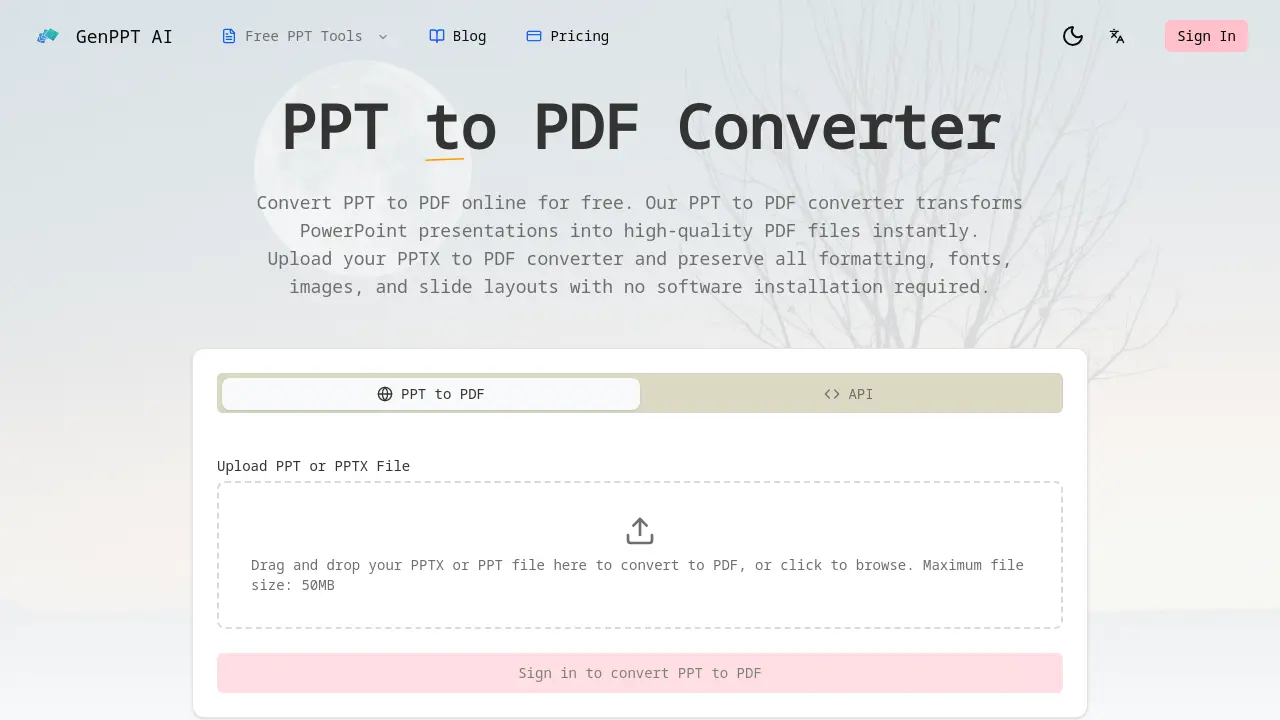
- Upload your PowerPoint presentation file by either dragging it into the designated upload area or clicking to browse your system, with a maximum file size of 50MB.
- The converter automatically processes your uploaded file, preserving all original formatting, fonts, images, and slide layouts to produce a high-fidelity PDF output.
- Once conversion completes, download the resulting PDF file instantly. All uploaded files are securely deleted from the server immediately after processing to ensure privacy.
- Use the high-quality PDF for sharing, printing, or archiving purposes. Developers can integrate the REST API for automated PPT to PDF conversion by following the documentation.
