
EstimatePro FAQs
EstimatePro is an AI tool enabling contractors to bypass manual calculations by generating detailed, editable project quotes and instant PDF exports.

FAQs of EstimatePro
What is EstimatePro?
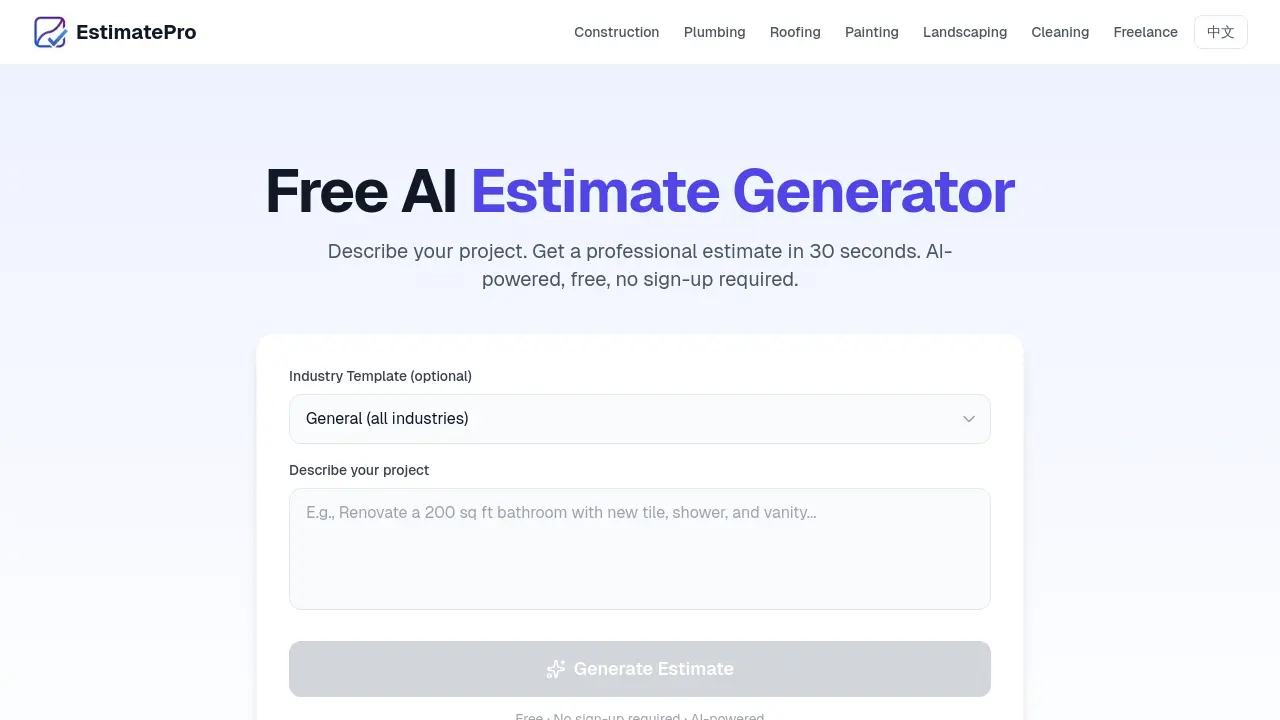
EstimatePro is an AI-powered estimate generator designed to help contractors, freelancers, and small businesses create professional estimates quickly and easily. It allows users to describe their project in plain English and generates detailed, itemized estimates with accurate pricing in under 30 seconds.
How does EstimatePro work?
EstimatePro works by allowing users to describe their project in natural language. The AI then analyzes the description and creates detailed line items with materials, labor, and accurate pricing. Users can then review, edit, and customize their estimate before downloading a professional PDF.
Is EstimatePro really free to use?
Yes, EstimatePro is free to use. Users can generate up to 5 estimates per month without needing to sign up or provide any credit card information. Each estimate includes full editing and PDF download capabilities.
What industries does EstimatePro support?
EstimatePro offers specialized templates for construction, plumbing, roofing, painting, landscaping, cleaning, and freelance services. Users can also use the general mode for any project type that doesn't fit into these categories.
Can I customize the estimate with my company's branding?
Yes, you can customize your estimates with your company's branding. EstimatePro allows you to add your company name, address, phone number, and email to every estimate. The PDF output includes your business information in a professional layout.
How accurate are the AI-generated estimates?
EstimatePro's AI uses current US market pricing data for materials and labor. While the estimates provide a solid starting point, it's recommended to review and adjust prices based on your local market and specific project requirements for the most accurate results.
Do I need to create an account to use EstimatePro?
No, you don't need to create an account to use EstimatePro. The tool works without any sign-up or login. You can start generating estimates immediately by simply describing your project.
Can I edit the estimate after it's generated?
Absolutely. After the AI generates your estimate, you have full control to add, remove, or modify any line item. You can change descriptions, quantities, unit prices, and categories before downloading your PDF.
What format are the downloaded estimates in?
Estimates are downloaded as professional PDF documents. The PDF is generated directly in your browser, ensuring that your data never leaves your device.
Is my data stored or shared when using EstimatePro?
Your project description is sent to the AI for generation, but EstimatePro doesn't store your estimates, business information, or client details. The PDF generation happens entirely in your browser, providing an extra layer of privacy and security.
How to use EstimatePro
- Navigate to EstimatePro's website and locate the main input field for describing your project.
- Type a clear, concise description of the project you need an estimate for.
- Select an industry template from the dropdown menu to improve estimate accuracy.
- Click the "Generate Estimate" button to initiate the AI analysis.
- Review the generated estimate, which includes itemized costs for materials and labor.
- Customize the estimate by adding your company's branding information and making any necessary adjustments.
- Download the final estimate as a professional PDF document for client presentation.
