
ClipTrend.ai FAQs
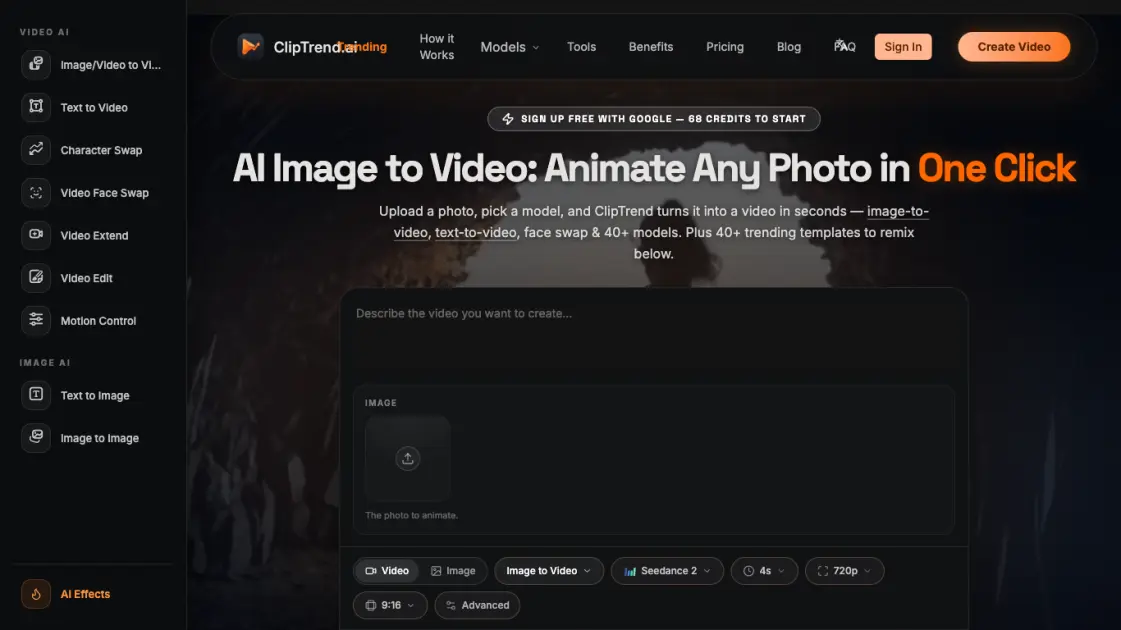
ClipTrend.ai is an AI image to video platform that animates photos and text into videos. It provides access to 40+ AI models for video generation, face swap, and editing.

FAQs of ClipTrend.ai
What is ClipTrend?
ClipTrend is a trend-first AI image to video generator that tracks viral AI video effects on TikTok and YouTube and wraps each one into a one-click template. Instead of a blank prompt box, it offers a gallery of trending templates — users upload a photo or clip, click Generate, and receive a viral-ready MP4 in 30 to 60 seconds.
How does ClipTrend pricing work?
ClipTrend uses a credit-based system. New users receive 68 free credits with Google signup. Monthly memberships cost $27.99 per month (first month at $14 with 50% off) and include 800 credits. Yearly memberships cost $6.99 per month billed annually and grant 9,600 credits upfront. Credit packs are also available for one-time purchase.
What is the best AI image to video generator?
ClipTrend aggregates over 20 AI models including Seedance 2, Kling 3, Veo 3.1, and Wan 2.7, and automatically routes each generation to the most suitable model. This means users get access to multiple state-of-the-art engines without managing separate accounts or subscriptions.
How do I turn a photo into an AI video?
Select an image-to-video template, upload a photo, choose a model such as Seedance 2 or Kling 3, and click Generate. The platform processes the input and returns an MP4 video within approximately one minute. Paid exports are watermark-free.
Does ClipTrend work for commercial use?
Yes. Every generation on a paid plan includes a commercial license and watermark-free output. Failed generations are automatically refunded, and support responds within two business days.
How to use ClipTrend.ai
- Sign up with Google to receive 68 free starter credits.
- Browse the gallery of trending AI video effect templates sorted by category and view count.
- Select a template and upload a photo or short clip, or enter a text prompt.
- Configure optional settings such as model, duration, resolution, and aspect ratio.
- Click Generate and wait 30 to 60 seconds for the MP4 output to complete.
- Download the result with no watermark and share it on social platforms.
