
BidPacto FAQs
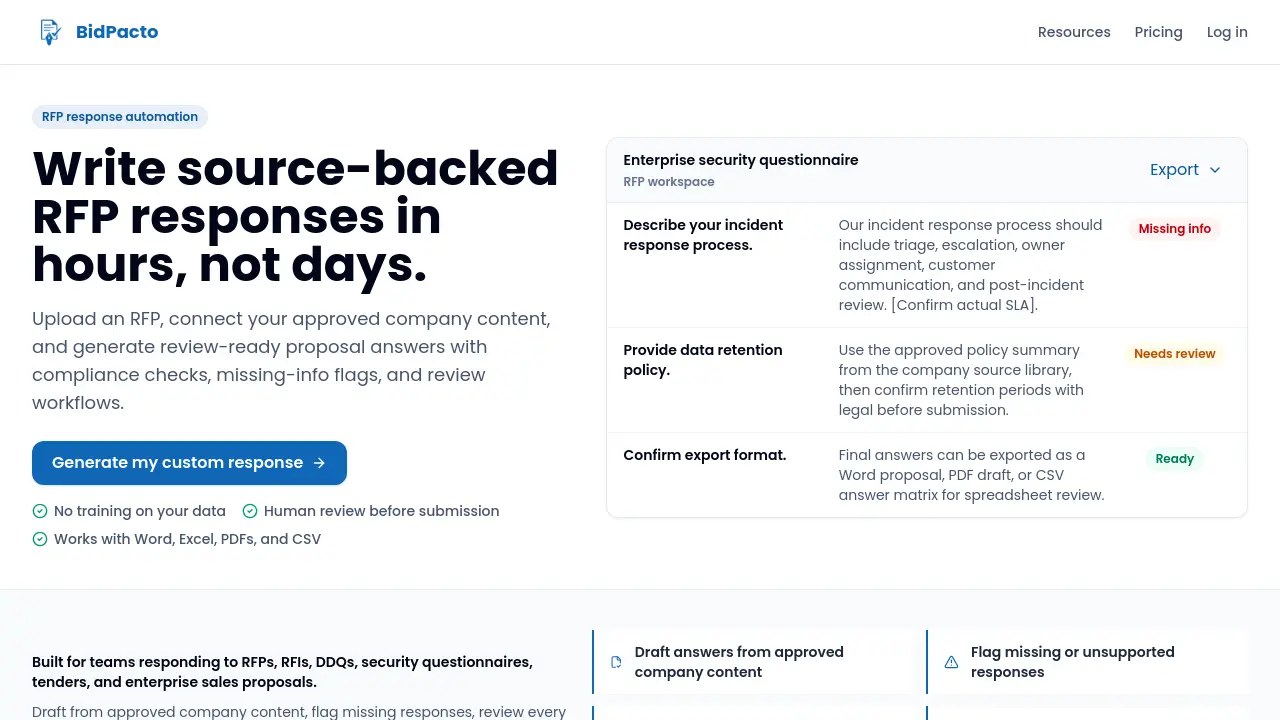
BidPacto is an RFP response automation platform for proposal teams, enabling rapid source-backed drafting, missing‑info alerts, review workflows, and export to Word, PDF or CSV formats.

FAQs of BidPacto
Can the AI hallucinate?
BidPacto’s AI can generate draft answers that may contain inaccuracies, but the platform requires human review. Drafts are editable, sourced from the company’s approved content library, and any missing factual information is marked with placeholders, ensuring that only verified responses are submitted.
Is our data used to train public AI models?
BidPacto does not send customer data to train public models. All AI requests are processed through a configurable Gemini‑compatible provider, and data handling follows the provider’s terms and the customer’s contractual agreements, keeping proprietary information confined to the user’s workspace.
What content can the system learn from?
The platform can ingest a wide range of source files, including previous proposals, product documentation, security notes, case studies, boilerplate text, spreadsheets, PDFs, PowerPoint decks, images, Markdown, plain text, HTML, and JSON. These files populate the internal knowledge base used to draft source‑backed responses.
Can it handle Excel‑based RFPs and security questionnaires?
Yes. BidPacto converts Excel and CSV files into structured question‑and‑answer formats. Users can edit the generated answers, and the final response matrix can be exported back to CSV for compatibility with spreadsheet‑based review processes.
Can we approve answers before submission?
Generated answers remain fully editable within the workspace. Reviewers can assign status flags, add comments, and mark each response as approved or requiring further input before any export to Word, PDF, or CSV occurs.
How long does the initial setup take?
Teams can begin by uploading a single RFP and receiving an instant draft. For optimal results, adding the company’s source library—such as boilerplates and prior proposals—takes a few minutes, after which subsequent RFPs benefit from richer, pre‑approved content.
Does BidPacto replace proposal managers?
BidPacto is designed to automate repetitive drafting and tracking tasks, not to eliminate the role of proposal managers. It frees managers from manual extraction and formatting, allowing them to focus on strategy, compliance checks, and quality assurance.
Can the tool match our brand voice?
The AI drafts responses using saved company boilerplate and prior proposal language, which helps maintain brand consistency. Final wording can be refined by the team during the review stage to ensure the voice aligns perfectly with corporate standards.
What integrations are currently supported?
At present, BidPacto supports file‑based integration: users upload Word, Excel, PDF, PowerPoint, image, CSV, Markdown, text, HTML, and JSON files. Export options include Word, PDF, and CSV, enabling seamless hand‑off to existing document management or CRM systems.
Is a trial available before committing to a larger rollout?
Yes. Organizations can upload a single RFP to generate a custom sample response and explore the review workflow. This trial experience helps evaluate the platform’s fit before expanding to broader use across multiple proposals.
How to use BidPacto
The product automates RFP, RFI, and security questionnaire responses by drafting source‑backed answers, flagging missing information, and providing export‑ready Word, PDF, or CSV files.
Begin by uploading the RFP document (Word, Excel, PDF, or CSV) into a dedicated workspace; the system parses questions and extracts requirements automatically.
Invoke the AI‑assisted generation feature, which pulls approved company content—boilerplates, previous proposals, product docs—to produce draft answers for each requirement.
Review the draft responses, using the built‑in missing‑info flags and compliance checks to identify gaps, then edit or approve each answer within the workspace.
Assign review statuses (Needs Review, Approved, or Pending) to maintain visibility of outstanding items before any external submission occurs.
Export the final, review‑ready proposal in the desired format (Word, PDF, or CSV answer matrix) for seamless integration into existing sales or legal workflows.
Interpret the exported results by comparing compliance matrices against the original RFP criteria, confirming that all mandatory fields are addressed and aligned with company policy.
