
ImageVids AI Introduction
ImageVids AI turns still images into AI videos using motion prompts. Offers free trial credits, multiple AI models, HD exports, and paid plans from $8/mo.

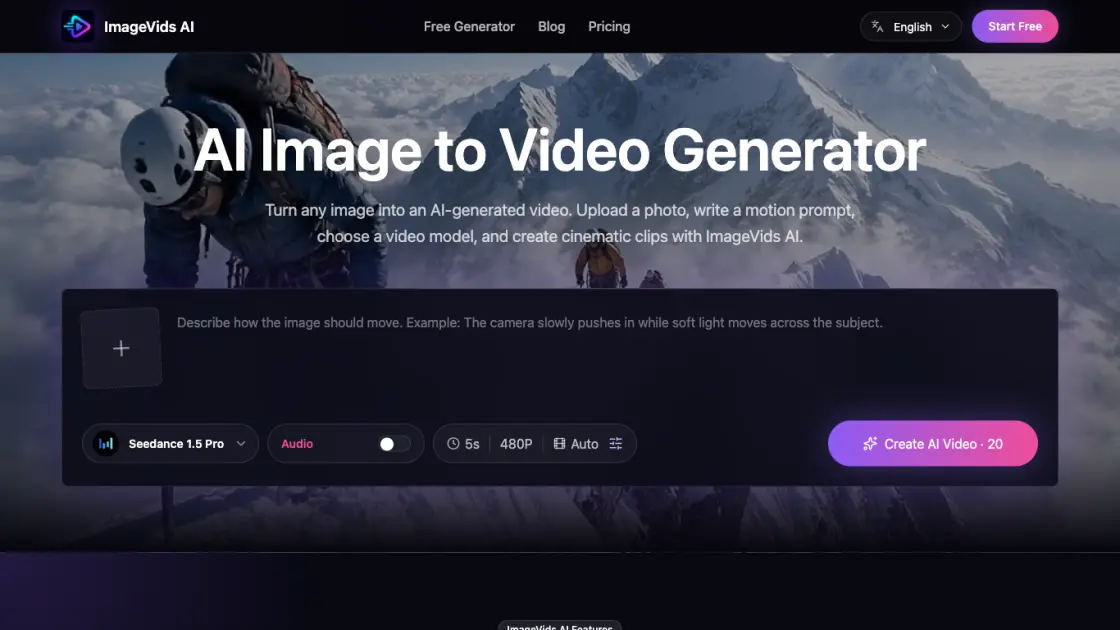
What is ImageVids AI
ImageVids AI is an online tool that converts still images into AI-generated videos by combining a reference photo with text-based motion prompts. Users upload an image, describe the desired movement, select an AI model, and the platform renders a short video that preserves the original visual while adding camera motion, subject animation, and atmospheric effects. The service supports multiple AI video models including Seedance, Kling, Wan, and Veo, giving users options for different output styles and quality levels. New users receive free trial credits to test prompts and compare results before committing to a paid plan, which starts at $8 per month. ImageVids AI is designed for creators who need animated content from static images without advanced video editing skills.
How does ImageVids AI work
ImageVids AI uses AI video generation models to analyze a reference image and apply motion described in a text prompt. The system preserves the original visual composition — subject appearance, color palette, and spatial layout — while generating new frames that introduce camera movement, object animation, lighting shifts, and atmospheric effects. Users select from multiple backend models (Seedance, Kling, Wan, Veo) that each handle motion interpretation differently, affecting the output speed, style, and fidelity. The entire process runs through a browser interface: upload an image, write a prompt, choose a model, and receive a generated video without installing software or configuring rendering settings.
Benefits of ImageVids AI
ImageVids AI removes the technical barrier to video creation by replacing complex animation software with an image-and-prompt workflow accessible through any browser. Users get access to multiple AI models under one platform, which means they can compare output styles without subscribing to separate services. The free trial credits reduce the risk of paying for a tool that does not match their workflow. HD and watermark-free exports on paid plans make the generated content usable in commercial contexts, from social media ads to product demonstrations. The prompt-based motion control gives creators direction over the output without requiring expertise in animation, keyframing, or video editing software.
Pros and Cons of ImageVids AI
Pros
- No video editing skills required
- Multiple AI models under one platform
- Free trial credits for testing
- Browser-based, no installation needed
- Commercial use on paid plans
Cons
- Video quality depends on model chosen
- Free tier includes watermarks
- Output limited to short clips
- No standalone desktop application
