
Time Tracking for Jira by Standuply FAQs
Effortlessly integrate time tracking in your daily Slack and MS Teams workflow. Standuply ensures consistent, accurate data logging for Jira tasks.

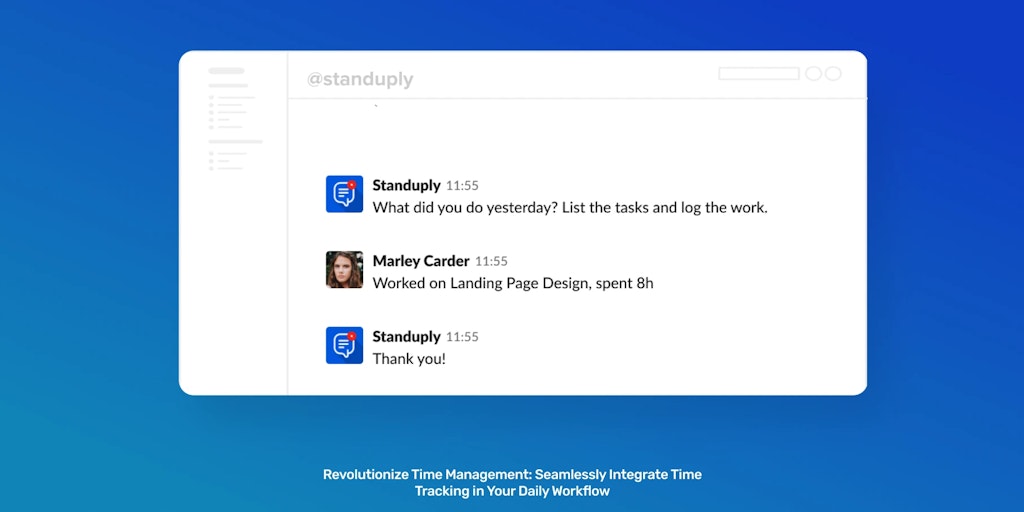
FAQs of Time Tracking for Jira by Standuply
What is Time Tracking for Jira by Standuply?
Time Tracking for Jira by Standuply is a tool that integrates with Jira to provide time tracking, timesheets, and resource planning features. It's designed to help teams track their work, plan projects, and manage resources more efficiently.
How does Time Tracking for Jira by Standuply work?
The app integrates seamlessly with your existing Jira workflow. You can track time spent on issues directly from Jira, and it automatically generates timesheets and reports. The app also provides insights into team workload and resource availability.
What are the benefits of using Time Tracking for Jira by Standuply?
- Streamline your workflow: By integrating with Jira, Time Tracking for Jira by Standuply reduces the need for separate time tracking tools. This can help teams save time and improve efficiency.
- AI-powered time tracking: The app uses AI to help you automatically track time spent on tasks. This can help you get a more accurate view of your workload and make better decisions about how to allocate your time.
- Resource planning: Time Tracking for Jira by Standuply helps you plan and manage your team’s resources more effectively. You can see who is working on what, how much time they have available, and how much time they are spending on projects.
- Project deadlines: Time Tracking for Jira by Standuply can help you track progress on projects and identify potential roadblocks. This information can help you make more accurate predictions about project deadlines.
- Real workload clarity: With detailed insights into team workload and resource availability, you can make informed decisions about project assignments and resource allocation.
