
RewriteBar Introduction
Enhance your writing in any application using AI. Improve sentences effortlessly in Slack, emails, or a code editor. Works well with tools like Grammarly for better writing.

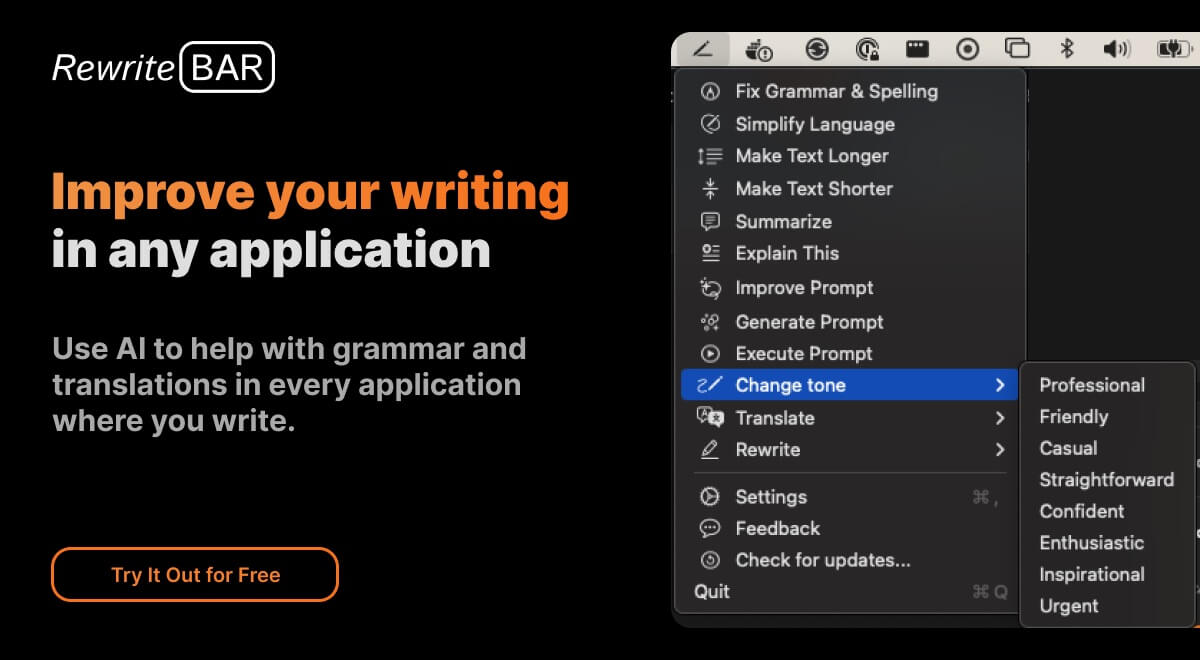
What is RewriteBar
RewriteBar is an AI-powered writing assistant for macOS that lives in your menubar. It's designed for anyone who wants to improve their writing, whether it's for work, school, or personal projects. RewriteBar can help you correct grammar mistakes, change writing styles, and even translate text, all within any application you're using. It's a pretty cool tool, and it's much cheaper and simpler to use than other AI writing assistants out there. Think of it as your friend who's always ready to give your writing a quick polish.
How does RewriteBar work
RewriteBar operates as an AI-powered writing assistant for macOS applications. It leverages the accessibility permissions to retrieve selected text, sends it to a large language model like OpenAI, Anthropic or other providers, for correction or rewriting, and then replaces the original text with the AI-processed version. Users can access features like grammar correction, style adjustment, and translation directly within various applications. RewriteBar aims to provide a plagiarism free experience and supports custom actions and prompt engineering for ChatGPT, enhancing overall writing productivity. The rewrite article tool offers both subscription and one-time license options.
Benefits of RewriteBar
RewriteBar enhances writing across macOS applications using AI. Correct grammar, adjust tone, or translate text without switching apps. The rewrite article ai tool integrates seamlessly with Slack, Notion, and more, accessed via simple keyboard shortcuts. Rewrite article plagiarism free by leveraging advanced AI models. Simplify complex writing or enhance ChatGPT prompts for better AI results. Rewritebar offers custom actions and supports multiple AI providers. Students can access a free trial, making it an accessible rewrite article ai free option to improve their writing.
Pros and Cons of RewriteBar
Pros
- Works in any macOS application.
- Offers grammar and spelling correction.
- Can simplify complex writing.
- Allows adjustment of writing tone.
- Translates text instantly.
Cons
- Requires macOS 13.0 or later.
- Limited free trial.
- One-time license needs OpenAI API key.
- No Windows version available.
- Requires accessibility permissions.
