
RewriteBar Core Features
Enhance your writing in any application using AI. Improve sentences effortlessly in Slack, emails, or a code editor. Works well with tools like Grammarly for better writing.

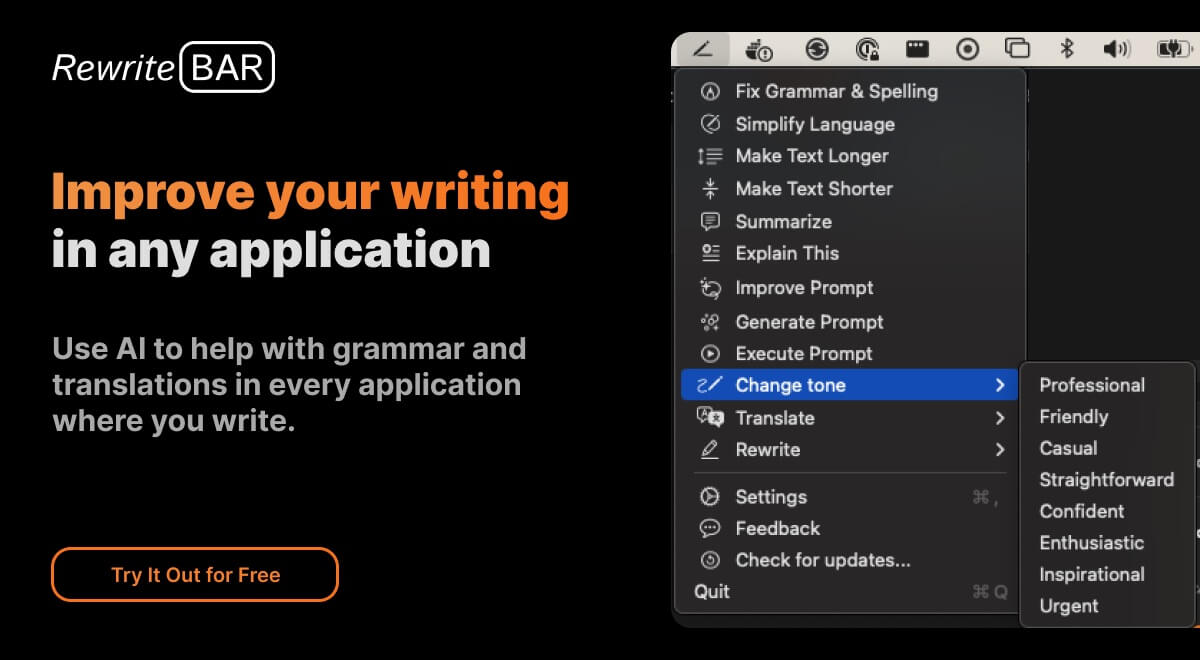
Core Features of RewriteBar
Grammar Correction
RewriteBar can help you correct grammar mistakes in any macOS application.
Style Changing
You can use RewriteBar to change your writing style. For example, you can make your writing more formal or informal, or you can make it more concise.
Text Translation
RewriteBar can translate text between different languages.
AI-Powered Writing Assistance
RewriteBar uses AI to help you improve your writing. You can use RewriteBar to get suggestions for how to improve your writing, or you can use it to generate text for you.
Works In Any Application
You can use RewriteBar in any macOS application. This includes apps like Pages, TextEdit, and even Slack.
Cheaper And Simpler To Use
RewriteBar is cheaper and simpler to use than other AI writing assistants.
Join Other Makers and Creators
RewriteBar is used by makers and creators around the world. It can help you take your writing to the next level.
Use Cases of RewriteBar
- Bloggers: Use RewriteBar to rewrite articles and improve content, ensuring articles are plagiarism free with AI assistance.
- Students: Employ the rewrite article AI tool to refine academic papers and essays for enhanced clarity.
- Non-native Speakers: Utilize RewriteBar to rewrite text and improve communication in English within any macOS application.
- Developers: Improve ChatGPT prompts within Xcode using RewriteBar to generate better AI responses directly in the IDE.
- Marketers: Adjust writing tone for social media posts using RewriteBar's AI to rewrite text for increased engagement.
