
Yipara FAQs
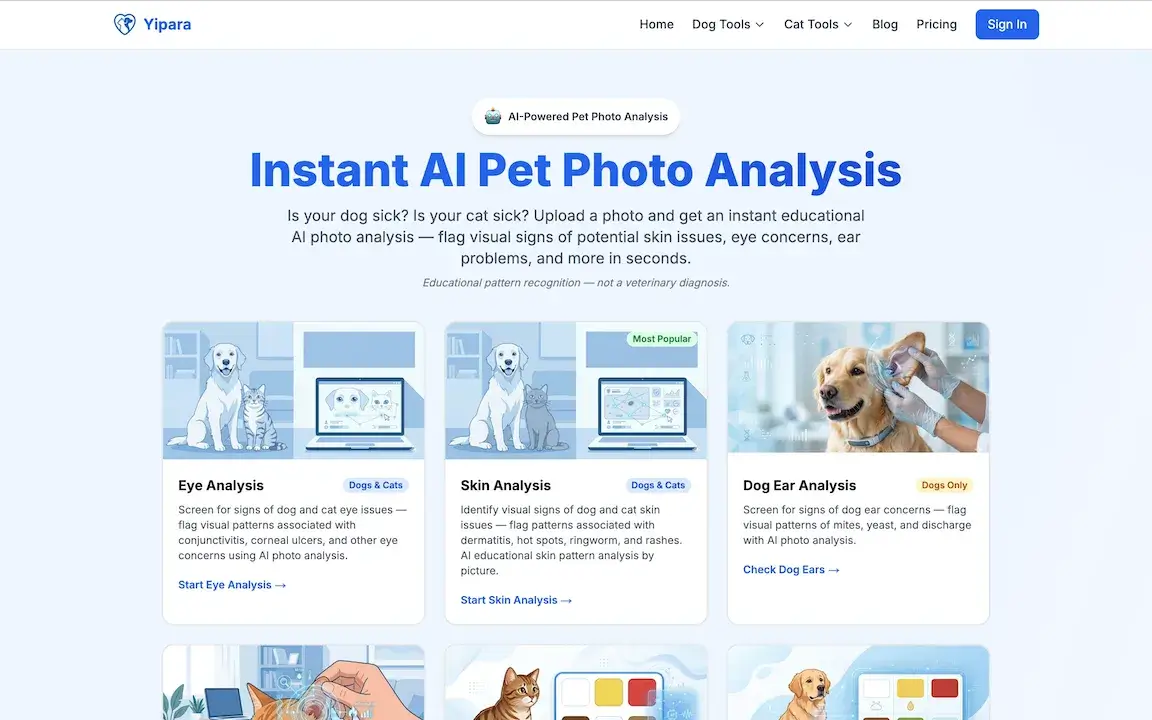
Yipara is an AI photo analysis tool for dog and cat owners. Upload a photo of any visible concern — skin, eye, ear, paw, wound, lump, insect bite, or unusual stool — and receive an instant analysis that helps you decide whether to monitor at home or seek veterinary care. Yipara is a triage aid and does not replace professional veterinary advice.

FAQs of Yipara
How does Yipara’s AI‑powered pet photo analysis work?
Yipara analyzes a clear, close‑up photo of the affected area using advanced image‑recognition algorithms. Within seconds the system returns an educational pattern report that lists observed visual signs, possible causes, severity ranking, and recommended next steps, while reminding users to consult a licensed veterinarian for an official diagnosis.
What types of pet health concerns can be screened with Yipara?
The platform offers separate tools for dogs and cats covering eye, skin, ear, vomit, nose, dental, poop, lump, wound, bug identification, paw, acne, urine, gum & tongue, hair loss, body condition score, and specific analyses such as nose or eye discharge. Each tool flags visual patterns linked to common conditions like dermatitis, conjunctivitis, ear mites, ringworm, urinary tract infection, and more.
Is the analysis provided by Yipara a veterinary diagnosis?
No. Yipara delivers educational pattern recognition intended only for preliminary information. The AI cannot replace a professional veterinary exam, and the results should always be discussed with a qualified veterinarian before any treatment decisions are made.
How accurate is Yipara’s AI in identifying pet conditions from photos?
Yipara uses high‑accuracy AI models trained on large image datasets, but accuracy varies with photo quality, lighting, and the specific condition. The tool is designed to highlight likely patterns, not to guarantee a correct identification, so users must verify findings with a veterinarian.
What is required for a successful photo upload?
A clear, well‑focused image showing the area of concern is essential. Ensure adequate lighting, avoid shadows, and capture the pet from appropriate angles (e.g., side and top‑down for body condition scoring). Poor image quality can limit the AI’s ability to detect relevant visual signs.
Can I use Yipara for emergency situations?
Yipara is intended for educational triage and not for emergencies. If a pet shows severe symptoms such as uncontrolled bleeding, difficulty breathing, sudden collapse, or obvious pain, owners should seek immediate veterinary care rather than rely on an AI analysis.
How are the results delivered and what do they include?
After processing, the platform provides a downloadable report that outlines the detected visual pattern, severity level, a short list of possible conditions, and suggested next steps, including whether a vet visit is recommended. The report is meant to facilitate communication with your veterinarian.
Is Yipara compatible with all dog and cat breeds?
Yes. The AI models have been trained on images from a wide variety of breeds, coat types, and colors, making the tool applicable to virtually any dog or cat regardless of size, fur length, or breed‑specific traits.
What are Yipara’s pricing options?
Yipara offers several subscription tiers detailed on the Pricing page, ranging from single‑analysis purchases to unlimited monthly plans for multiple pets. Each plan includes access to all analysis tools and secure storage of uploaded photos.
How is my personal and pet data protected?
All uploads and user information are encrypted in transit and at rest. Yipara complies with applicable privacy regulations, and data is never shared with third parties without user consent, ensuring secure handling of both personal and pet health information.
How to use Yipara
- Yipara serves as an AI‑powered pet photo analysis platform, offering educational pattern recognition for dogs and cats across skin, eye, ear, vomit, and other health concerns.
- Begin by selecting the appropriate tool (e.g., Skin Analysis, Eye Analysis), then upload a clear, well‑lit photo of the affected area using the “Upload Photo” button.
- The system processes the image instantly; AI evaluates visual patterns such as redness, discharge, lesions, or discoloration, and generates an on‑screen report within seconds.
- Review the report, which lists observed patterns, probable conditions, severity ranking, and suggested next steps, while reminding you that it is not a veterinary diagnosis.
- Use the findings to decide whether immediate veterinary care is needed, to monitor the condition, or to adjust home care based on the AI‑provided guidance.
- Repeat the process for additional concerns, storing reports in your account for longitudinal tracking and sharing with your veterinarian for professional evaluation.
