
Nano Banana 2 FAQs
For creators, Nano Banana 2 uses Google Search grounding to generate accurate AI images in 2K and 4K with multiple aspect ratios.

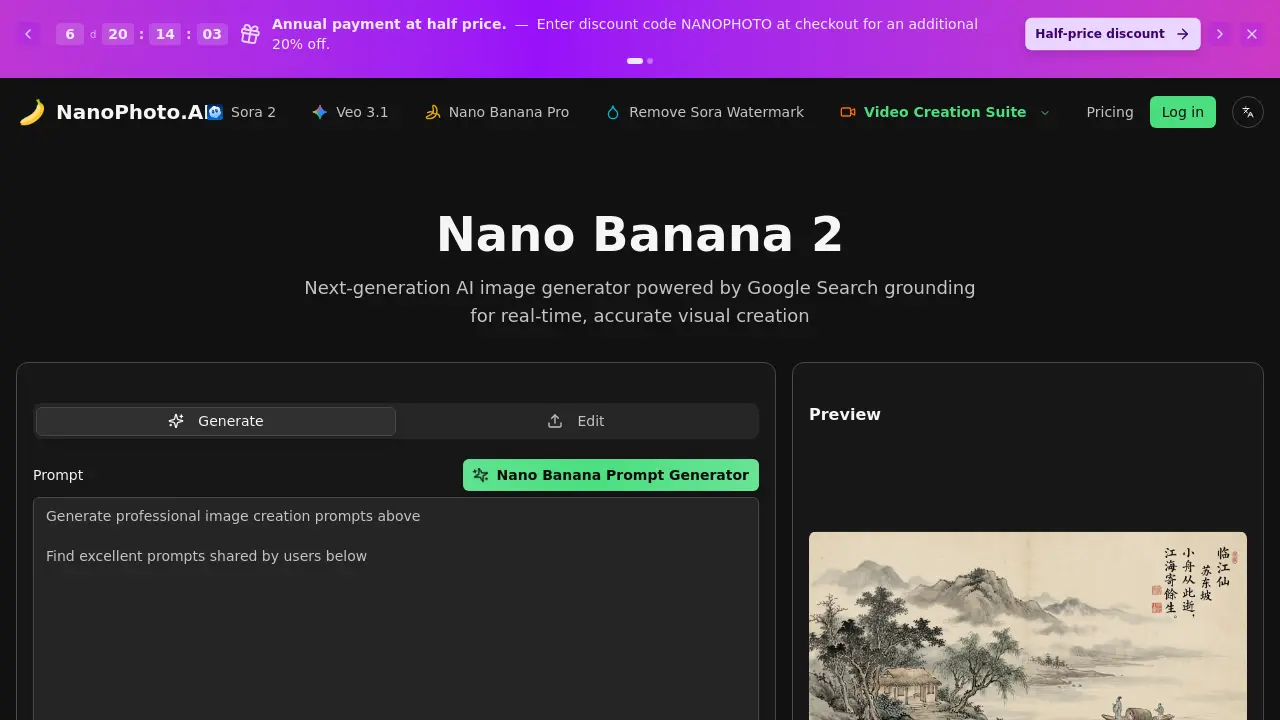
FAQs of Nano Banana 2
What is Nano Banana 2?
Nano Banana 2 is an AI-powered image generation tool that creates visual content using real-time data from Google Search. It produces accurate, contextually relevant images based on current web information, suitable for various creative and professional applications.
What is Google Search Grounding?
Google Search Grounding is a feature that integrates live web data into the AI image generation process. It ensures the resulting images reflect current events, trends, and factual information, enhancing accuracy and relevance compared to static training data models.
How many credits does it cost?
Generating a single image with Nano Banana 2 requires 4 credits. Credit consumption may vary if using advanced settings or different models, and users should refer to their plan's monthly credit allocation for budgeting and usage tracking.
What aspect ratios are supported?
Nano Banana 2 supports multiple aspect ratios including landscape (16:9), portrait (9:16), classic (4:3), and classic portrait (3:4). This flexibility allows users to optimize images for social media, websites, presentations, or print formats.
Can I edit existing images?
Nano Banana 2 does not directly edit existing image files. Instead, it uses a multi-image fusion feature where users can upload 2-8 reference images to influence the generation of new, original visuals based on those references and text prompts.
What image formats are supported?
Generated images can typically be downloaded in common web formats such as JPEG and PNG. These standard formats ensure compatibility with most digital platforms, editing software, and printing services without additional conversion steps.
How is Nano Banana 2 different from Nano Banana Pro?
Nano Banana 2 distinguishes itself with real-time Google Search grounding, enhanced multilingual text rendering, and advanced multi-image fusion capabilities. Nano Banana Pro lacks search grounding and has standard text rendering, while both share native 2K resolution and similar generation speeds.
How long does it take to generate an image?
Image generation with Nano Banana 2 usually completes within 2 to 5 seconds. This speed is consistent even when using Google Search grounding, making it efficient for rapid prototyping and high-volume content creation workflows.
What are the best use cases for this AI image generator?
Optimal use cases include creating marketing visuals, social media posts, advertisement concepts, educational materials, and editorial illustrations. Its real-time data integration is particularly useful for depicting current events or trending topics with accuracy.
Can I use the generated images commercially?
Commercial use is permitted only with Pro, Max, or Ultra subscription plans that include a commercial license. The Basic plan does not grant commercial rights, so users must select an appropriate tier for business or monetized projects.
How does the credit system work across different plans?
Each subscription plan provides a monthly credit allowance, such as 150 credits for Basic or 2000 for Max. Credits are deducted per image generation or other feature uses, and unused credits generally expire at the end of each billing cycle without rollover.
What is the native resolution of generated images?
Nano Banana 2 produces images at native 2K resolution by default. Users can also apply 4K upsampling for higher detail needs, making the output suitable for both digital displays and high-quality print media without significant pixelation.
Are there restrictions on the type of content I can generate?
Yes, users must avoid generating violent, pornographic, or copyrighted material. The platform requires compliance with local laws and its terms of service, and inappropriate prompts may be blocked or result in account limitations.
Is there a free trial or initial credits for new users?
New registrants receive complimentary credits to test the platform's capabilities. This allows prospective users to evaluate image generation quality, feature set, and credit consumption before committing to a paid subscription plan.
What languages are supported for text rendering in images?
Nano Banana 2 offers enhanced text rendering with multilingual support, allowing prompts and generated text within images to include various languages more accurately than Nano Banana Pro, which has excellent but primarily English-focused rendering.
How to use Nano Banana 2
Nano Banana 2 is an AI image generator that leverages Google Search grounding for real-time, accurate visual creation. It produces high-quality images in multiple aspect ratios using live web data.
- Navigate to the Nano Banana 2 page on NanoPhoto.AI to access the AI image generator interface with Google Search grounding for real-time data accuracy.
- Enter a detailed text prompt specifying subjects, styles, mood, and context to guide the AI toward precise image generation results.
- Select an appropriate aspect ratio—16:9, 9:16, 4:3, or 3:4—to match your project's display and output requirements.
- Click the generate button to start the process, consuming one credit from your account per image based on your subscription plan.
- The AI uses live Google Search data to process your prompt, creating a high-fidelity image in 2-5 seconds with contextual relevance.
- Review the previewed image for accuracy to your prompt, resolution quality, and any artifacts before downloading or regenerating.
- Download the image in native 2K resolution or apply 4K upsampling for enhanced detail suitable for print or large displays.
- Integrate the final image into your workflow, such as marketing or social media content, leveraging its real-time grounding for relevance.
