
Makeform FAQs
Makeform is an AI form builder that creates surveys, quizzes, and registration forms without coding, streamlining data collection.

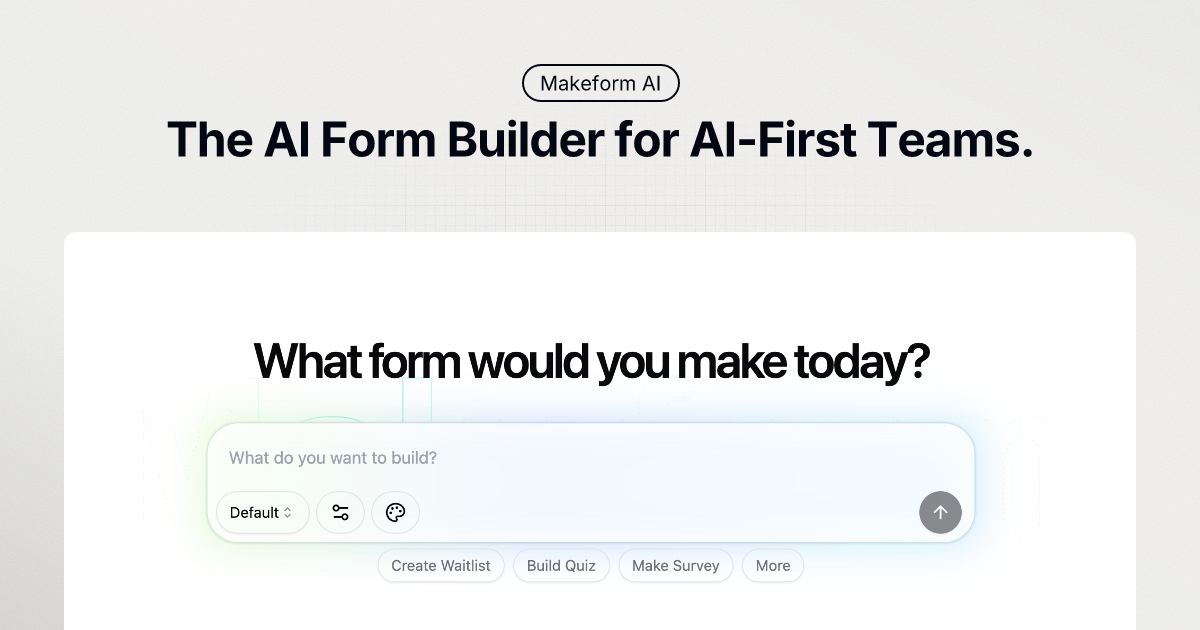
FAQs of Makeform
What is Makeform?
Makeform is a free, AI-native form builder that simplifies form creation. It allows users to generate forms, including questions, logic, and design, using a simple chat interface, eliminating the need for traditional form-building methods.
How does Makeform work?
Makeform utilizes AI to generate forms based on user descriptions. Users describe the type of form they need, and the AI instantly creates a functional form, complete with styling, logic, and validation. Users can then customize the form, connect integrations, and share or embed it to start collecting responses.
Is my data safe with Makeform?
Makeform employs enterprise-grade security measures, including encryption and privacy protocols, to ensure that all form submissions remain confidential and secure. These measures are in place to protect user data during form creation, submission, and storage.
Do I need coding skills to use Makeform?
No, coding skills are not required to use Makeform. The platform's AI-powered interface allows users to create forms through a simple chat, abstracting away the complexities of traditional form building that may require coding knowledge.
Can I customize my forms?
Yes, Makeform offers complete customization options. Users can personalize their forms with custom branding, including colors, fonts, and layouts. The platform also allows users to remove Makeform branding with the Pro feature, use custom domains, implement hidden fields, and apply conditional logic.
What integrations does Makeform offer?
Makeform provides seamless integrations with various tools such as Slack, Google Sheets, and Zapier, allowing users to automate form workflows and streamline data collection and integration processes. These integrations facilitate easy connection with existing business tools.
How does the pricing model work?
Makeform offers a tiered pricing model, including a free plan with unlimited forms and submissions. Paid plans, like the Pro plan, offer additional features such as priority support, AI form analysis, premium integrations, and custom branding. Enterprise plans are also available with API access and data retention options.
What kind of support can I expect?
Makeform provides support through various channels. Users on the free plan can access standard support resources, while Pro plan users receive priority support. Enterprise users can expect dedicated support tailored to their specific needs, including API assistance and data management guidance.
Does Makeform offer pre-designed templates?
Yes, Makeform provides a variety of ready-to-use templates designed for different needs, enabling users to launch forms more quickly. These templates cover use cases such as contact forms, surveys, registration forms, payment forms, and application forms.
What AI models does Makeform use?
Makeform leverages various GPT models to generate forms, including GPT-4o Mini, GPT-4o (Login to Use), GPT-4.1 (Login to Use) and GPT-4.1 Mini (Login to Use). Access to certain models may require users to log in.
How to use Makeform
Makeform is an AI-powered form builder that simplifies the creation of various forms like surveys, quizzes, and registration forms. It leverages a chat-based interface for easy form generation and customization.
Begin by describing your desired form in the chat interface. Specify the type of form needed, such as contact or survey, and include necessary fields.
Select the AI model (GPT-4o Mini, GPT-4o, GPT-4.1, or GPT-4.1 Mini). Note that GPT-4o, GPT-4.1, and GPT-4.1 Mini require login.
Click "Generate". Makeform AI will automatically create the form based on your provided description. This includes relevant fields and basic logic.
Customize the generated form to align with your branding requirements. Options include adjusting colors, fonts, layouts, and adding your logo.
Integrate your form with other tools such as Slack, Google Sheets, or Zapier for streamlined workflows. Makeform offers seamless integration options.
Analyze form performance using Makeform's analytics and insights tools. Track completion rates and optimize your forms based on collected data.
Share your Makeform through a link or embed it directly on your website. This allows immediate data collection from your target audience.
Consider upgrading to a Pro plan for features like AI Form Analyst, premium integrations, and removal of Makeform branding (white labeling). This also provides priority support.
Explore Makeform templates to quickly create common forms. The templates provide pre-built structures for various needs, saving design time.
Utilize the Makeform API for advanced integration capabilities, available within the Enterprise plan. This facilitates custom solutions and data management.
