
Leo FAQs
Quickly set up AI phone assistants for making and receiving calls, no coding needed. Leo offers no-code AI phone assistants that are easy to set up and tailored to non-technical users. Get started in under 2 minutes!

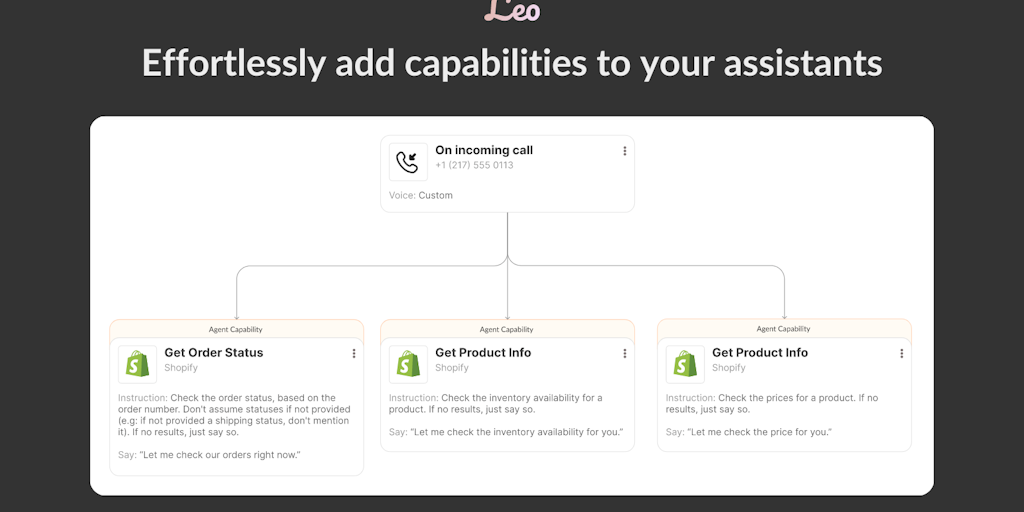
FAQs of Leo
What is Leo?
Leo is an AI phone assistant that helps small businesses make and receive calls without needing to code. It's like having a virtual receptionist that can answer calls, book appointments, and collect information from customers.
How does Leo work?
You can set up Leo by using a drag-and-drop interface to create your own automated phone scripts. These scripts can be used to answer common questions, collect information from callers, or direct them to the right person. You can also use Leo to make outbound calls and schedule appointments.
How can Leo help my small business?
Leo can help small businesses save time and money by automating their phone calls. It can also help improve customer satisfaction by providing a more professional and consistent experience. For example, you can use Leo to:
- Answer calls 24/7, even when you're not available.
- Collect customer information, like their name, email address, and phone number.
- Schedule appointments and send reminders.
- Route calls to the right person or department.
What are the benefits of using Leo?
Leo can help you:
- Save time: Automating phone calls frees up your time to focus on other tasks.
- Improve customer satisfaction: Providing a more professional and consistent experience.
- Increase productivity: By providing a better way to handle calls, you can improve your team's productivity.
- Reduce costs: You can save money by reducing the need for a dedicated receptionist.
What is the difference between Leo and other AI phone assistant solutions?
Leo is designed specifically for small businesses, and it is easy to use, even if you don't have any coding experience. Other AI phone assistant solutions can be more complex and expensive.
