
GenPPT AI FAQs
GenPPT AI uses AI to automatically generate and beautify professional presentations from text, helping businesses and educators save time on design.

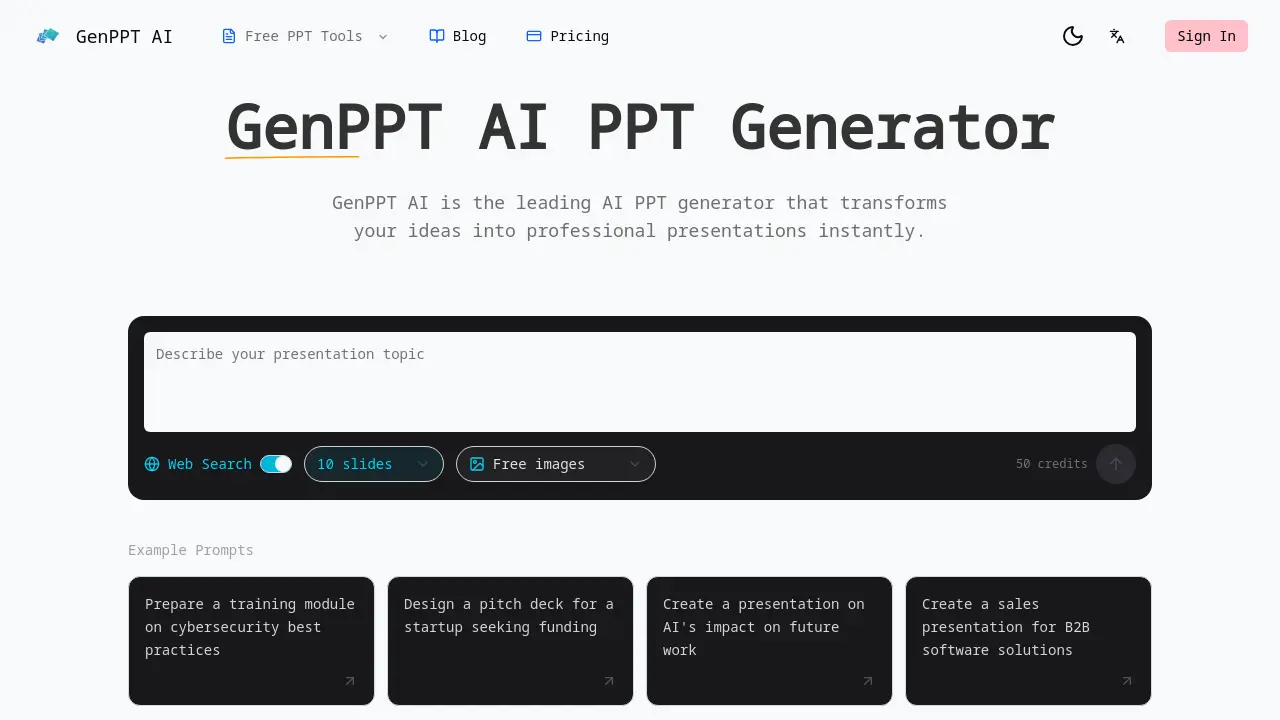
FAQs of GenPPT AI
What is GenPPT AI?
GenPPT AI is an AI-powered presentation tool that automatically generates professional PowerPoint slides from text prompts or by enhancing existing files. It uses artificial intelligence to manage design, layout, and content structure, enabling users to create polished presentations without manual design work for business, education, or personal purposes.
How does the AI PPT generator work?
Users describe their presentation topic via text or upload a PPTX file. The AI analyzes the input, selects appropriate templates and layouts, generates relevant content and images, and assembles a full slide deck. Real-time preview allows immediate edits before exporting the final presentation.
Can I edit presentations generated by the AI PPT maker?
Yes, all generated presentations are fully editable within GenPPT AI's browser-based editor. Users can modify text, swap images, adjust layouts, and customize designs directly. Edits are saved in real-time, and the file can be exported as a PPTX for further adjustments in Microsoft PowerPoint or other software.
What file formats does the AI PowerPoint generator support?
GenPPT AI exports presentations primarily in PPTX format, ensuring compatibility with Microsoft PowerPoint, Google Slides, and Apple Keynote. For input, it accepts text prompts for new decks or PPTX files for beautification and enhancement through its AI tools.
Can I upload and beautify existing presentations with GenPPT AI?
Yes, users can upload existing PPTX files. GenPPT AI then analyzes the slides to improve visual consistency, correct layout issues, apply modern design elements, and suggest aesthetic enhancements while preserving the original content and message integrity.
Does GenPPT AI's AI PPT generator create speaker notes?
Yes, the tool automatically generates detailed speaker notes for each slide. These notes include talking points and explanations that help presenters expand on slide content, facilitating more confident and structured delivery during presentations.
Is GenPPT AI better than other AI PPT makers?
GenPPT AI offers integrated features like real-time browser editing, automatic speaker notes, multi-language support, and chart generation. It emphasizes user control and professional output, providing a comprehensive solution for presentation creation compared to simpler AI tools that only produce static slide decks.
How fast is the AI PPT generator?
The AI typically generates a complete presentation in 1 to 5 minutes, depending on complexity and length. This speed significantly reduces the time required compared to manual creation, which often takes several hours, allowing for rapid prototyping and iteration.
Can I use GenPPT AI for business presentations?
Yes, GenPPT AI is designed for business use cases such as pitch decks, sales proposals, training materials, and corporate reports. It produces professional-quality slides that meet business standards, helping users efficiently create impactful presentations for stakeholders.
How many credits are included with the free plan?
The free plan includes 50 credits. Each new presentation generation consumes one credit, while beautifying existing PPTX files may use fewer. Credits allow users to evaluate the service, with options to purchase additional credits or subscribe to paid plans for continued use.
Are the suggested images royalty-free?
Yes, all images suggested by GenPPT AI are sourced from royalty-free libraries or generated by AI. This ensures they can be used in presentations without copyright restrictions, making them safe for commercial, educational, or public distribution contexts.
Does GenPPT AI support collaboration features?
Currently, GenPPT AI does not support real-time multi-user collaboration. However, users can share exported PPTX files externally for team review and feedback. Collaboration capabilities may be considered for future updates based on user feedback and demand.
What is the pricing structure beyond the free credits?
After using free credits, users can purchase credit packs or subscribe to monthly plans. Pricing tiers vary based on features such as access to premium templates, higher-resolution exports, and team accounts. Detailed pricing information is available on the GenPPT AI website.
How does GenPPT AI handle data privacy and security?
User uploads and generated content are processed with encryption and secure protocols. Data is not used to train public AI models and is retained only as necessary for service operation. Users should review the privacy policy for specifics on data storage, processing, and their rights.
How to use GenPPT AI
GenPPT AI automates presentation creation using artificial intelligence. Its core functions include generating new slide decks from text prompts, beautifying existing presentations, and producing speaker notes, enabling efficient development of professional slide decks.
- Users start by accessing the GenPPT AI website and authenticating with their credentials to reach the presentation dashboard.
- They select either text-to-slides generation for new content or upload a PPT file for AI-powered beautification and enhancement.
- For generation, a detailed topic description is provided; the AI PPT generator then creates an initial structured slide deck automatically.
- The system processes the input within minutes, producing slides with suggested layouts, content, and relevant visual elements.
- Through a real-time browser editor, users modify text, replace images, and adjust positioning, with changes reflected instantly.
- Smart layout tools are applied to automatically reorganize slide components, improving visual hierarchy and achieving polished designs.
- Data tables are inputted to generate styled charts and graphs; the AI ensures visualizations match the presentation's overall theme.
- A dedicated function generates speaker notes, creating talking points based on each slide's content to support presentation delivery.
- The final presentation is exported as a PPTX file, maintaining compatibility with Microsoft PowerPoint, Google Slides, and Keynote.
- Post-export, users review the file in their preferred software to confirm all elements render correctly before the final presentation.
