
FrontendAI
Frontend AI - Generate UI Code from Prompts or Images
| Added on: | Aug 6, 2024 |
| Monthly Visits: | -- |
| Social & Email: | -- |

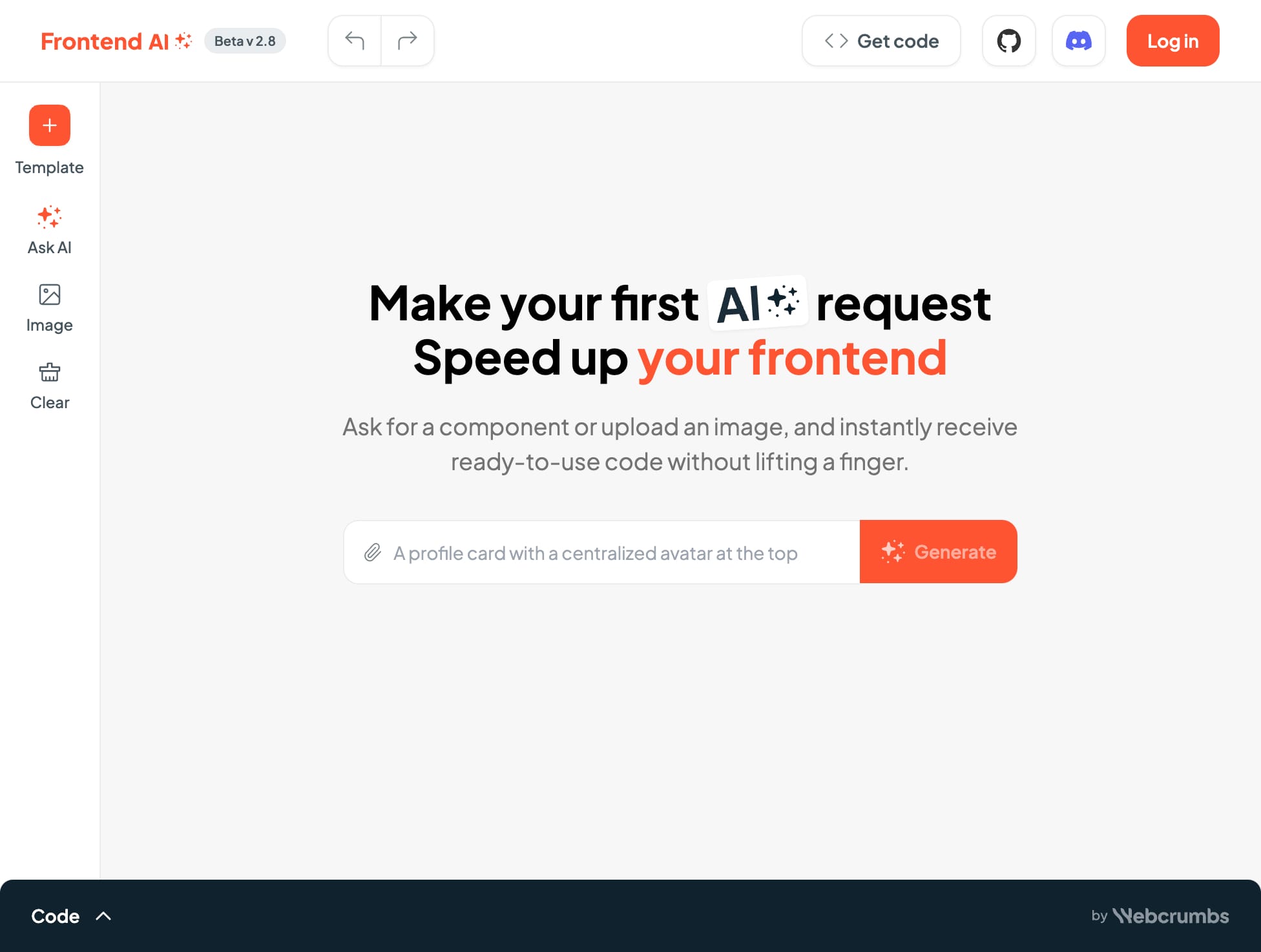
What is FrontendAI
FrontendAI is an AI-powered tool designed for frontend developers, helping them to speed up their workflow by generating code directly from a description or an image. It's like having a coding assistant that understands what you want and creates the code for you, whether it's a simple button or a complex layout. You can even ask FrontendAI to generate code based on existing templates or give it a specific image of a component and it will generate the code for you, all without lifting a finger. It also allows you to tweak various settings like color scheme, font pairing, font size, spacing, and other parameters to create the exact look you want. If you're tired of writing repetitive code and want to focus on more creative tasks, FrontendAI is a great tool to try out. It is a revolutionary tool that will make your work much easier and more efficient.
How does FrontendAI work
FrontendAI is an AI-powered code generator for frontend developers. Users can input an image of a desired component or select from numerous templates, leveraging AI to generate ready-to-use code. The tool supports various frameworks such as React, Material UI, Ant Design, Bootstrap, and Chakra UI. Generated code includes HTML, CSS, and potentially JavaScript, streamlining the frontend development process. This AI-powered frontend tool aims to simplify and accelerate frontend development tasks for developers of all skill levels. The platform offers a design system with a selection of UI components and allows users to save favorite components after login. It uses an AI agent to generate code from image uploads or text descriptions, promoting efficient frontend development workflows.
Benefits of FrontendAI
FrontendAI, a frontend AI generator, simplifies frontend development by generating ready-to-use code from text descriptions or image uploads. This frontend AI tool speeds up development, offering customizable templates and integrations with popular frameworks like Material UI, Ant Design, Bootstrap, and Chakra. FrontendAI's AI-powered code generation streamlines the process, saving developers significant time and effort. Whether you're a frontend master or just starting, FrontendAI simplifies the complexities of frontend development.
Pros and Cons of FrontendAI
Pros
- Fast code generation.
- Supports image uploads.
- Offers various templates.
- Integrates popular frameworks.
- Provides code preview.
Cons
- Beta version.
- Limited framework choices.
- Requires login for saving.
- CSS not directly editable.
- Functionality may be limited.
Core Features of FrontendAI
Generate code from images
FrontendAI can generate code from images of web components. Users can upload an image of a component or drag and drop it to the interface. The AI will analyze the image and generate the corresponding code.
Ask AI
FrontendAI can answer questions about web development. Users can ask the AI questions about HTML, CSS, JavaScript, and other frontend technologies.
Use templates
FrontendAI provides templates for common web components, such as blocks, blogs, contact forms, CTAs, FAQs, forms, heroes, QR codes, and trading components. These templates can be used as a starting point for building new web pages.
Choose design themes
Users can customize the generated code by selecting a design theme, including colors, fonts, and spacing. This allows users to create a consistent look and feel for their websites.
Generate code
FrontendAI allows users to generate code for different types of components, such as buttons, cards, forms, and more.
Preview code
FrontendAI includes a preview window that allows users to see how the generated code will look in a web browser. This lets users make adjustments to the code before they actually use it.
Copy code
Users can copy the generated code to their clipboard for use in their own projects.
Download code
Users can download the generated code as a file for later use.
Use Cases of FrontendAI
- Frontend Developers: Accelerate frontend development using FrontendAI's AI-powered code generation for React, reducing development time.
- UI/UX Designers: Transform design mockups into functional frontend code with FrontendAI's image upload and AI code generation features.
- Web Developers: Quickly build responsive web components using FrontendAI's pre-built templates and AI-assisted code generation capabilities.
- Students: Learn frontend development faster by leveraging FrontendAI to generate code examples for various UI components and frameworks.
- Businesses: Improve website development efficiency and reduce costs using FrontendAI's AI-powered frontend code generation for faster project completion.
FAQs of FrontendAI
What is FrontendAI?
FrontendAI is a tool for frontend developers that helps you generate code quickly and efficiently. It uses an image to AI to create the code for your component, whether it is a button, a card, or anything else.
How does FrontendAI work?
You can either upload an image of the component you want to create or use one of the templates. FrontendAI will then generate the code for you in a variety of formats, including HTML, CSS, and JavaScript. You can also customize the code by changing the colors, fonts, and other settings.
What are the benefits of using FrontendAI?
FrontendAI is a great way to save time and effort when developing your website. You can quickly create components that would otherwise take you hours to code, allowing you to focus on more creative aspects of your project.
How is FrontendAI different from other similar tools?
FrontendAI is unique in that it uses AI to generate code from images. This makes it a powerful tool for creating custom components that are not readily available as pre-built elements.
How can I use FrontendAI?
You can use FrontendAI for any of your frontend development projects. For example, you can use it to create landing pages, dashboards, and more.
What is the best way to get started with FrontendAI?
The easiest way to get started with FrontendAI is to upload an image of the component you want to create. Once you have uploaded an image, FrontendAI will automatically generate the code for you. You can then customize the code to your liking.
How to use FrontendAI
FrontendAI generates frontend code from text descriptions or image uploads. It supports various frameworks like React, and offers code previews.
Input a component description or upload an image depicting the desired UI element.
Select the preferred CSS framework (e.g., Material UI, Bootstrap). This influences the generated code.
FrontendAI processes your input, generating the corresponding HTML, CSS, and JSX code.
Review the generated code within the integrated code editor. The CSS section might be non-editable.
Integrate the generated code into your project. Utilize the preview feature for visual confirmation before integration.
