
Findr 2.0 - AI Search Assistant for Work
| Added on: | May 22, 2024 |
| Monthly Visits: | 1.04K |
| Social & Email: | -- |

What is Findr
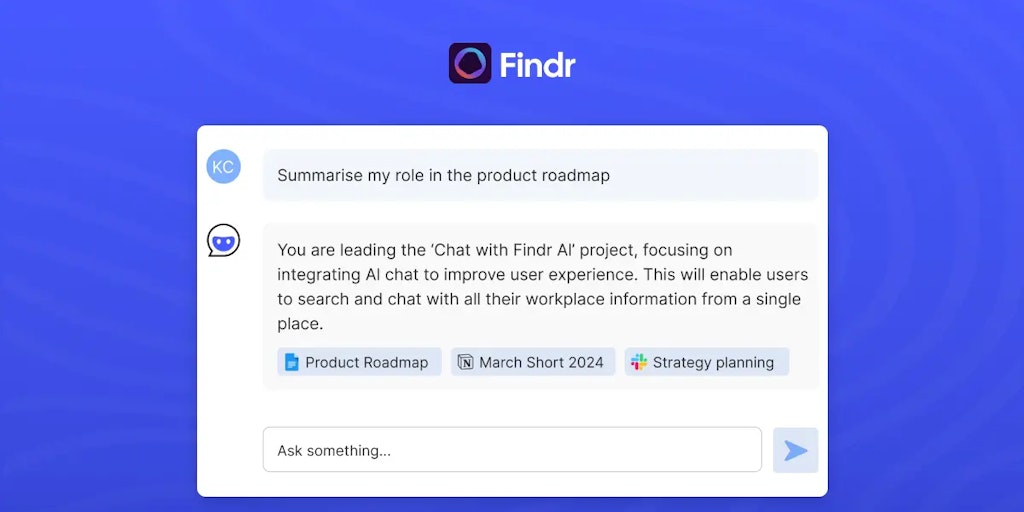
Findr is an AI-powered search tool designed for teams. It aims to help users find information and answers quickly, by allowing them to search and chat with information, documents, and insights from multiple apps. Findr uses AI to understand the context of your questions and provide relevant results. It can be useful for anyone who needs to quickly access information from a variety of sources. Its ability to integrate with multiple apps is a great way for teams to improve their workflow. Findr can also provide summaries of long documents, which can be helpful for quickly getting the information you need. Think of it as a friend who can help you find the information you need, even if you don't know exactly what you're looking for.
Core Features of Findr
AI-Powered Search
Findr is an AI-powered search tool that allows users to search and chat with information from multiple apps. It uses AI to understand the context of a user’s query and provides relevant results from various sources.
Enterprise-Wide Search
Findr can be used to search across an entire organization's data, including documents, emails, and conversations. This allows users to find the information they need quickly and easily, regardless of where it is stored.
Integrations
Findr integrates with a variety of popular apps and services, including Slack, Google Drive, Dropbox, and Salesforce. This allows users to search across all of their data in one place.
Conversational AI
Findr uses a conversational AI interface that makes it easy to ask questions and get answers. Users can simply type in their question, and Findr will provide them with the information they need.
Knowledge Management
Findr can be used to build a centralized knowledge base for an organization. This can help to improve employee productivity and reduce the time spent searching for information.
FAQs of Findr
What is Findr?
Findr is an AI-powered search and chat assistant for teams. It allows you to search and interact with information, documents, and insights from multiple apps, all in one place. Think of it like your own personal AI assistant that can help you find answers to your questions, even if they span across different applications.
How does Findr work?
Findr connects to various apps you use daily, like your CRM, project management tools, and knowledge bases. It then uses its AI to understand the data within those apps, making it searchable and easily accessible. You can simply ask your questions in natural language, and Findr will analyze the information, pull out relevant data, and provide you with answers, insights, and even suggested actions. It’s like having a super-smart assistant that understands your work context and helps you get things done faster.
What are the benefits of using Findr?
Findr helps you save time by quickly finding the information you need, improving your productivity by giving you relevant insights, and collaborating more effectively by sharing information and knowledge within your team.
How is Findr different from other AI search tools?
Findr is specifically designed for teams, providing a centralized hub for all your team's knowledge. It's integrated with the applications you already use, making it seamless to access and share information.
Can I try Findr before committing?
Yes, Findr offers a free trial, so you can try it out and see how it can help your team.
Findr Website Traffic Analysis
Latest traffic information
- Monthly Visits1.04K
- Bounce Rate77.75%
- Pages Per Visit1.03
- Visit Duration00:00:00
- Global Rank13.31M
- Country/Region Ranking--
Visits Over Time
Top Keywords
| Keyword | Traffic | Volume | Cost Per Click |
|---|---|---|---|
| supermemory ai | -- | 3.3K | $2.14 |
| notebooklm alternatives | -- | 3.29K | $0.28 |
| supermemory github | -- | 3.14K | -- |
| notebook lm alternatives | -- | 1.16K | -- |
| unifers ai | -- | 180 | -- |
