
FigForm: Figma-Like Free Form and Survey Builder

What is FigForm
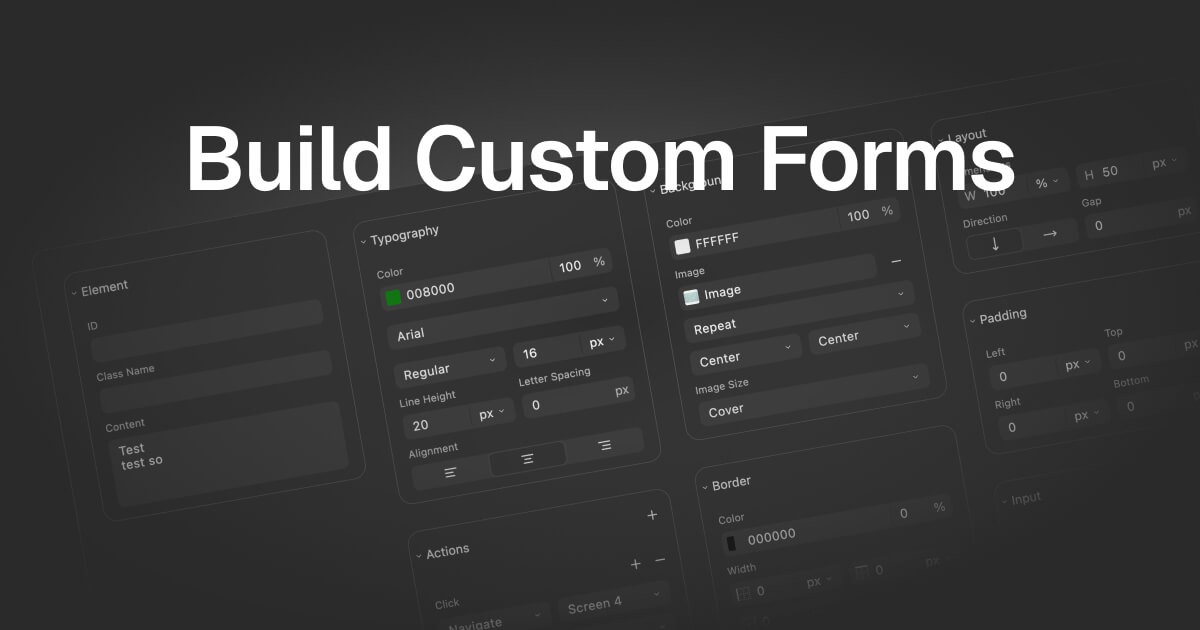
FigForm is a form builder designed for marketing teams, featuring a Figma-like editor. It allows users to create visually appealing and high-converting forms using an intuitive drag-and-drop interface.
Key features include precise styling options and a template library for quick setup. FigForm also provides advanced analytics to gain insights into user interactions. While features like A/B testing, conditional logic, and integrations are coming soon, the platform aims to combine powerful design tools with analytics to improve form performance. It empowers users to design effective forms without needing any coding knowledge. The component-based building blocks allows one to apply advanced styling options with responsive design controls.
How does FigForm work
FigForm is a form builder designed for marketers, emphasizing a Figma-like design experience. The platform utilizes a drag-and-drop interface for intuitive form creation with precise styling options and templates. While features like user interaction analytics, A/B testing, conditional logic, and integrations are listed, many are marked as "Coming Soon." The core functionality focuses on visually designing forms, offering a component-based system for building blocks and responsive design controls to generate fig form layouts.
Benefits of FigForm
FigForm is a powerful form builder designed for marketing teams. Its intuitive, Figma-like drag-and-drop editor allows you to design stunning forms with pixel-perfect precision, no coding required. With FigForm, create highly converting forms and gain valuable insights into user interactions through advanced analytics. Though features like A/B testing, conditional logic, and integrations are coming soon, the existing template library and component-based building blocks will streamline your fig form creation process. Try FigForm to experience the power of Figma in form design, improving your fig formulations and overall user engagement.
Pros and Cons of FigForm
Pros
- Intuitive visual editor mimics Figma's design precision.
- Drag-and-drop interface requires no coding experience.
- Offers precise styling for form appearance customization.
- Includes a template library for quick form setup.
- Aims to provide advanced user interaction analytics.
Cons
- A/B testing and optimization features are "Coming Soon."
- Conditional logic and branching are "Coming Soon."
- Template Library availability is "Coming Soon."
- CRM integrations and API are listed as "Coming Soon".
- User Interaction Analytics are listed as "Coming Soon".
Core Features of FigForm
Figma-Like Form Design
FigForm offers a visual, drag-and-drop form editor that emulates the precision and intuitive design experience of Figma, enabling users to create aesthetically pleasing forms quickly and without coding.
User Interaction Analytics (Coming Soon)
FigForm will provide in-depth analytics on user interactions with forms, including completion rates, time spent on fields, and drop-off points, to facilitate conversion optimization strategies.
A/B Testing and Optimization (Coming Soon)
The platform will allow users to create and test different form variations, providing statistical reporting to automatically optimize for higher conversion rates.
Conditional Logic and Branching (Coming Soon)
FigForm will enable the creation of dynamic forms that adapt based on user input, delivering personalized experiences and enhancing form completion rates through multi-path journeys.
Template Library (Coming Soon)
It will offer a template library, providing professionally designed, industry-specific form templates to expedite the form creation process.
Integrations and API (Coming Soon)
FigForm will provide integrations with marketing and CRM tools and a developer-friendly API for seamless incorporation of forms into existing workflows.
Use Cases of FigForm
- Marketing Teams: Leverage FigForm's Figma-like editor to create high-converting forms with advanced analytics and precise styling.
- UI/UX Designers: Utilize FigForm's intuitive design editor and templates to rapidly prototype and deploy user-friendly forms.
- Data Analysts: Employ FigForm's user interaction analytics, A/B testing, and conversion funnels to optimize form performance.
- CRM Managers: Integrate FigForm with existing CRM tools via API to streamline data collection and improve marketing workflows.
- Small Businesses: Design effective lead generation forms using FigForm's drag-and-drop interface and customizable templates library.
FAQs of FigForm
What is FigForm?
FigForm is a form builder designed for marketers that allows users to create stunning, high-converting forms with a Figma-like drag-and-drop editor. It aims to provide an intuitive design experience, similar to Figma, for building functional and visually appealing forms.
What are the key features of FigForm?
FigForm provides a Figma-like visual editor for precise styling and drag-and-drop building. It also offers user interaction analytics, A/B testing & optimization, conditional logic & branching, a template library, and integrations & API connectivity. These features are designed to help marketing teams create forms that drive results.
Does FigForm offer integrations?
Yes, FigForm provides integrations with various marketing and CRM tools through its API and native integrations. This allows users to connect FigForm to their existing workflows and incorporate forms seamlessly into their processes for enhanced data management and automation.
Is there a free trial available for FigForm?
Yes, FigForm offers a free trial. Users can sign up for free to experience the power of Figma-like form creation and customized surveys. This allows potential customers to test the platform's features and determine if it meets their needs.
What kind of analytics does FigForm provide?
FigForm offers user interaction analytics to provide insights into how users interact with forms. This includes tracking completion rates, time spent on each field, and drop-off analysis, enabling users to optimize their forms for higher conversion rates and improved user experience.
How to use FigForm
FigForm is a powerful form builder designed for marketers, enabling the creation of high-converting forms using a Figma-like editor. It offers features like drag-and-drop interface, precise styling, and user interaction analytics.
Begin by signing up for a free FigForm account to access the form builder and start designing your forms, surveys, or questionnaires immediately.
Explore the template library for pre-designed forms, or initiate a new project to craft a form from scratch using the drag-and-drop interface and styling options.
Utilize the Figma-like design editor to add and arrange form elements, customize the form's appearance with pixel-perfect control, and ensure a visually appealing design.
Configure conditional logic and branching to create dynamic forms that adapt based on user input, improving completion rates through personalized experiences.
Integrate FigForm with your existing marketing and CRM tools using native integrations or the API, streamlining your workflow and automating data transfer.
Access user interaction analytics (coming soon) to track form performance, identify drop-off points, and gather insights to optimize forms for higher conversion rates.
Implement A/B testing (coming soon) to compare different form variations and identify the most effective designs, automatically optimizing for improved conversion rates.
Consider becoming a FigForm partner to leverage the platform for your clients, benefitting from its form building capabilities and analytics features.
FigForm Website Traffic Analysis
Latest traffic information
- Monthly Visits1.51K
- Bounce Rate55.63%
- Pages Per Visit1.1
- Visit Duration00:00:00
- Global Rank11.84M
- Country/Region Ranking5.09M
Top Keywords
| Keyword | Traffic | Volume | Cost Per Click |
|---|---|---|---|
| figform | 10 | 10 | -- |
Top Regions
| Region | Percentage |
|---|---|
| United States | 100% |
FigForm Alternatives
Alenta AI trains an AI agent on your website to answer visitor questions, capture qualified leads, and book appointments 24/7 for service businesses.
Detect multi-accounting, account sharing and takeovers in web apps. ShieldLabs scores anonymous visitors with an explainable 0-100 risk score via API and webhooks.
Zens AI delivers account-aware AI customer support, turning user feedback into product work for SaaS teams via Codex, Linear, Slack, and GitHub.

Formpost is a free contact form to email API delivering submissions to your inbox with AI spam filtering, webhooks, file uploads and a REST API.
ZocialComment exports comments from TikTok, Instagram, YouTube, Reddit, Facebook and Threads to CSV or JSON with AI analysis. No signup required.
Track how AI search engines and chatbots see your brand. Monitor visibility, competitor mentions, and recommendations across AI platforms.
AI Etsy research assistant for keyword discovery, product trends, and SEO optimization. Ask questions, get data-backed answers with confidence scores.
Linkeddit is an AI demand and competitor intelligence platform that tracks competitor moves and complaints, surfaces buyer intent from Reddit and review sites, and turns signal into pipeline and content.
Build and optimize your online store with Runner AI. Create storefronts by chatting with AI, run automatic tests, and scale conversions with autonomous optimization.
Analook uses AI to analyze any competitor's growth strategy, SEO, social media, traffic, and market positioning using 15+ real data sources for comprehensive competitive intelligence.
RedReplier monitors Reddit, X, Bluesky, and Hacker News for keywords that match your product, ranks conversations by buyer intent, and alerts you so you can reply before anyone else.
AI Prospect Scout is an AI‑driven SDR platform designed for founders and lean outbound teams, offering ICP building, multi‑signal prospect discovery, AI‑generated outreach and automated reply handling to accelerate pipeline creation.