
Banana AI FAQs
Banana AI generates images via chat without prompt engineering for e-commerce sellers and content creators, offering up to 4K resolution and commercial use.

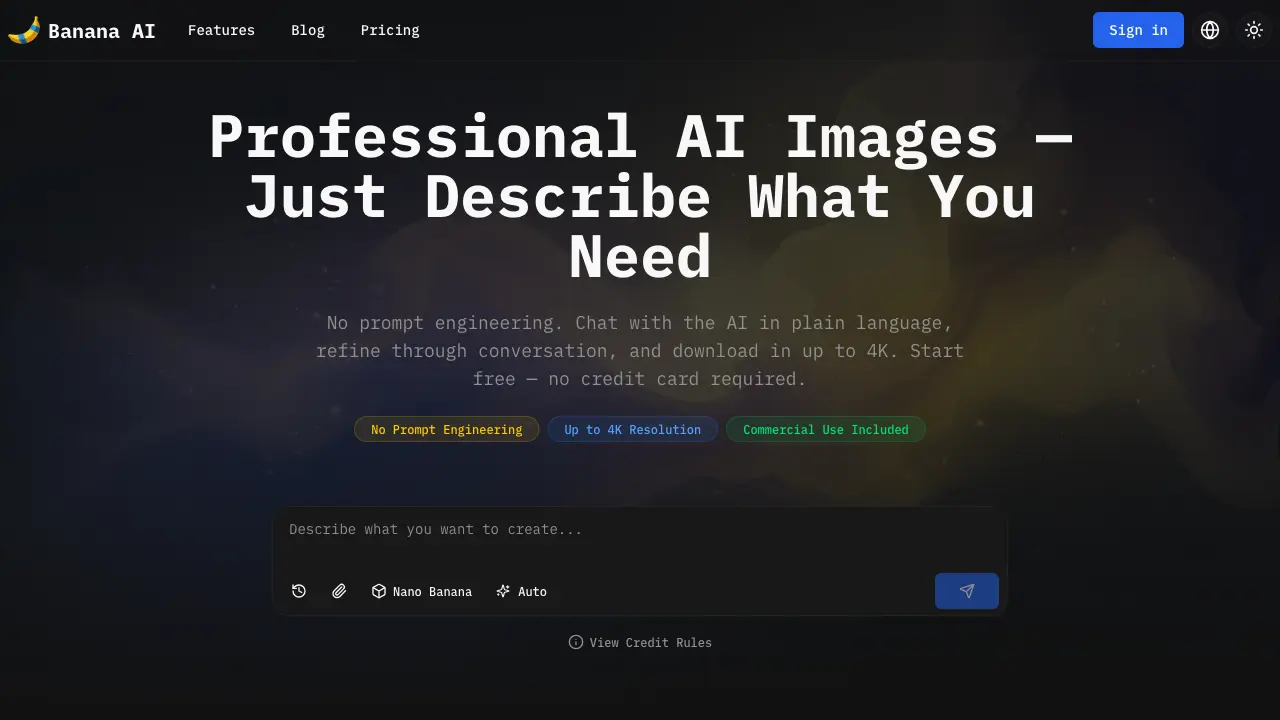
FAQs of Banana AI
How does the chat-based interface work?
Banana AI operates through a conversational chat interface where users describe desired images in plain language. The AI generates an initial result, and users refine it by continuing the conversation—for example, requesting warmer lighting or different props. The system maintains full session history, allowing iterative adjustments without prompt engineering. Reference images can also be uploaded directly into the chat to guide style or content.
What's the difference between Nano Banana, Nano Banana 2, and Nano Banana Pro?
Nano Banana is optimized for speed, producing 1K images in 2–5 seconds at 5 credits each. Nano Banana 2 balances quality and speed, delivering pro-grade 1K–4K images in 4–6 seconds for 7–14 credits. Nano Banana Pro uses deep reasoning for maximum precision, supporting up to 4K resolution and accurate text rendering at 10–20 credits, making it suitable for final deliverables requiring fine detail.
How much does it cost?
Banana AI uses a credit-based pricing model. Nano Banana images cost 5 credits, Nano Banana 2 costs 7–14 credits (varying by resolution), Nano Banana Pro costs 10–20 credits, and Flux Fast costs 1 credit. Paid plans start at $9.99 monthly for 500 credits, with a free tier providing 10 credits without a credit card. Credits are consumed per generation based on model and resolution selected.
Can I use generated images for commercial purposes?
Yes, all images generated with Banana AI are permitted for commercial use under the underlying model provider terms. This includes product listings, marketing materials, social media content, client deliverables, and print applications. Images contain an invisible SynthID digital watermark for provenance tracking, which does not restrict commercial usage.
Can I upload reference images for editing?
Yes, users can upload reference images directly within the chat interface. Nano Banana supports up to 4 reference images per generation, while Nano Banana Pro supports up to 8. This enables style matching, background replacement, and iterative edits while preserving unspecified elements, such as keeping a product's shape while changing its setting.
What resolution does Nano Banana Pro support?
Nano Banana Pro provides three resolution options: 1K (1024×1024), 2K (2048×2048), and 4K (3840×2160). Higher resolutions require more credits—10 credits for 1K/2K and 20 credits for 4K. The 4K output is suitable for large-format printing, packaging, and high-resolution displays, maintaining sharpness and detail.
How is Banana AI different from using Nano Banana in Gemini?
Banana AI offers a specialized chat-based interface with multi-turn conversation history, whereas Gemini's Nano Banana integration typically uses single-turn prompts. Banana AI also allows switching between four models within one chat, provides seven aspect ratio presets, and uses a flexible credit-based system instead of a flat subscription, making it more adaptable for iterative workflows.
What AI models are available?
Banana AI currently offers four models: Nano Banana for fast drafts, Nano Banana 2 for high-quality speed, Nano Banana Pro for precision with text rendering, and Flux Fast for ultra-low-cost generation. Each model balances speed, quality, and cost differently, and users can switch between them seamlessly during a single chat session to suit different task requirements.
What is Nano Banana?
Nano Banana is Google's image generation model, part of the Gemini family. Banana AI incorporates Nano Banana engines into a conversational interface, enabling users to generate images through plain-language descriptions and iterative refinement. This approach eliminates the need for complex prompt engineering compared to using Nano Banana directly in Gemini.
How do I start using Banana AI for free?
New users can begin immediately with 10 free credits without a credit card. After signing up on the website, access the chat interface to generate images using Flux Fast or Nano Banana models. The free tier allows testing core features, including commercial use and standard 1K resolution, before considering paid plans for higher output volume or resolution.
What aspect ratios are available for image generation?
Banana AI supports seven aspect ratio presets optimized for various platforms, including square (1:1) for Instagram, portrait (4:5) for feed posts, and landscape (16:9) for Twitter or presentations. These ratios can be selected directly in the chat to ensure generated images fit specific layout requirements without manual cropping.
How does the character consistency feature work?
The character consistency feature enables users to create a consistent character across multiple scenes. By uploading a reference image and using descriptive prompts, Banana AI maintains facial features, clothing, and stylistic elements even when placing the character in different backgrounds or contexts, useful for brand mascots or recurring figures in campaigns.
Can Banana AI generate images with multilingual text?
Yes, Nano Banana Pro accurately renders text in multiple languages. Users can specify the desired language in their prompt, and the AI will generate legible labels, headlines, or annotations within the image. This is particularly valuable for educational diagrams, multilingual marketing materials, or international product packaging.
What is the average generation time for each AI model?
Generation times vary by model: Nano Banana produces images in 2–5 seconds, Nano Banana 2 in 4–6 seconds, Nano Banana Pro takes longer due to its deep reasoning stage (typically 6–10 seconds), and Flux Fast generates in under 2 seconds. Times are approximate and may fluctuate based on server queue length and resolution selected.
How to use Banana AI
- Users start by visiting the Banana AI website and clicking the chat button to access the conversational AI image generator, requiring no prompt engineering or immediate payment.
- Describe the desired image in plain language within the chat, specifying subject, environment, lighting, and composition as if briefing a human designer.
- Select an appropriate AI model: Nano Banana for fast drafts, Nano Banana 2 for pro-quality speed, Nano Banana Pro for 4K and accurate text rendering, or Flux Fast for minimal credit cost.
- The AI generates an initial image within seconds; review it for alignment with the description and identify elements needing adjustment.
- Refine the image through conversational feedback, such as "make the lighting warmer" or "add a shadow," with the system retaining full chat history.
- Upload reference images to guide style consistency, provide exact product visuals, or edit existing photos by describing modifications while preserving unspecified areas.
- Before export, choose the resolution tier (1K, 2K, or 4K), noting that higher resolutions consume more credits but support print-quality outputs and large displays.
- Download the final image in the selected resolution and aspect ratio; all outputs include commercial use rights and an invisible digital watermark for provenance.
- Apply the generated visuals to workflows like e-commerce product photography, content creation, thumbnail design, or educational diagrams for efficient production.
