
1Scholar FAQs
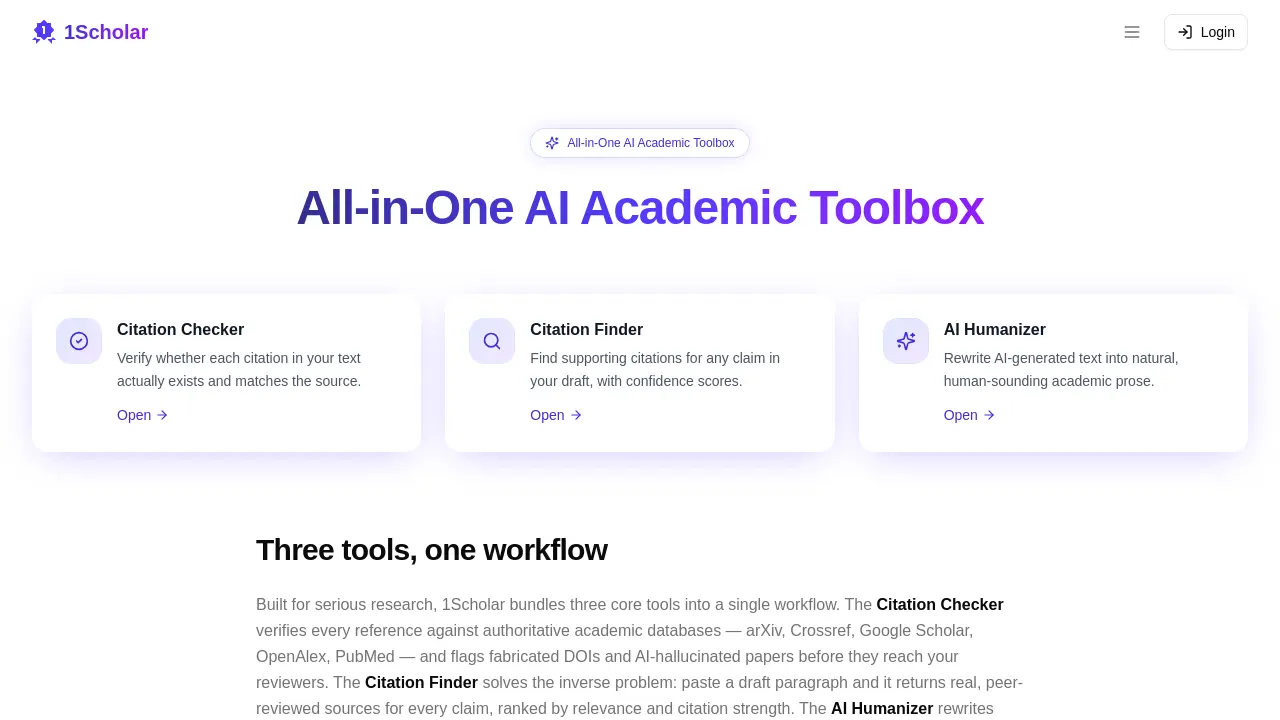
1Scholar is an AI academic toolbox for scholars and researchers, offering citation verification, source discovery, and AI‑generated text humanization to streamline manuscript preparation and reduce errors.

FAQs of 1Scholar
What is the 1Scholar AI Academic Toolbox?
1Scholar is an all‑in‑one AI academic toolbox that integrates three core utilities—Citation Checker, Citation Finder, and AI Humanizer—into a single workflow. The platform assists researchers by verifying references, locating supporting literature, and converting AI‑generated drafts into natural, human‑like academic prose.
How does the Citation Checker verify references?
The Citation Checker cross‑references each citation in a manuscript against major scholarly databases such as arXiv, Crossref, Google Scholar, OpenAlex, and PubMed. It flags fabricated DOIs, misattributed authors, and AI‑hallucinated papers, helping authors ensure that every reference is authentic before submission.
What functionality does the Citation Finder provide?
Citation Finder allows users to paste a paragraph of draft text and receive a ranked list of real, peer‑reviewed sources that support each claim. Each suggested source includes a confidence score based on relevance, citation strength, and database coverage, streamlining literature‑review construction and source validation.
How does the AI Humanizer improve AI‑generated drafts?
The AI Humanizer rewrites text produced by models such as GPT, Claude, or Gemini into natural academic language while preserving factual content, citations, and original meaning. This process reduces the likelihood of detection by AI‑detector tools and enhances readability for human reviewers.
Is 1Scholar suitable for all stages of academic writing?
Yes. 1Scholar is designed for researchers at any stage—from drafting and polishing manuscripts to building comprehensive literature reviews. By addressing citation verification, source discovery, and prose naturalness, the toolbox mitigates the most time‑consuming and error‑prone steps of scholarly writing.
How can users access 1Scholar and what language options are available?
Users can log in directly on the 1Scholar website (https://1scholar.ai/) and select from multiple interface languages, including English, German, Spanish, and Chinese. The platform offers a web‑based interface that requires no local installation, providing immediate access to the Citation Checker, Citation Finder, and AI Humanizer tools.
How to use 1Scholar
Identify the product’s purpose: 1Scholar consolidates a Citation Checker, Citation Finder, and AI Humanizer to streamline verification, sourcing, and naturalization of academic texts.
Open the 1Scholar dashboard, select the desired module—Citation Checker, Finder, or Humanizer—and upload or paste the manuscript segment you wish to process.
For Citation Checker, initiate verification; the tool cross‑references each citation against databases such as arXiv, Crossref, Google Scholar, OpenAlex, and PubMed, flagging mismatches.
For Citation Finder, submit a claim or paragraph; the system returns peer‑reviewed sources, ranked by relevance and confidence scores, enabling accurate reference insertion.
For AI Humanizer, run the generated draft; the algorithm rewrites the text into human‑like academic prose while preserving facts, citations, and original meaning.
Review the output panels: corrected citations appear with status icons, suggested sources include DOI links, and humanized text is highlighted for quick comparison.
Incorporate the corrected citations, add recommended sources, and replace AI‑generated passages with the humanized version to finalize a submission‑ready manuscript.
