
Warp: Your terminal, reimagined - Boost Productivity with AI
| Added on: | Jun 18, 2024 |
| Monthly Visits: | 1.4M |
| Social & Email: | -- |

What is Warp
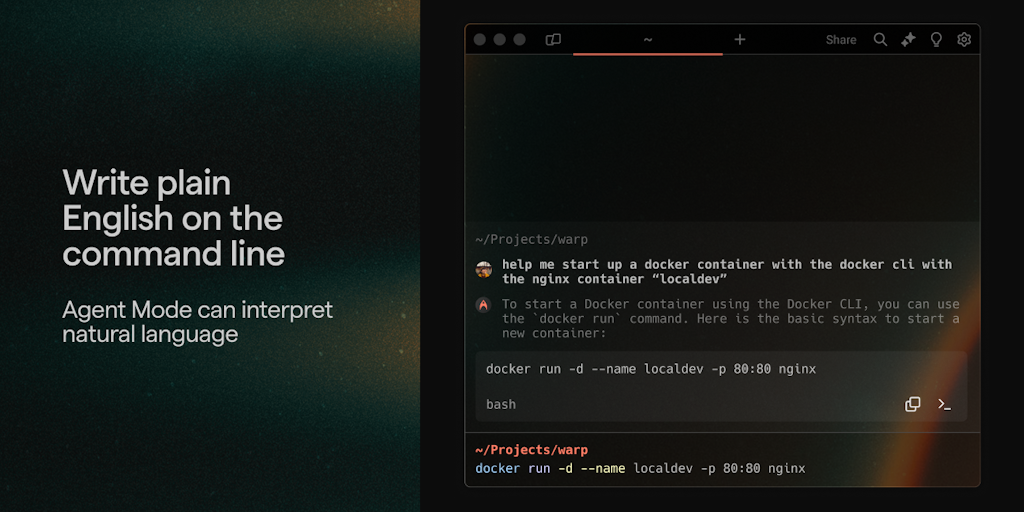
Warp is a modern terminal, built with Rust and powered by AI, that aims to help developers build software faster. It's designed for both individual developers and teams. Warp's key features include AI-powered code completion, which suggests code as you type, and a command history that can be searched using natural language. It is currently available for MacOS and Linux. This terminal can be a great tool for developers who are looking for a more efficient and intuitive way to work.
Core Features of Warp
Warp AI-Powered Features
AI-Powered Code Completion
Warp uses AI to suggest code completions as you type. It can understand the context of your code and suggest the most relevant completions, saving you time and effort.
AI-Powered Documentation
Warp can automatically generate documentation for your code. This can be helpful for keeping your code organized and easy to understand.
AI-Powered Debugging
Warp can help you debug your code by providing insights into your code's behavior. This can be helpful for identifying and fixing errors quickly.
FAQs of Warp
What is Warp?
Warp is a terminal emulator built with Rust. It's designed to be fast, modern, and AI-powered. 😅
How do I use Warp?
You can download Warp from the website and install it on your macOS or Linux machine. Once installed, you can open it like any other terminal emulator.
What are the benefits of using Warp?
Warp is designed to be faster than other terminal emulators. It also has features like AI-powered code completion and command suggestions, which can help you work more efficiently. 😁
How does Warp’s AI work?
Warp uses a large language model (LLM) to provide code completion and command suggestions. This means that as you type, Warp will try to predict what you want to write next. If you're not sure how to complete a command, Warp can help you find the right syntax.
Does Warp offer any other features?
Yes, Warp has a lot of other features, such as:
- Tabs: Warp supports tabs for organizing your work. You can have multiple windows open at the same time and switch between them easily.
- Split panes: You can also split your terminal into multiple panes, which allows you to view multiple commands at once.
- Themes: Warp supports themes, which allows you to customize the look and feel of your terminal.
How does Warp compare to other terminal emulators?
Warp is similar to other terminal emulators in terms of basic functionality. However, Warp is designed to be faster and more efficient, and it has AI-powered features that other terminal emulators don't offer.
Is Warp free to use?
Warp is free to use for personal use. There is also a paid version of Warp for teams that offers additional features.
Warp Website Traffic Analysis
Latest traffic information
- Monthly Visits1.4M
- Bounce Rate41.51%
- Pages Per Visit3.02
- Visit Duration00:02:14
- Global Rank37.41K
- Country/Region Ranking38.15K
Visits Over Time
Traffic Sources
- Organic Search: 44.49%
- Direct: 38.58%
- Referrals: 8.82%
- Organic Social: 3.35%
- Paid Social: 1.91%
- Mail: 0.9%
Top Keywords
| Keyword | Traffic | Volume | Cost Per Click |
|---|---|---|---|
| warp | 206.13K | 469.82K | $0.73 |
| warp terminal | 64.96K | 59.48K | $3.88 |
| warp ai | 8.4K | 8.53K | $2.35 |
| warp download | 6.15K | 11.58K | $0.19 |
| wrap terminal | 4.93K | 4.64K | $4.48 |
Top Regions
| Region | Percentage |
|---|---|
| United States | 17.48% |
| China | 14.32% |
| India | 6.97% |
| Singapore | 3.58% |
| United Kingdom | 3.21% |
