
Warp FAQs
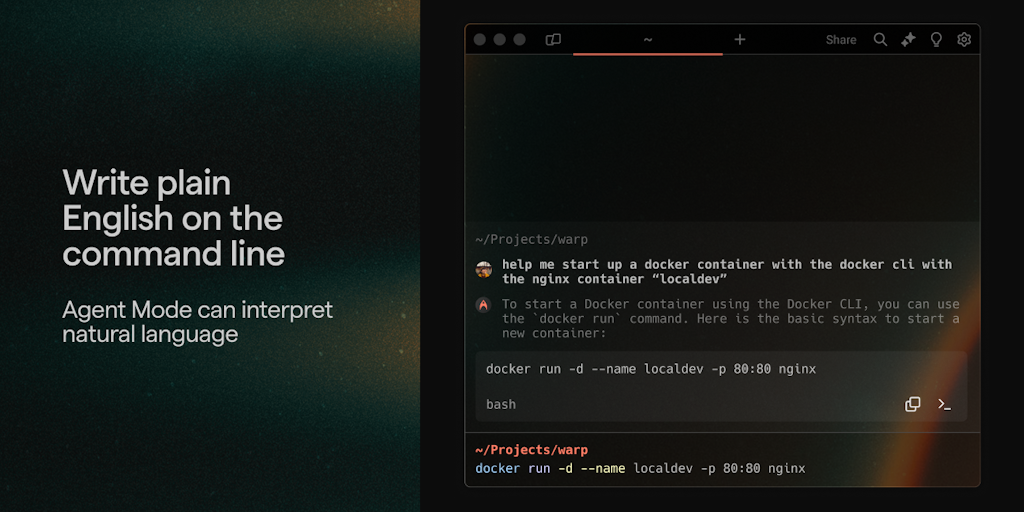
Switch into Agent Mode and accomplish any dev task from your terminal. Agent Mode understands natural language, can execute commands with your permission, is self-correcting, and can learn any CLI. Try Agent Mode in Warp today.

FAQs of Warp
What is Warp?
Warp is a terminal emulator built with Rust. It's designed to be fast, modern, and AI-powered. 😅
How do I use Warp?
You can download Warp from the website and install it on your macOS or Linux machine. Once installed, you can open it like any other terminal emulator.
What are the benefits of using Warp?
Warp is designed to be faster than other terminal emulators. It also has features like AI-powered code completion and command suggestions, which can help you work more efficiently. 😁
How does Warp’s AI work?
Warp uses a large language model (LLM) to provide code completion and command suggestions. This means that as you type, Warp will try to predict what you want to write next. If you're not sure how to complete a command, Warp can help you find the right syntax.
Does Warp offer any other features?
Yes, Warp has a lot of other features, such as:
- Tabs: Warp supports tabs for organizing your work. You can have multiple windows open at the same time and switch between them easily.
- Split panes: You can also split your terminal into multiple panes, which allows you to view multiple commands at once.
- Themes: Warp supports themes, which allows you to customize the look and feel of your terminal.
How does Warp compare to other terminal emulators?
Warp is similar to other terminal emulators in terms of basic functionality. However, Warp is designed to be faster and more efficient, and it has AI-powered features that other terminal emulators don't offer.
Is Warp free to use?
Warp is free to use for personal use. There is also a paid version of Warp for teams that offers additional features.
