
AI OC Maker for Anime Characters, OCs & Roleplay Avatars
| Added on: | Aug 5, 2026 |
| Monthly Visits: | 694 |
| Social & Email: | -- |

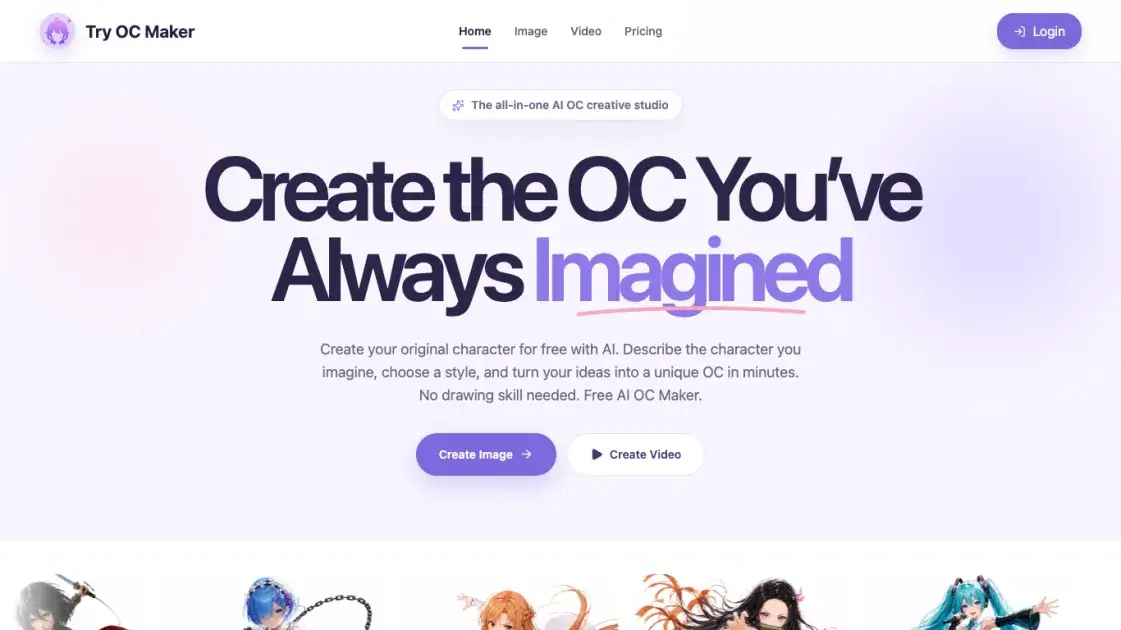
What is Try OC Maker
Try OC Maker is an AI-powered creative studio for designing original characters, or OCs, in anime style. Users describe a character with a simple text prompt, and the tool generates consistent designs covering face, hairstyle, outfit, expression, accessories, weapons, and full-body views. It also supports creating characters from reference images, which helps when users already know the look they want. Beyond still designs, the platform offers an image-to-video workflow that animates existing OC images with pose motion, face motion, camera moves, and action scenes while keeping the character identity intact. The service is free to start, with a free plan that includes 40 credits, and paid subscriptions with larger monthly credit allowances planned for heavier workloads. Aimed at anime fans, roleplay participants, and character design enthusiasts, Try OC Maker lowers the barrier to producing original anime characters without drawing skills.
How does Try OC Maker work
Try OC Maker operates on a prompt-driven generation flow. A user first describes the character they want in text, optionally choosing or uploading a reference image. The AI then produces a character design in anime style, covering the face, hairstyle, outfit, expression, accessories, weapons, and a full-body view, all generated as one consistent style so separate elements stay visually coherent. For animation, the platform applies an image-to-video model that takes an existing OC image, accepts a text description of the desired motion, and renders a short animated scene with control over pose, face motion, and camera movement.
Benefits of Try OC Maker
Try OC Maker removes the drawing skill barrier for creating original anime characters, turning plain text prompts into complete character designs in minutes. Its main advantage is consistency: face, hairstyle, outfit, expression, and full-body views are generated in a single coherent anime style, which is useful for roleplay avatars, fan art, and character sheets. The free plan offers 40 credits, so newcomers can test the core workflow before committing, while the image-to-video feature extends a character design into animated scenes with pose and camera control. For regular creators, paid plans add higher monthly credit allowances and priority generation.
Pros and Cons of Try OC Maker
Pros
- No drawing skills required
- Consistent anime style across designs
- Free plan with 40 credits
- Image-to-video animation support
- Reference image guided creation
Cons
- Paid subscriptions not yet available
- Free plan capped at 40 credits
- Higher-tier features need paid plans
Core Features of Try OC Maker
Prompt-based OC creation
Users describe a character in plain text, and the AI renders a consistent anime-style design without any drawing skill required.
Reference image support
Character creation can also start from a reference image, letting users guide the face, outfit, and overall style of the final design.
Full-body character design
Each design covers face, hairstyle, outfit, expression, accessories, weapons, and a full-body look in one consistent anime style.
Image to video animation
Existing OC images can be animated into short scenes, with control over pose motion, face motion, camera moves, and action scenes.
Character sheet generation
A character sheet mode produces multiple consistent views of the same OC, supporting roleplay avatars and reference materials.
Dedicated fandom makers
Specialized generators are available for popular fandoms, including Sonic OC Maker, MLP OC Maker, and Dandy's World OC Maker.
Use Cases of Try OC Maker
- Anime fans: Create original characters inspired by favorite series in a consistent anime style.
- Roleplayers: Design distinct avatars and character sheets for roleplay and storytelling sessions.
- Indie creators: Produce reference designs and animated clips for webcomics or small projects.
- Fandom communities: Generate Sonic, MLP, or Dandy's World style characters with dedicated makers.
- Content creators: Turn still OC images into short animated scenes for social content.
FAQs of Try OC Maker
What is Try OC Maker?
Try OC Maker is an AI-powered online tool for creating original characters, known as OCs, in anime style. Users describe a character with text or provide a reference image, and the tool generates consistent designs covering face, hairstyle, outfit, expression, accessories, weapons, and full-body views without requiring drawing skills.
Who is Try OC Maker for?
The tool is designed for anime fans, roleplay participants, indie creators, and anyone who wants original character designs. Because it needs no drawing skill, it is also approachable for beginners who want avatars, character sheets, or fandom-inspired characters such as Sonic or MLP style OCs.
How do I create a character?
Open the OC maker page, type a text prompt describing the character you imagine, and optionally upload a reference image. The AI then generates the design in one consistent anime style. You can adjust the prompt and regenerate until the result matches your idea.
Can I animate my character?
Yes. The image-to-video feature accepts an existing OC image and a text description of the desired motion, then produces a short animated scene. Users can control pose motion, face motion, and camera moves while the character identity stays consistent.
Is Try OC Maker free?
The service offers a free plan with 40 credits that covers the core text-to-image OC workflow. Paid subscriptions with larger monthly credit allowances are planned, but the current site notes that payments and plan purchases are not available yet.
What is included in a free plan?
The free plan includes 40 credits, prompt-based text-to-image OC generation, and recent character history. It is intended for trying the core OC image creation workflow before deciding whether to upgrade to a paid subscription.
What are the paid plans?
The site lists four tiers: Free, Basic, Professional, and Enterprise. Basic offers 300 monthly credits, Professional 650, and Enterprise 5,000, with discounts for annual billing. However, the site currently notes that payments and plan purchases are not available yet.
How to use Try OC Maker
- Open the OC maker page: Navigate to the Try OC Maker website and open the Image section to reach the OC creation workspace.
- Describe the character: Type a text prompt describing the character you imagine, including face, hairstyle, outfit, or accessories.
- Add a reference image: Optionally upload a reference image to guide the face, outfit, and overall style of the design.
- Generate and refine: Run the generation and review the result, adjusting the prompt or reference until the design matches your idea.
- Animate the character: Open the video creator, upload the finished OC image, and describe the motion to produce a short animated scene.
- Manage credits: Use the free plan's 40 credits to test the workflow, or upgrade to a paid plan for a larger monthly allowance.
Try OC Maker Website Traffic Analysis
Latest traffic information
- Monthly Visits694
- Bounce Rate60.6%
- Pages Per Visit1.01
- Visit Duration00:00:00
- Global Rank--
- Country/Region Ranking--
Top Keywords
| Keyword | Traffic | Volume | Cost Per Click |
|---|---|---|---|
| forsaken oc maker | 60 | 580 | -- |
| forsaken oc maker free online | try oc maker | 30 | 30 | -- |
| oc maker | -- | 12.52K | $1.87 |
| let's make a oc | -- | 370 | -- |
| try oc maker | -- | 30 | -- |
Top Regions
| Region | Percentage |
|---|---|
| United States | 72.8% |
| Taiwan | 27.2% |
Try OC Maker Alternatives
Upload one selfie to preview 120+ cuts, colors and bangs rendered on your own face in about 20 seconds, then take the reference sheet to your barber.
AIdorable is a virtual baby AI companion app. Adopt, name, and care for a tiny AI baby in daily moments, as it grows, learns to speak, and remembers you.

Chat with 20 realistic AI boyfriend characters. Send voice messages, request photos, and build romantic scenarios that remember what matters to you.
Pexo is an AI video agent that turns ideas into publish-ready videos through natural conversation, supporting text, image, audio, and URL inputs.
ProfessionalHeadshot.io is an AI headshot generator that lets professionals upload a few selfies and receive 40–100 LinkedIn‑ready photos in 15–30 minutes, offering multiple outfit styles, backgrounds and pose angles while ensuring data privacy and full commercial rights.
AvatarCraft AI is an AI avatar generator for creators, marketers and educators, offering text‑to‑video, realistic lip sync, multi‑language voices and customizable avatars to produce professional talking videos quickly.
This professional AI anime studio enables creators to design original characters, generate consistent anime artwork and cinematic videos, and chat with their OCs in one seamless workflow.
This AI girlfriend app offers deep customization, voice notes, AI photos, and uncensored chat with private, encrypted conversations for a real emotional connection.
Clipt AI UGC video generator creates authentic content with natural lip-sync and avatars for TikTok ads and reviews, no camera required.
LipsyncX is a free AI video generator for creators, using text, audio, or photos to produce talking avatar videos, multilingual dubbing, and lip-synced content efficiently.
OC Maker is a free AI original character creator that generates detailed anime or realistic character designs from text descriptions for writers and artists.
EchoRP is a free AI character chat platform for immersive roleplay with anime, historical, and fantasy characters, featuring smart memory and community sharing.