
ToneBird: AI Reply Assistant for Gmail, Slack & Email

What is ToneBird
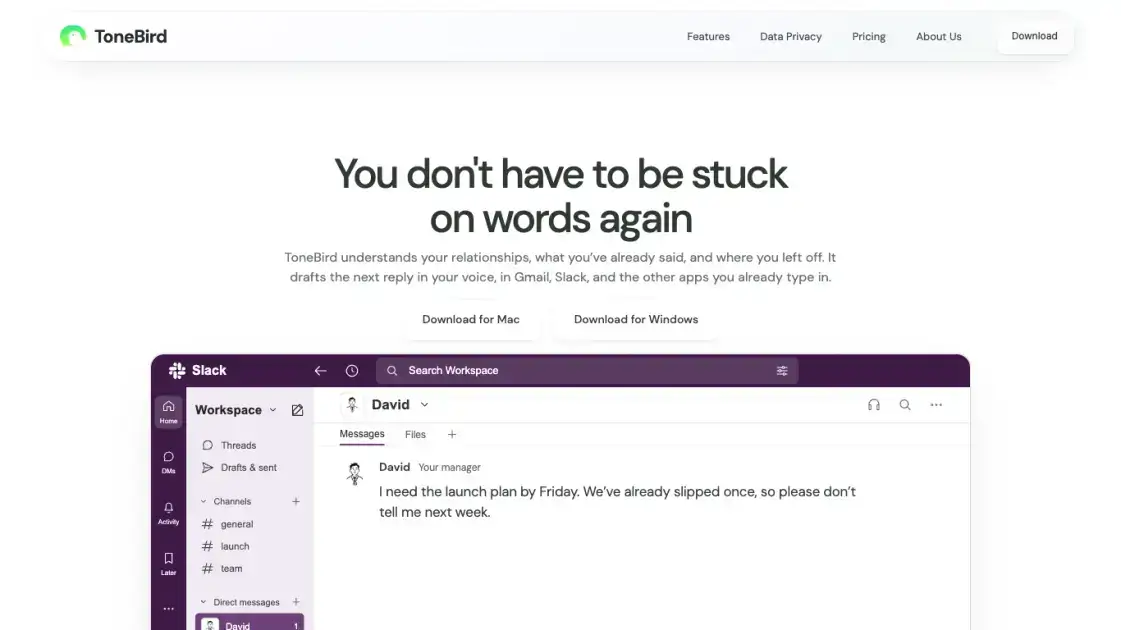
ToneBird is a desktop AI reply assistant for Mac and Windows that drafts replies inside Gmail, Slack, and other apps where people already type. Instead of generating generic suggestions, it builds each draft on the relationship between the two people talking, the history of what was already said, and the context of the moment. It remembers where a conversation left off, recalls relevant facts from past messages and connected documents, and adapts wording to fit the person being replied to. Users pick from three suggested replies, tweak the wording, and insert the draft directly into the reply box, then send from the original app. ToneBird also tracks promised follow-ups, prepares calendar events from agreed times, and keeps all learned profile data on the device. A free tier offers 15 drafts per day, with paid plans expanding limits.
How does ToneBird work
When a user opens a reply box, ToneBird combines three sources of context. First, it recalls past conversations with that person, including commitments and where the exchange left off. Second, it retrieves relevant facts from connected documents, such as an agreed price in a proposal. Third, it applies the user's saved tone profile, writing rules, and preferences. From this context it produces three candidate replies. The user compares them, tweaks the chosen one, and inserts it into the reply box; sending happens in the original app, never by ToneBird itself. Learned adjustments are reviewed before they change future drafts, and all profile data, person cards, and usage counts remain stored locally on the device.
Benefits of ToneBird
With ToneBird, drafting a reply starts from context instead of a blank box. It already knows the relationship, what was said before, and the facts sitting in connected documents, so most of the work is choosing and adjusting wording. Drafts are written in the user's own voice using saved tone rules, so they read like the sender rather than a generic assistant. Promised quotes, unanswered questions, and dates to confirm surface in one follow-up list, and agreed meeting times turn into calendar events. Everything ToneBird learns, including the tone profile, person cards, and usage counts, stays on the local device.
Pros and Cons of ToneBird
Pros
- Drafts replies using conversation history and relationship context
- Keeps the user's own voice with saved tone rules
- Works inside Gmail, Slack, WhatsApp and other apps
- Connects documents to include prices, terms and facts
- Stores learned data locally on the device
Cons
- Reply generation and organizing share one daily allowance
- Free tier limits drafts to 15 per day
- Learned adjustments require review before they apply
Core Features of ToneBird
Draft replies in your reply box
Open ToneBird in any supported app to get three suggested replies built on the conversation, the person, and your connected documents, ready to adjust and insert.
Relationship and conversation memory
ToneBird keeps track of past conversations, commitments, and how you address each person, then applies that context to every new draft it suggests.
Document-aware drafting
Connect a document or knowledge base, and ToneBird pulls prices, terms, and other details from it when the reply needs specific facts.
Tone adjustment per person
The same situation produces different wording for a client waiting on a deadline versus a teammate checking in, tuned by your saved writing preferences.
Calendar and follow-up management
Agreed meeting times become Apple Calendar or Google Calendar events, and promised quotes, unanswered questions, and dates to confirm appear in one follow-up list.
Local-first privacy controls
Your tone profile, person cards, learned corrections, and usage counts stay on your device, and you review every learned adjustment before it changes future drafts.
Use Cases of ToneBird
- Freelancers and small businesses: draft client replies that recall agreed prices and proposal details from connected documents.
- Sales professionals: answer follow-up questions with wording that matches how each client speaks, using past conversation history.
- Team members in Slack: respond to project updates and deliver promised launch dates without losing track of what was owed.
- Customer-facing staff: schedule meetings by turning agreed times into Apple Calendar or Google Calendar events.
- Busy professionals in any inbox: catch up on promised quotes, unanswered questions, and dates to confirm in one follow-up list.
FAQs of ToneBird
What does ToneBird do?
ToneBird is an AI reply assistant that drafts replies inside your email and chat apps. It uses your past conversations, relationship context, and connected documents to suggest three candidate replies, which you can tweak and insert into the reply box before sending.
Does it work on Mac and Windows?
Yes. ToneBird is a desktop application available for both macOS and Windows. You download it from the official website for either platform, install it locally, and work inside the apps you already type in.
Which apps can I use it in?
ToneBird works across the apps you already type in, including Gmail, Slack, WhatsApp, and others. It supports multiple languages such as English, Spanish, Chinese, and Japanese, and it suggests replies right in the reply box of the app you are using.
Does ToneBird send messages for me?
No. ToneBird never sends messages on your behalf. Drafts go into your reply box, and you review and send them from the original app. This means the final say on what goes out always stays with you.
Can my conversation reach an AI provider?
ToneBird is designed so that your tone profile, person cards, learned corrections, and usage counts live on your device. The site points to its privacy and data handling page for details on providers and how conversation data is handled.
How do Standard and Pro differ?
Standard is for more conversations, with 100 drafts per day and 100 contacts, while Pro is for a busy working day, with 1,000 drafts per day, 1,000 contacts, and priority responses. Enterprise adds custom limits, dedicated support with an SLA, and seat management for whole teams.
What counts toward the daily allowance?
Reply generation and organizing what you want to say share one daily allowance. Drafting a reply and organizing your follow-up tasks both draw from the same per-day limit, and the allowance resets each day according to your plan.
How to use ToneBird
Download and install the app for Mac or Windows from the ToneBird website, then open it and sign in with your account.
Open a reply box in an app you already use, such as Gmail, Slack, or WhatsApp, and activate ToneBird with the orb or the shortcut.
The shortcut is Option twice on Mac or Ctrl twice on Windows, which opens ToneBird without leaving the reply box.
Review the three suggested replies it drafts, and use the arrow keys or the arrows on screen to move between them.
Select the closest draft, tweak the wording if needed, and insert it into the reply box to review before sending.
Send the message from the original app. ToneBird never sends messages on your behalf, so the final review stays in your hands.
Optionally review what ToneBird learned about you and each contact, and approve or remove saved adjustments in Settings.
ToneBird Alternatives
AI-powered IELTS writing checker that scores Task 1 and Task 2 essays against official band descriptors, with inline corrections and detailed reports in seconds.
RedReplier monitors Reddit, X, Bluesky, and Hacker News for keywords that match your product, ranks conversations by buyer intent, and alerts you so you can reply before anyone else.
AI Prospect Scout is an AI‑driven SDR platform designed for founders and lean outbound teams, offering ICP building, multi‑signal prospect discovery, AI‑generated outreach and automated reply handling to accelerate pipeline creation.
OpenClawVPS is a web platform for one-click AI assistant deployment, bypassing server management to deliver quick AI solutions for email, docs, and productivity.
Mailopoly unifies email accounts into one AI inbox with Smart Cleanbox, extracts invoices/events, drafts AI replies, and Poly AI assistant, free 7-day trial.

OutBid provides Upwork freelancers with 60-second Telegram job alerts and AI-written proposals, featuring smart filtering to help apply early and win jobs.
Truessay AI generates academic essays and literature reviews with verifiable citations, supporting multiple citation styles for students and researchers.
QuoteCraft AI generates professional proposals from meeting notes in 60 seconds for freelancers, with AI that learns your style from past proposals.
XreplyAI's Chrome extension creates personalized tweet replies using your voice profile with Gemini, ChatGPT, or Claude, enabling consistent engagement for lead generation.
Appa List is a curated AI apps directory featuring tools for writing, marketing, automation, and productivity to enhance everyday work tasks.
This free online tool provides instant access to thousands of random Bible verses, offering daily inspiration with customizable images and topic filtering for spiritual growth.
SongsAI offers an AI-powered platform for songwriters to generate, rewrite, and edit lyrics in various styles and genres, aiming to inspire creativity.