
tabOS FAQs
Stop tab-jumping and losing focus. tabOS Cloud assembles essential tools right in your browser: efficient tab management, quick note access, and your custom-prompted AI helpers on any page. Try tabOS Cloud today for free.

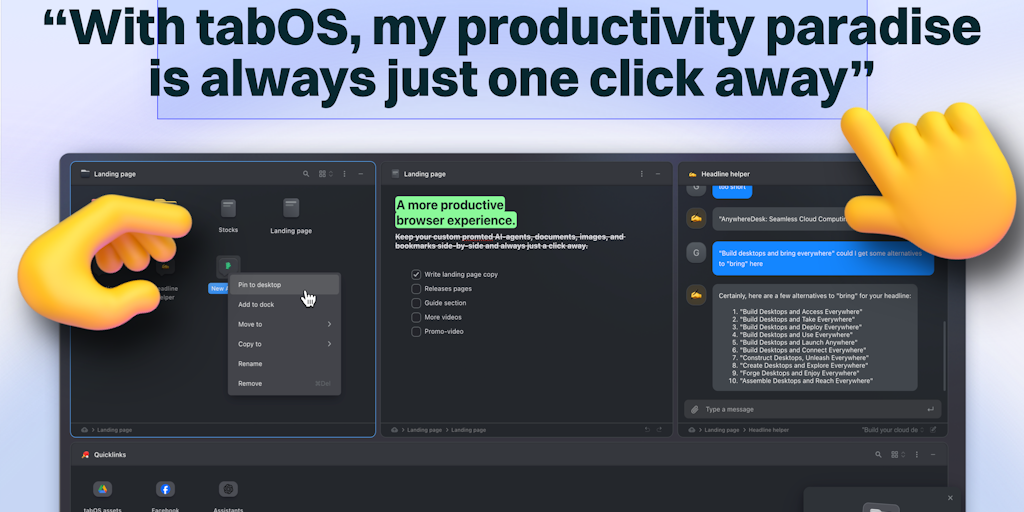
FAQs of tabOS
What is tabOS?
tabOS is a browser add-on that turns your browser tabs into a full-fledged operating system. It allows you to organize and manage your tabs in a more efficient way, similar to how you would manage windows on a desktop operating system.
How do I use tabOS?
tabOS is a browser extension that you can download from the Chrome Web Store. Once installed, you can access it through the tabOS icon in your browser's toolbar.
What are the benefits of using tabOS?
tabOS helps you organize your tabs into groups, and manage your windows like you would on a desktop operating system. You can easily switch between different workspaces, open new tabs in specific workspaces, and keep track of all your open tabs. It's designed to help you stay organized and focused, especially when working with a large number of tabs.
What are some key features of tabOS?
tabOS offers features like:
- Workspaces: Organize your tabs into different workspaces.
- Multi-Window: Manage your tabs like windows on a desktop OS.
- Tab Groups: Create and manage groups of tabs.
- Quick Search: Quickly find the tab you're looking for.
- Tab Snapping: Quickly arrange tabs in a split-screen view.
- Pinned Tabs: Keep important tabs pinned to the top of your workspace.
How does tabOS compare to other tab management extensions?
tabOS stands out with its unique approach to tab management, allowing you to manage tabs like windows. While other extensions focus on simple organization or visual enhancements, tabOS offers a more complete tab management solution.
How can I learn more about tabOS?
You can find more information on the tabOS website: https://www.tabos.cloud You can also join the tabOS community on Discord: https://discord.gg/Wxgw3ysGP4 You can also follow tabOS on Twitter: https://twitter.com/tabOScloud
