
tabOS Cloud - All-in-one dashboards for tabs, notes, AI chats, and more
| Added on: | Jul 1, 2024 |
| Monthly Visits: | -- |
| Social & Email: | -- |

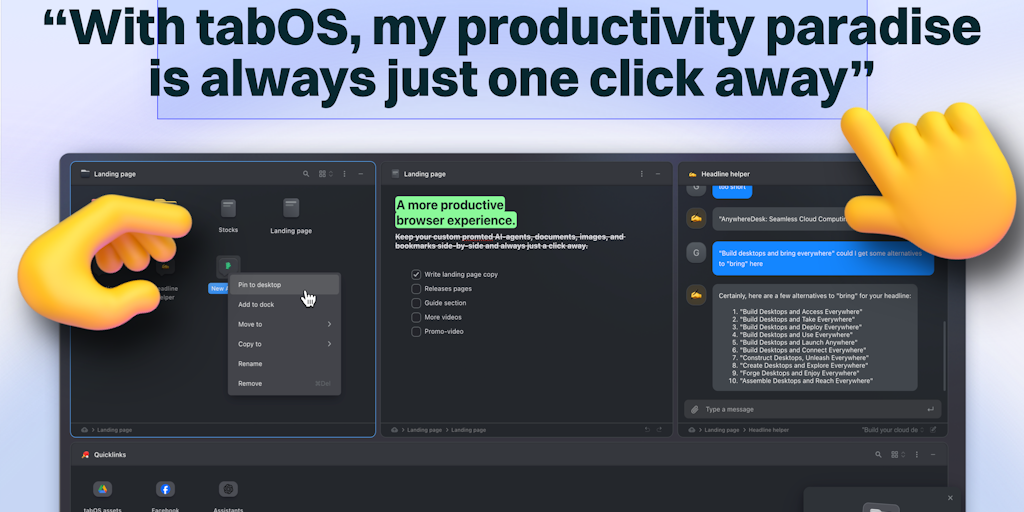
What is tabOS
tabOS Web is a browser add-on that aims to make web browsing more efficient and organized. It acts as a virtual operating system within your browser, letting you manage and organize your tabs like you would applications on your computer. The add-on allows you to create multiple "workspaces" within your browser, each containing different tabs related to a specific project or task. This feature allows you to easily switch between different work contexts without losing track of your progress. tabOS Web also has a built-in task manager, allowing you to set reminders and organize your work flow. You can even control the appearance and layout of your browser with tabOS's customization options. While still under development, tabOS Web shows promise as a unique tool for users who need more control over their online workflow. It's available for free and you can check it out on their website or social media platforms. 😉
Core Features of tabOS
Organize tabs into workspaces
tabOS helps users organize their tabs into workspaces. Workspaces can be created and named to reflect different projects or tasks. This allows users to keep related tabs together and switch between them easily.
Take notes and annotate webpages
Users can take notes and annotate webpages directly within tabOS. This allows users to capture their thoughts and ideas as they browse the web.
Share workspaces and notes with others
Users can share their workspaces and notes with others. This allows users to collaborate with others on projects or share their research findings.
Use AI-powered features to boost productivity
tabOS includes AI-powered features such as tab summarization and AI-powered note generation. These features help users to save time and be more productive.
Integrate with other apps
tabOS integrates with other popular apps such as Slack and Notion. This allows users to manage their workflows from one central location.
FAQs of tabOS
What is tabOS?
tabOS is a browser add-on that turns your browser tabs into a full-fledged operating system. It allows you to organize and manage your tabs in a more efficient way, similar to how you would manage windows on a desktop operating system.
How do I use tabOS?
tabOS is a browser extension that you can download from the Chrome Web Store. Once installed, you can access it through the tabOS icon in your browser's toolbar.
What are the benefits of using tabOS?
tabOS helps you organize your tabs into groups, and manage your windows like you would on a desktop operating system. You can easily switch between different workspaces, open new tabs in specific workspaces, and keep track of all your open tabs. It's designed to help you stay organized and focused, especially when working with a large number of tabs.
What are some key features of tabOS?
tabOS offers features like:
- Workspaces: Organize your tabs into different workspaces.
- Multi-Window: Manage your tabs like windows on a desktop OS.
- Tab Groups: Create and manage groups of tabs.
- Quick Search: Quickly find the tab you're looking for.
- Tab Snapping: Quickly arrange tabs in a split-screen view.
- Pinned Tabs: Keep important tabs pinned to the top of your workspace.
How does tabOS compare to other tab management extensions?
tabOS stands out with its unique approach to tab management, allowing you to manage tabs like windows. While other extensions focus on simple organization or visual enhancements, tabOS offers a more complete tab management solution.
How can I learn more about tabOS?
You can find more information on the tabOS website: https://www.tabos.cloud You can also join the tabOS community on Discord: https://discord.gg/Wxgw3ysGP4 You can also follow tabOS on Twitter: https://twitter.com/tabOScloud
tabOS Alternatives
Always free browser that shares your logged-in Chrome state with AI agents like Claude Code and Codex, running browser automation up to 3.45x faster.
Discover curated website, landing page, and hero design prompts at HeyDesign AI. Browse the style, copy the prompt, and build faster.

AI website cloner that rebuilds live sites from a URL into editable React + Tailwind. Free preview, multi-page clones, production-ready code export, no subscription.
Generative UI transforms static designs into dynamic, AI-powered experiences, enabling the creation of personalized, context-aware user interfaces in real-time.
Explore Praneet Brar's web development projects, services, and insights. Learn about web applications and AI solutions.
Nexty.dev is a Next.js SaaS template, accelerated by Supabase, perfect for content, AI, or subscription services, offering rapid app deployment.
DeepSite AI, powered by DeepSeek V3, creates responsive websites without coding, offering real-time previews and SEO optimization.
ATemplate provides free web templates suitable for product showcases, business sites, landing pages, blogs, portfolios, e-commerce platforms, and admin dashboards.
Sigma AI Browser offers built-in AI chat, enhanced privacy features, and AI-powered browsing for increased efficiency and security.
Heatbot.io is an AI-powered tool that helps you improve your website design by analyzing user heatmaps and generating code for a better user experience.
Create professional websites in seconds using YEMOai's AI-powered website builder. Ideal for businesses, clubs, or anyone needing a fast, easy online presence.
Generate unique and culturally accurate Japanese names with this AI-powered tool, ideal for writers, game developers, and anyone needing authentic Japanese names.