
Subsvideo FAQs
Create captivating captions effortlessly with Subsvideo. Enjoy unlimited AI captions, no watermarks, no registration, free export, 4K support, 35+ languages, 80+ fonts, 25+ templates, animations, and more! Work locally in your browser.

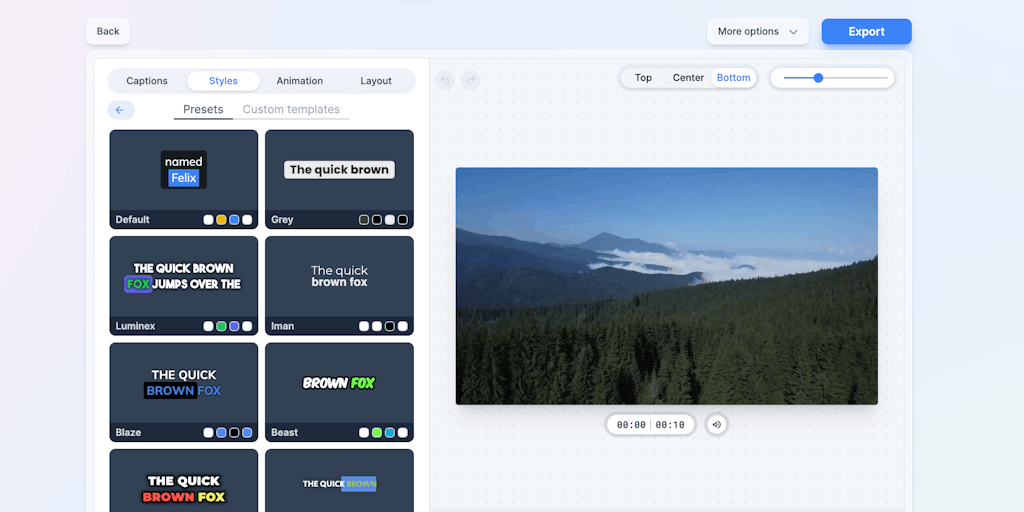
FAQs of Subsvideo
What is Subsvideo?
Subsvideo is a platform that helps you add subtitles to your videos. It can help you translate your videos into multiple languages, making them accessible to a wider audience. You can also use Subsvideo to add closed captions to your videos, which can help people with hearing impairments understand your content.
How does Subsvideo work?
Subsvideo works by using a combination of AI and human translators. You can upload your video to the platform, and Subsvideo will automatically generate subtitles for it. You can then edit and refine the subtitles, or you can have a professional translator do it for you. Once you are happy with the subtitles, you can download them in a variety of formats, such as SRT, VTT, and TXT.
What are the benefits of using Subsvideo?
There are many benefits to using Subsvideo, including:
- Increased accessibility: Subtitles make your videos accessible to people who are deaf or hard of hearing.
- Improved engagement: Subtitles can help people understand your videos better, even if they are watching them in a noisy environment.
- Global reach: By translating your videos into multiple languages, you can reach a wider audience.
- Enhanced SEO: Subtitles can help your videos rank higher in search results.
How much does Subsvideo cost?
Subsvideo offers a free trial, and then you can choose from a variety of paid plans. The price of each plan depends on the number of minutes of video you need to transcribe and the features you need.
How do I contact Subsvideo support?
You can contact Subsvideo support by email, phone, or live chat.
